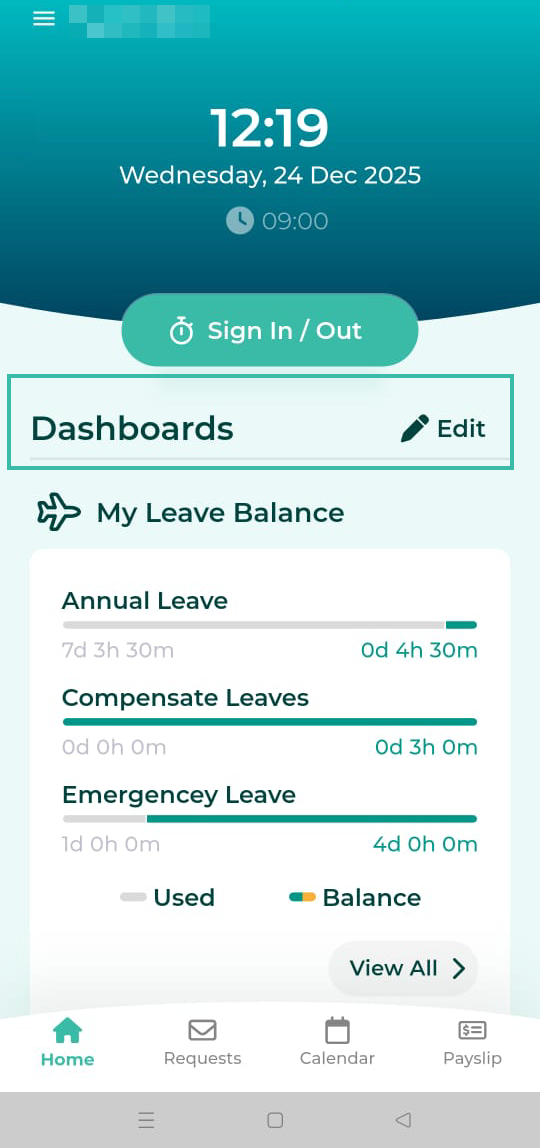
Dashboard on Mobile App
Log in to ByteHR on Mobile App -> Click "+" -> Select the desired Widgets -> Click "Back" -> The added Widgets will appear on the Home page
Employees will be able to view Seven Dashboards on the Mobile App as per their configuration as follows:
- Attendance
- Leave Balance
- Requests
- Announcements
- Birthdays
- Holidays
- Overtime
Here's how to view the Dashboard:
- Log in to the ByteHR mobile app.
-
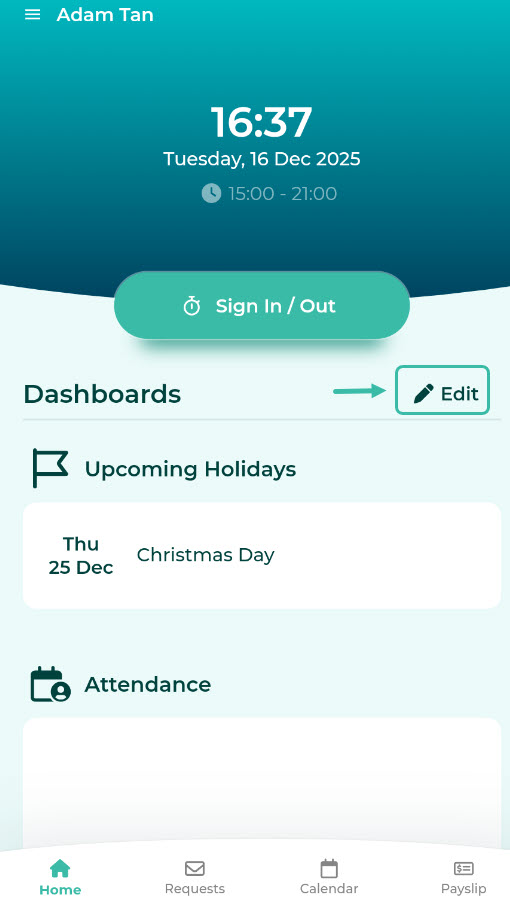
Click Edit on the Home Page.
-
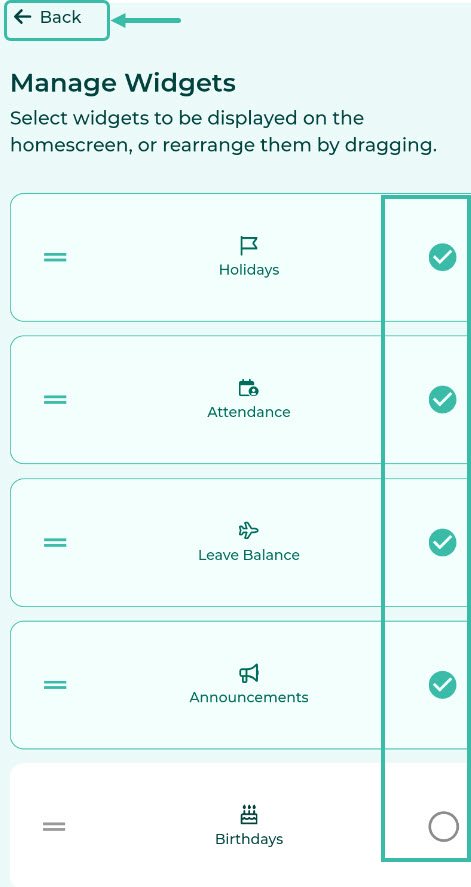
Select the Widgets you want to display on the Home Page and click Back.
-
The selected widgets will appear on the Home screen under Dashboard.