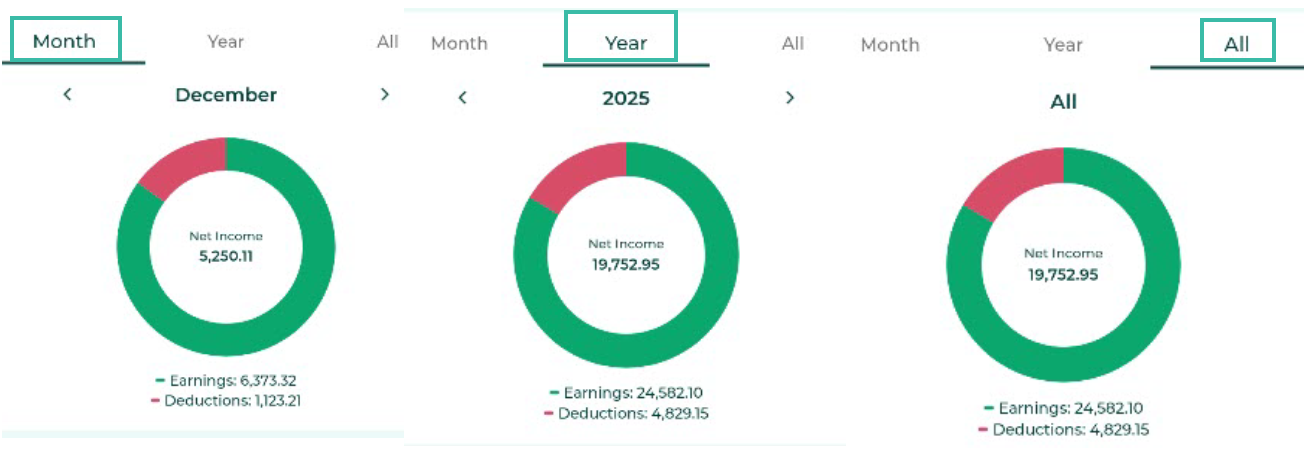
Mobile Payment Summary Dashboard
Employees can view their Payment summary dashboard from the ByteHR mobile application as follows:
- Log in to ByteHR in the mobile app.
- Tap Payslip tab.
-
Select Payment Summary.
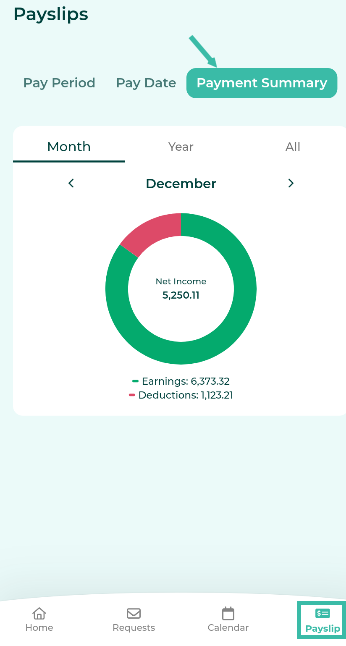
- If the admin has enabled the Payslip Lock, the system will require identity verification.
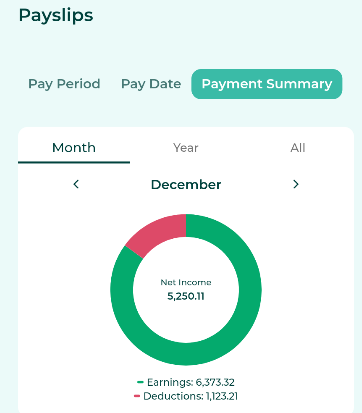
- The system will display the Payment Summary Dashboard.
-
The information displayed includes:
- Earnings
- Deductions
- Net Income.
Note: The system will only display the Payment Summary for months in which a Payslip notification has been sent.
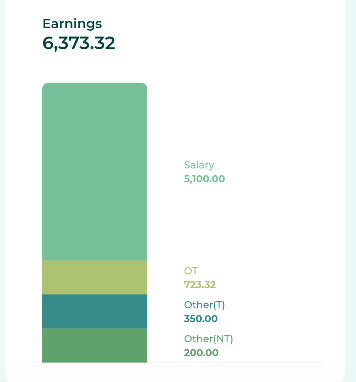
- You can view details of your Earnings by clicking on the graph in the Earnings section, which is divided into:
- Salary
- Overtime pay
- Other Income (taxable) (Other (T))
-
Other Income (Non-Taxable) (Other (NT))
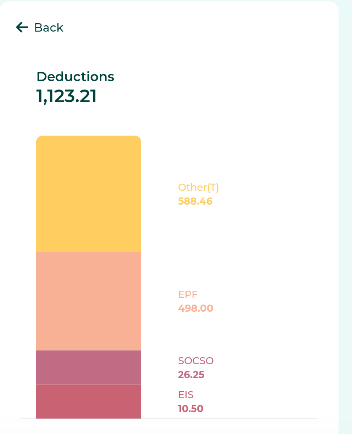
- You can view details of Deductions by clicking on the graph in the Deduction section, which is divided into:
- Tax
- EPF
- SOCSO
- EIS
- Other deductions (taxable) (Other (T))
-
Other deductions (tax-free) (Other (NT))
-
You can choose to view salary summaries by pay period, yearly, or all.