Leave Dashboard in Mobile App
Employees can view their Leave Dashboard via the ByteHR Mobile App as follows:
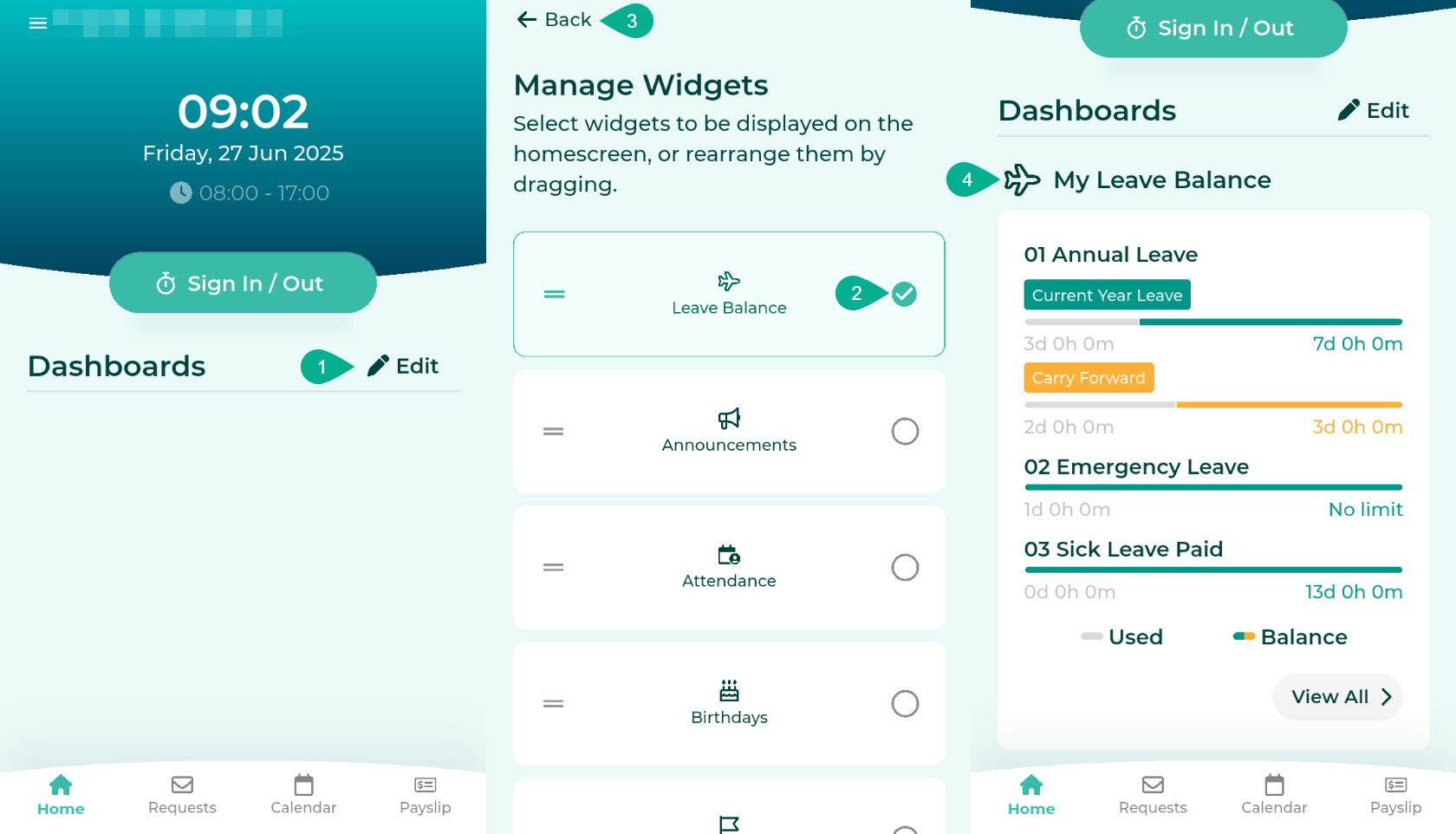
- Log in to ByteHR mobile app. On the Home page, under the Dashboard section, click the Edit button.
- Select the "Leave Balance" topic.
- Click "Back".
- The system will display the My Leave Balance dashboard.
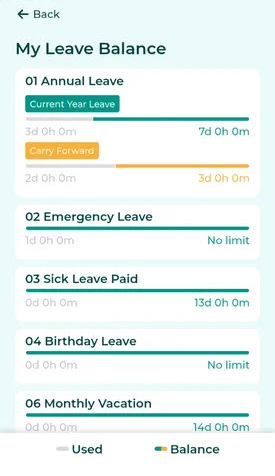
- The dashboard displays up to 3 types of leave, along with information on remaining leave days.
- Grey: Indicates the portion of leave days that has been used.
- Green: Indicates the remaining leave days entitlement for the current year.
-
Yellow: Indicates the portion of accumulated leave days from the previous year (if any).
-
To view all types of leave, click "View All." This will display the "My Leave Balance" page showing all remaining leave days.