
Overtime Dashboard in the Mobile App
Employees can view their overtime summary dashboard from the ByteHR mobile application as follows:
- Log in to ByteHR mobile app.
-
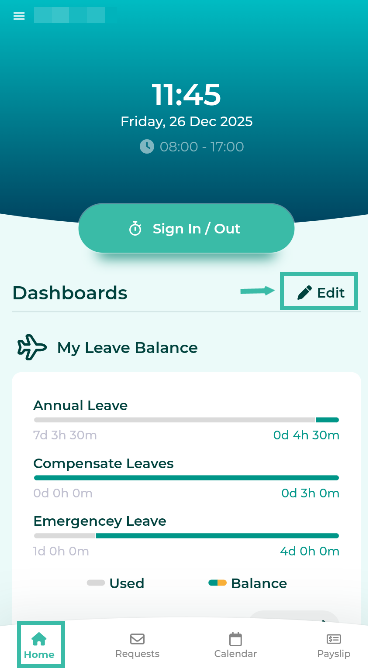
Click the Edit button (gear icon).
-
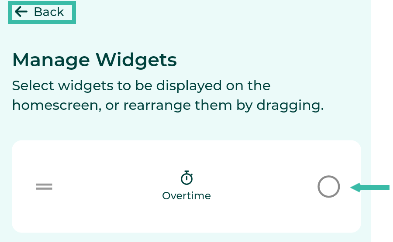
Select Overtime Widgets and click Back.
-
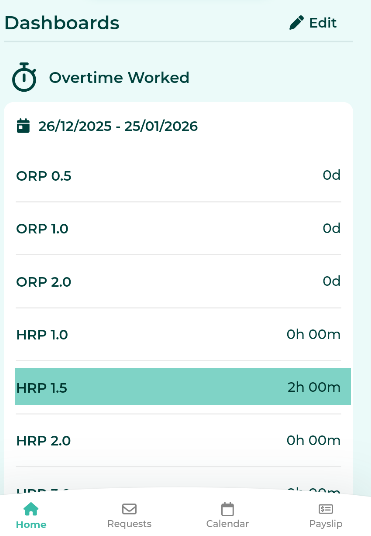
The Overtime Worked dashboard will be displayed on the Home page under Dashboard.
📃Note
- The system displays information based on the Overtime cut off date of the branch to which the employees is assigned.