
Birthday Dashboard in the Mobile App
Employees can view their Birthday Dashboard on ByteHR Mobile App
- Log in to ByteHR mobile app.
-
On the homepage, click the Edit button.
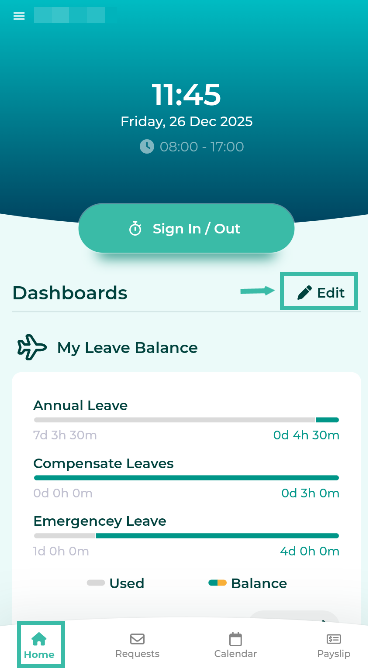
-
Select Birthdays Widgets and click Back.
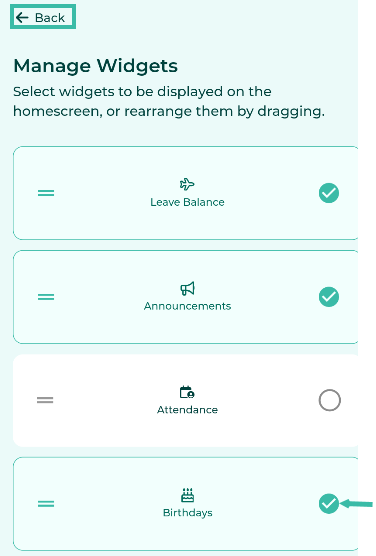
-
The Birthdays Dashboard will be displayed on the Home page under Dashboard.


📃Note
- The Birthdays Dashboard will display a list of employees whose birthdays fall within the next 30 days.
- The information displayed includes a photograph, date of birth, full name, nickname, position, and department (if applicable).
- The system will only display the birthdates of employees working in the same branch.
- To hide the birthday dashboard, follow the same steps.