
ByteHR - January 2026 Release
TABLE OF CONTENTS
🟢 New Feature
- KPI Feature Update
- Partially Paid Leave
- Prorate Payments by Attendance
- Open API Update – Custom Fields
- Hong Leong Bank File
- Health Status
🔵 Improvements
🟢 New Features
KPI Feature Update
KPI reviews are organized into Review Rounds within a defined period. Within the same review round, each employee can have different KPIs, reviewers, and weightage based on their role and responsibilities. The system supports Manager, Peer, and Self reviewers, including cross-department peers within the same branch.
In each review round, an employee can have multiple KPIs. Each KPI has its own weight, and all KPI weights must add up to 100%. Scores from different reviewers are then combined using reviewer weightage, which also totals 100%, to calculate the final total score.
KPI Review Workflow
1) Create Review (Admin)
- Admin creates a review
- Selects review period and employees
- Review is created in Draft status
2) Status: Draft (Admin & Manager)
- Admin and Manager configure KPIs, reviewers, and weightage
- Review is prepared but scoring is not allowed
3) Status: In-Progress (Reviewers: Manager, Peer, and Self)
- Admin or Manager moves the review to In-Process
- Reviewers access the Scoring page to submit KPI scores and attachments
- Admin and Manager monitor progress and send reminders
4) Status: Completed (Admin)
- Admin mark review as Completed.
- Results are locked and can be sent immediately or scheduled
New Features
-
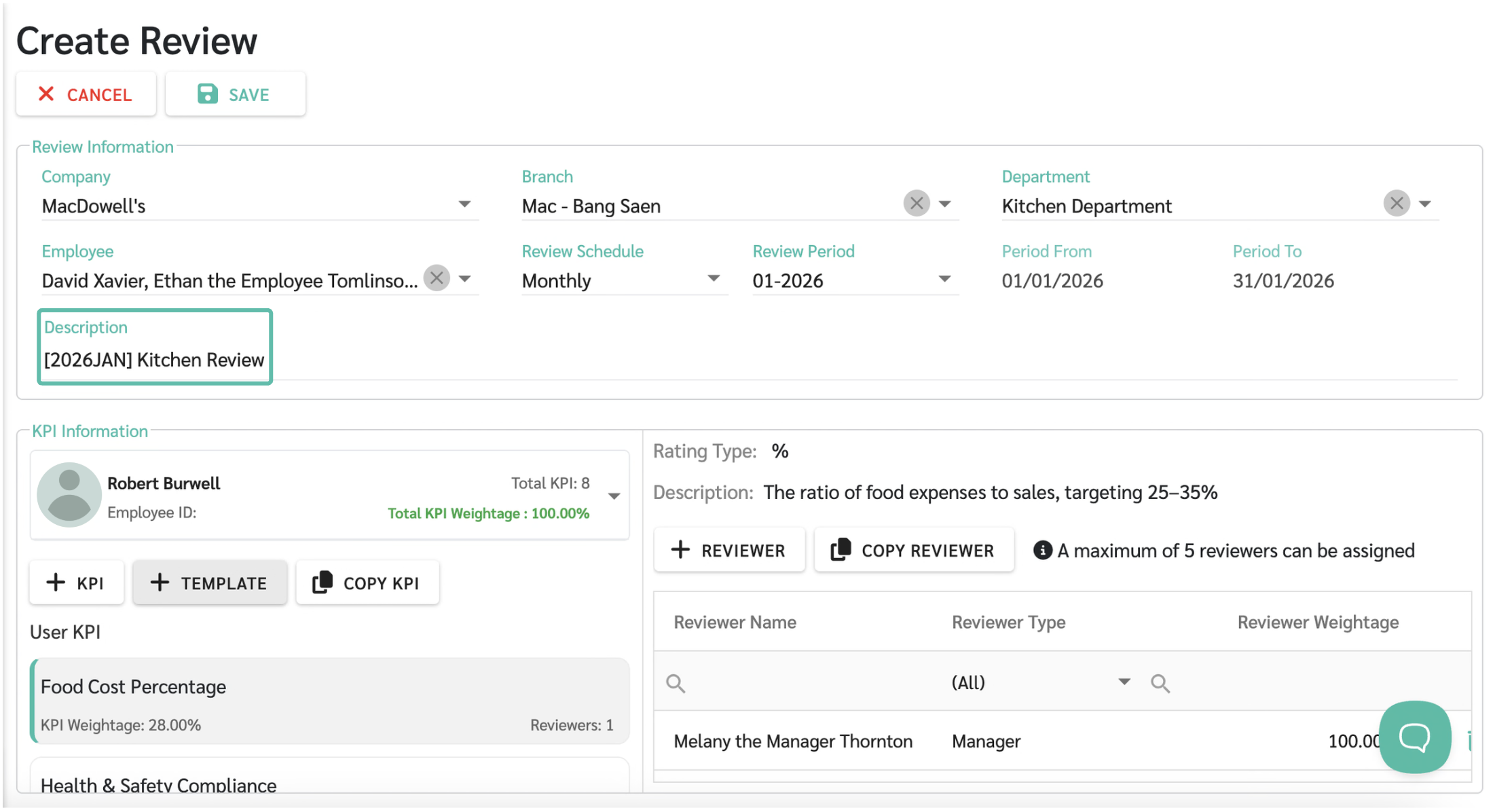
Review Description
Admins can add a description to each review to help identify and differentiate review rounds more easily, especially when managing multiple reviews.
-
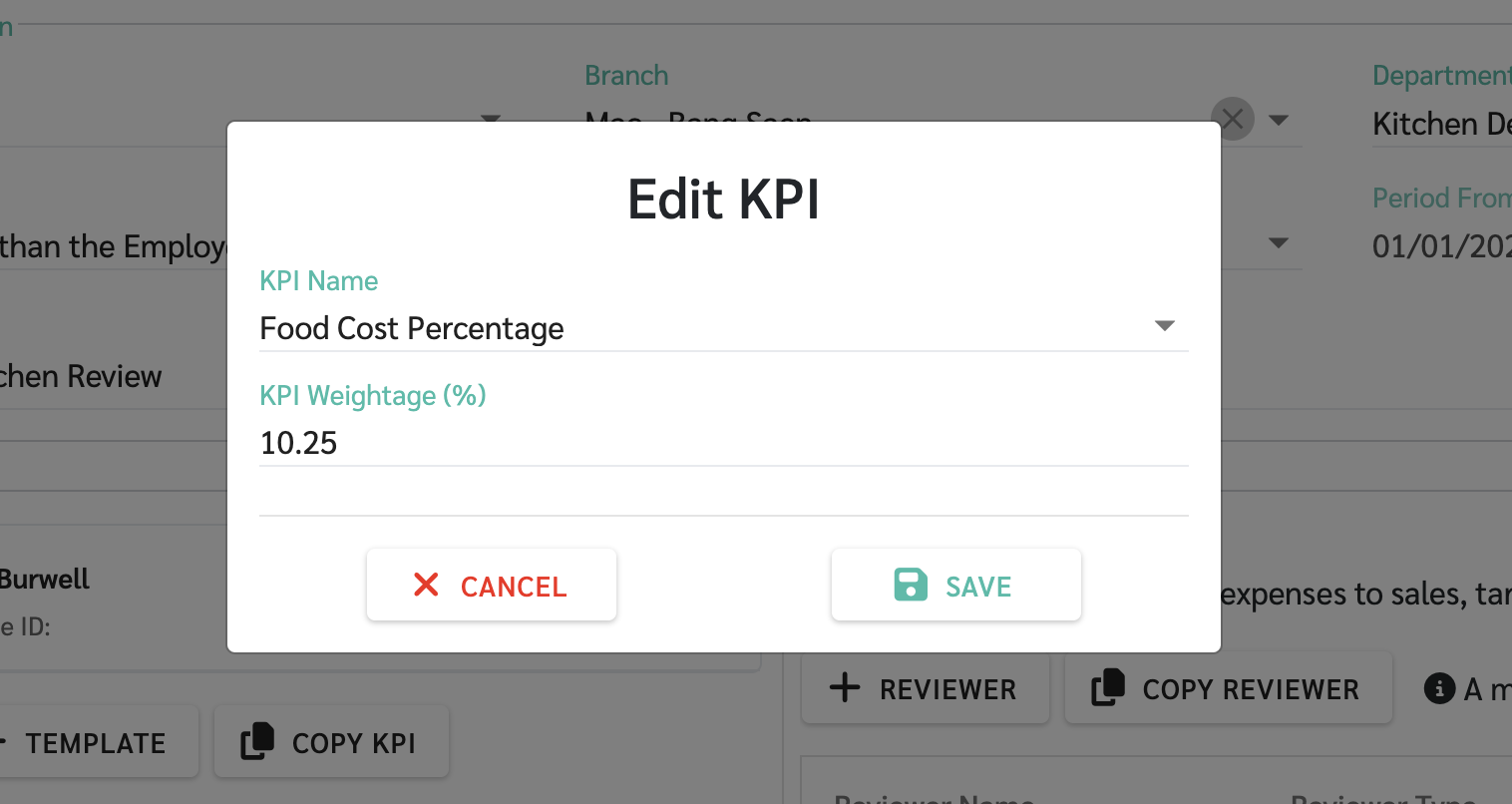
Decimal KPI Weightage Support
KPI weightage can now be set using decimal values (e.g. 12.5%, 33.33%). This allows more precise weight distribution and ensures the total weight equals 100%.
-
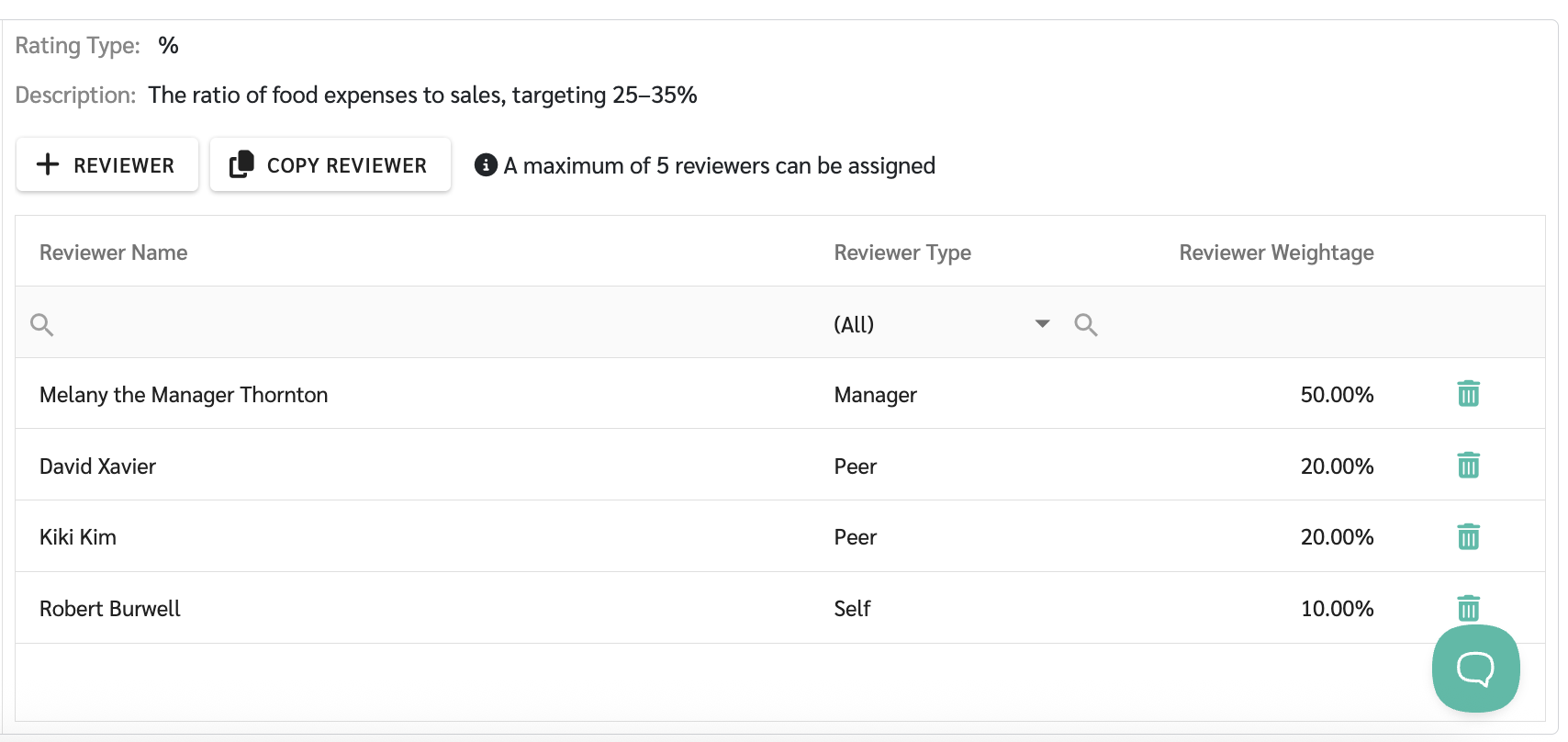
Custom Weightage per Reviewer
Admins can assign different weightage to each reviewer type, such as Manager, Peer, or Self, so the final score accurately reflects each reviewer’s contribution.
-
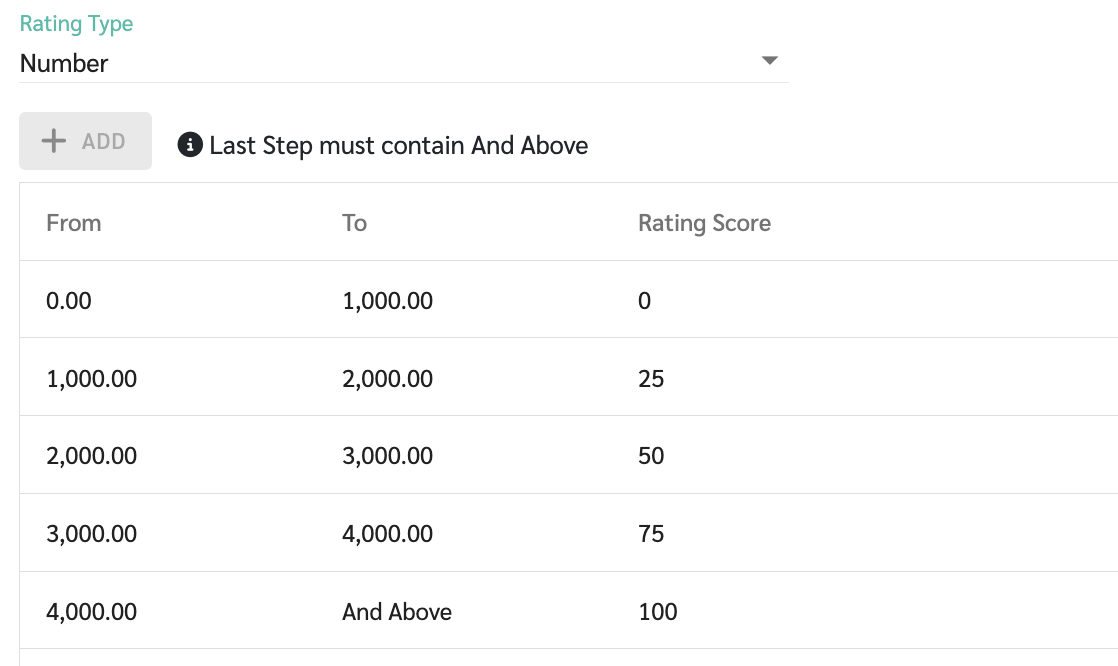
Numeric KPI Rating (Rating Type: Number)
This rating type is suitable for KPIs measured by actual numbers, such as sales results, output volume, or quantitative performance.
Admins can define:
- The numeric range
-
The score assigned to each range
-
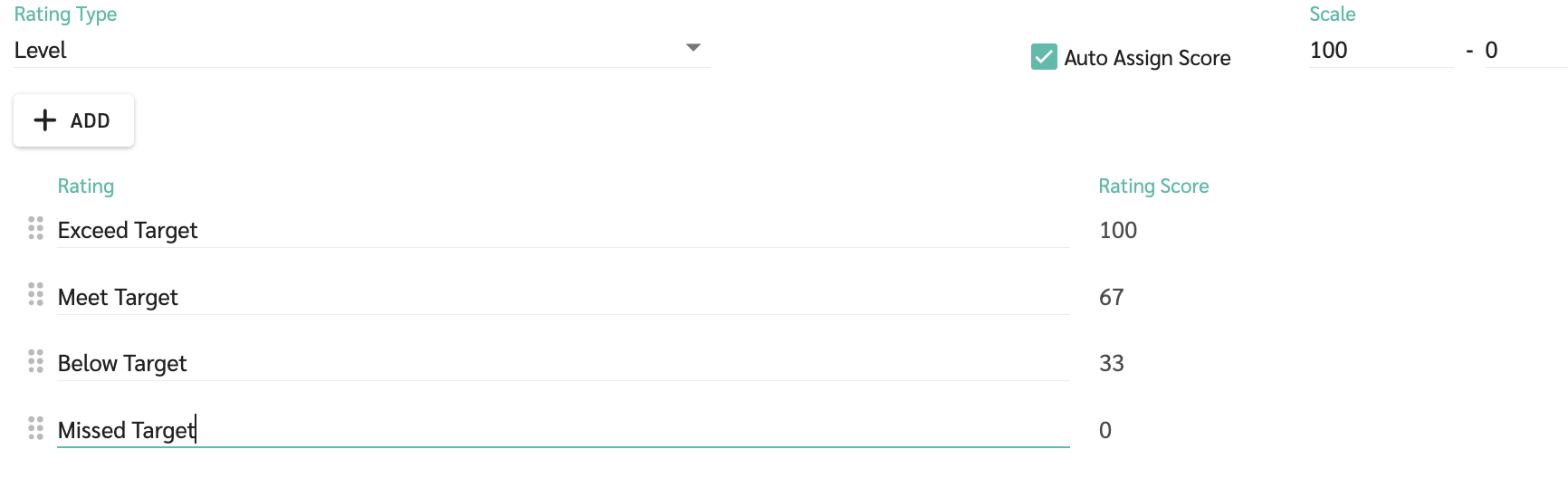
Customizable Rating Levels (Rating Type: Level)
Admins can customize the wording of Level-based ratings instead of using fixed standard terms. This helps ensure rating language matches the organization’s culture and makes results easier for employees to understand.
Default system levels: Very Good, Good, Neutral, Needs Improvement
-
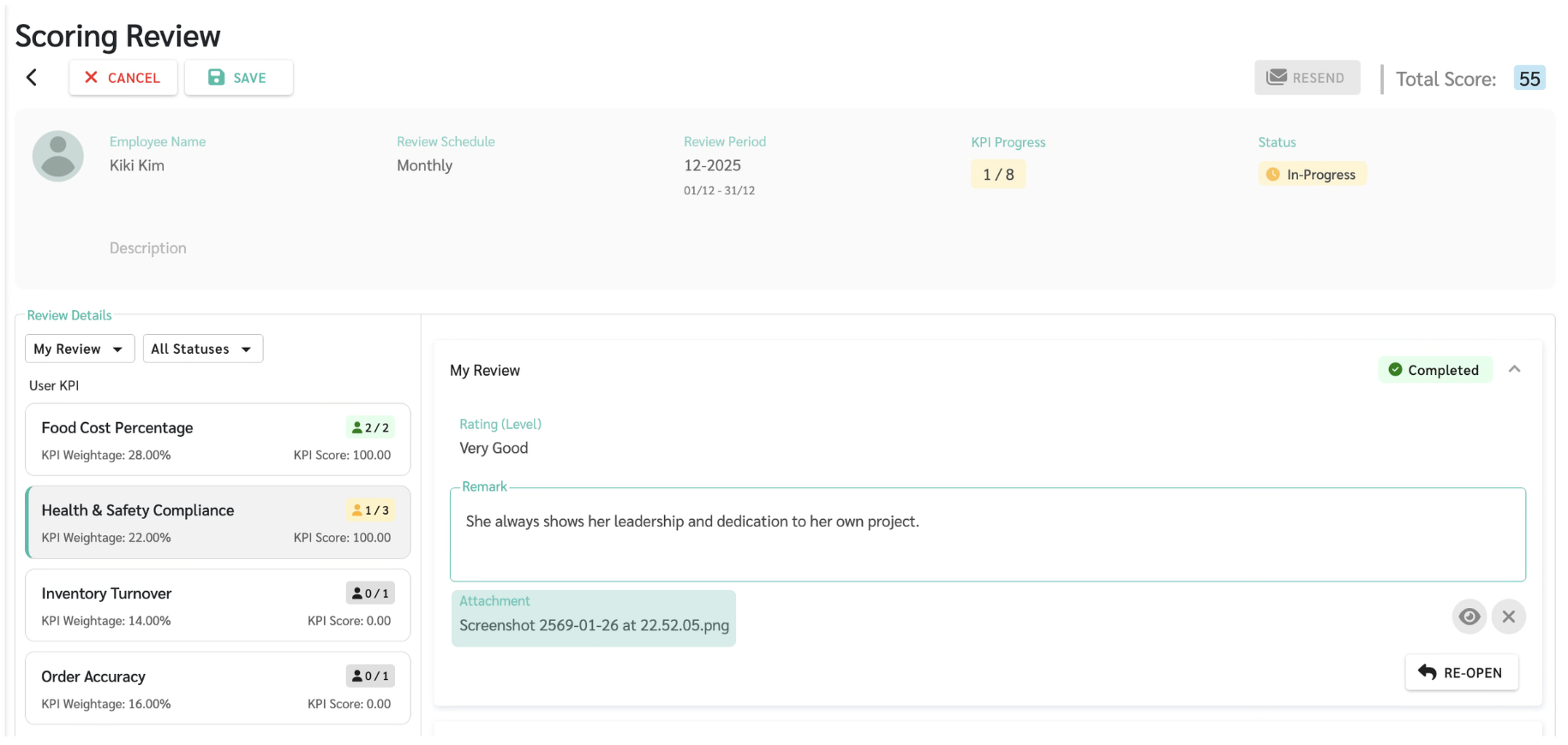
File Attachment per KPI
Reviewers can attach files or evidence to each KPI item. This helps clarify the reasoning behind scores and improves transparency in the evaluation process.
-
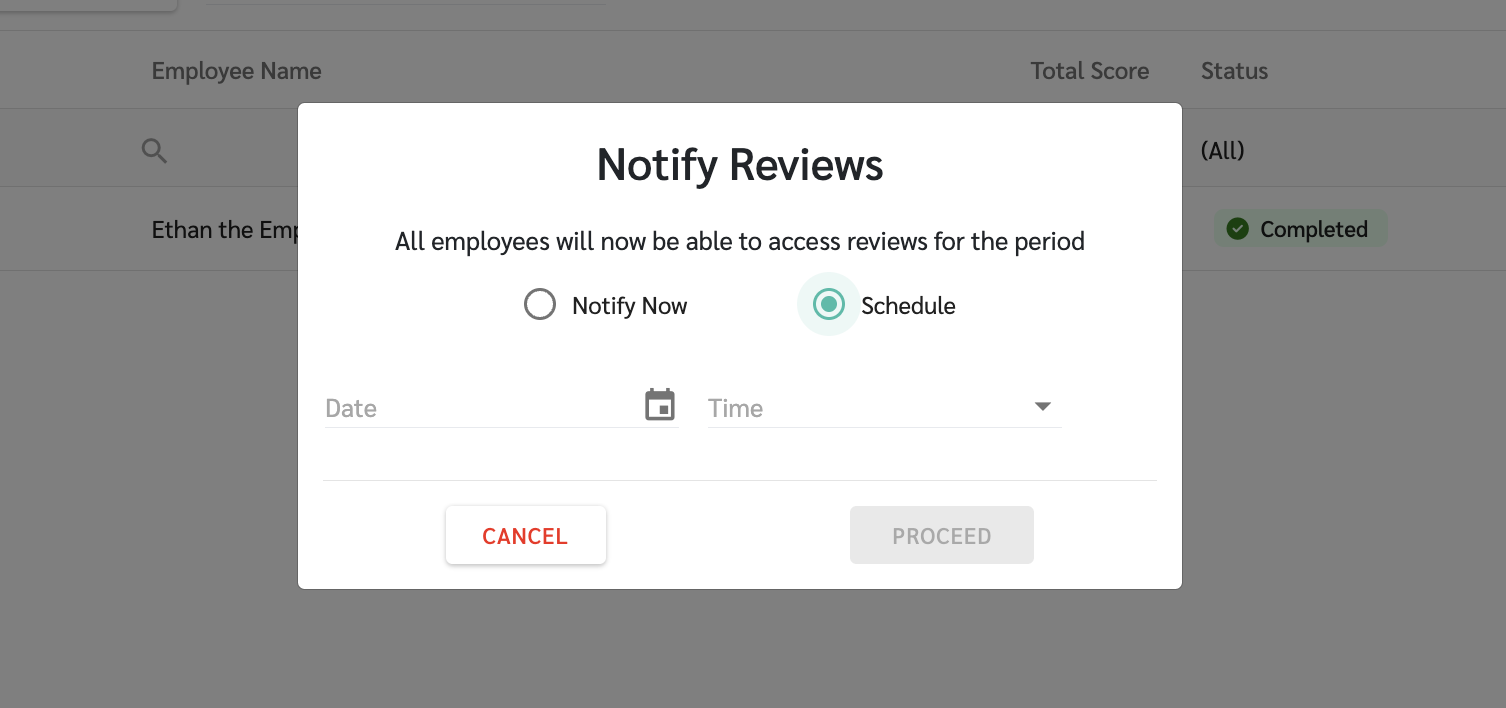
Scheduled KPI Result Notification
Admins can choose to send KPI result notifications immediately or schedule them for a later time, such as aligning with bonus announcements or internal communications.
-
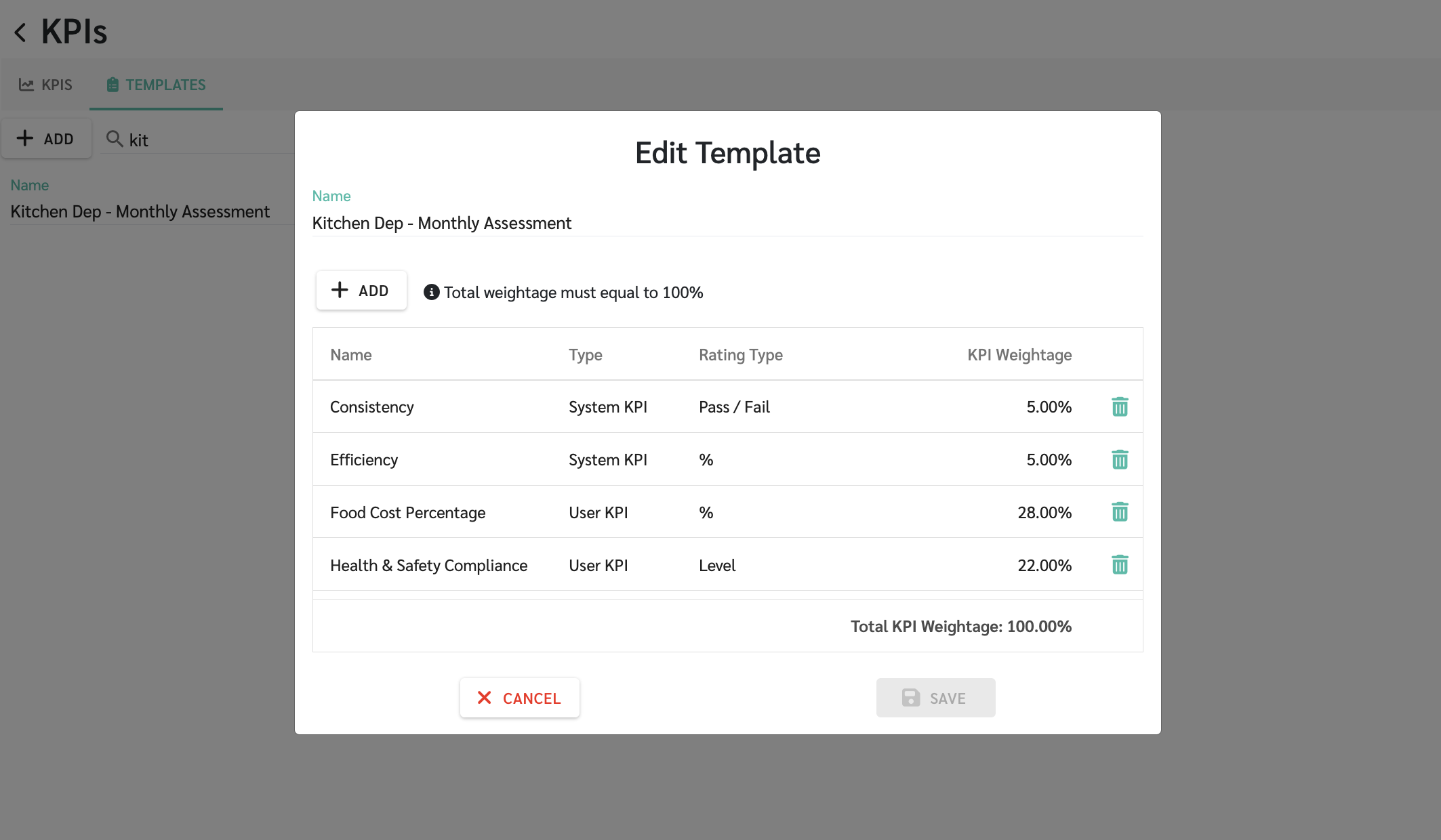
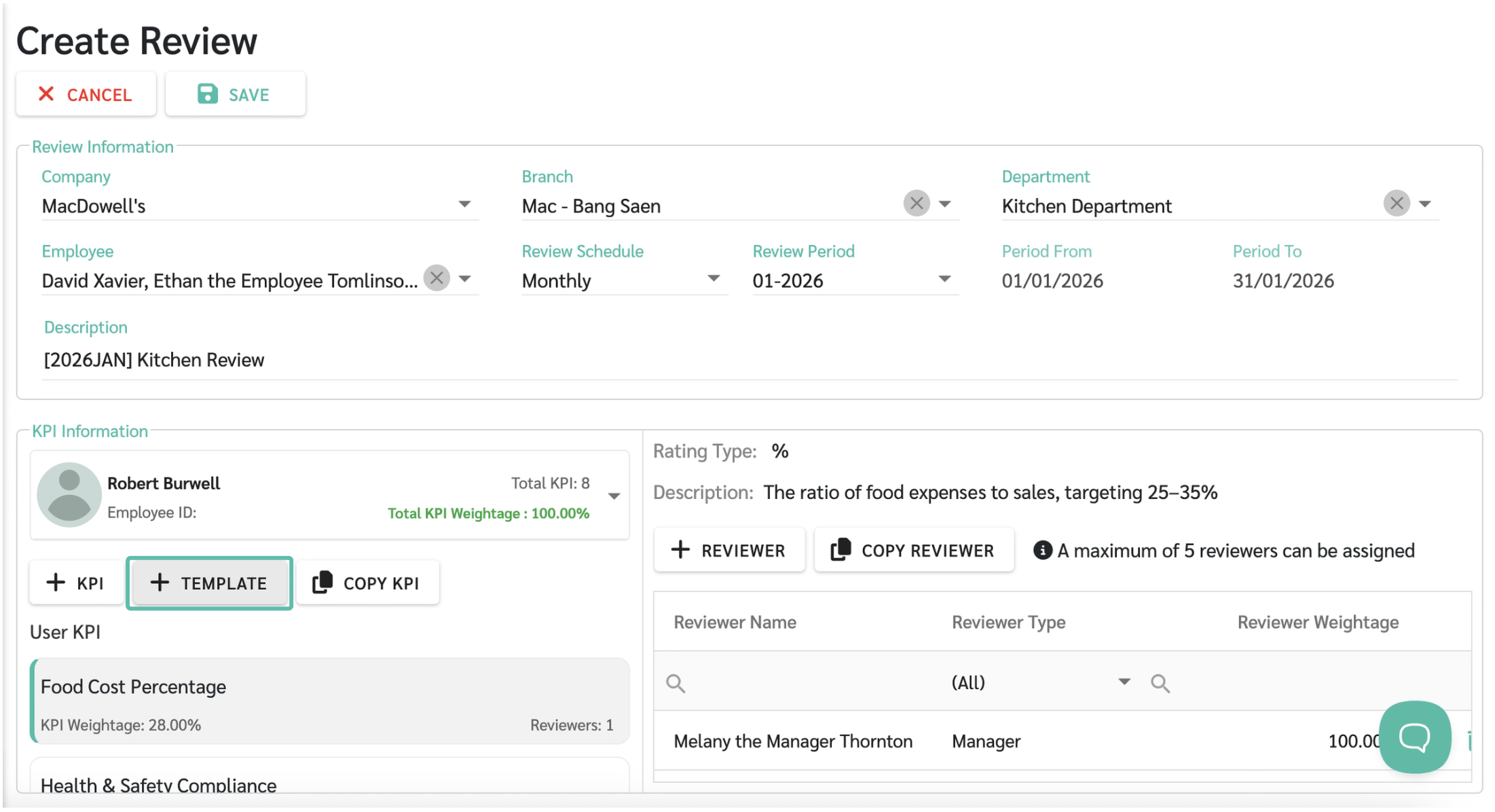
KPI Template
The system supports creating KPI Templates as a base for setting up employee performance reviews. Once a template is created and the total KPI weightage equals 100%, it can be applied immediately without reconfiguring the KPIs again.
—
- See KPI Review Overview at LEARN MORE
Partially Paid Leave

The system now supports Partially Paid Leave (50%), allowing organizations to manage leave types where employees receive 50% of their salary for approved leave days
Each partially paid leave day is recorded as a full leave day in the leave module, while payroll calculations treat it as 0.5 absence day with 50% salary payment
This leave type supports full-day leave only and does not allow hourly or half-day leave
—
- See Add New Leaves at LEARN MORE
Prorate Payments by Attendance

Admins can enable Prorate Payments by Attendance to calculate payments based on the actual number of days worked within a payroll period
When enabled, attendance data is used to calculate payments, following the same calculation logic as salary
Go to Preferences > Payrolls > Payment > Setting
- Prorate Payments by Attendance applies only to payments from contract
- For allowances configured via Allowance Rule, the calculation follows the settings defined in that rule and does not use the contract prorate logic
—
- See Add New Payments at LEARN MORE
Open API Update – Custom Fields
Open API now supports Custom Fields export, allowing admins to retrieve custom-defined fields such as Project Code or other organization-specific data for further use or integration with internal systems.
Custom Fields are available via Open API for both:
- Employee data
- Contract data
The system uses the Field Name as the data key when exporting Custom Fields.
This update does not impact existing Open API functionality and does not change any API limits or usage restrictions.
—
- See Open API **Add-On at LEARN MORE
Hong Leong Bank File

You can now generate payroll bank files for Hong Leong Bank (HLB) directly from ByteHR, making salary payments easier and compliant with Hong Leong Bank requirements.
- Hong Leong Bank is now available in the Generate Bank File
- Supports both Connect Biz and Connect First
- File format is generated automatically based on the selected system type
- DUITNOW is not supported
Health Status

We’ve introduced Health Status to provide better visibility into system availability in real time
This feature allows you to:
- Check the current system status instantly
- Stay informed about system issues or disruptions
- Better understand system-related delays or limitations
You can access Health Status from the Help menu to review system availability anytime
🔵 Improvements
Edit Employee Join Date

Admins can now update an employee’s official join date for the earliest contract to ensure HR data remains accurate. This helps keep probation periods, years of service, and related calculations aligned with the correct start date.
The join date can be edited only for the employee’s earliest contract. When updated, the probation end date will be adjusted accordingly.
Go to Employee Profile > Contracts to edit the join date. Existing leave balances are not affected by this change.
Default Probation Days

Admins can configure a default probation period at the company level to ensure consistent probation settings when creating new employees.
Go to Company > Employee Settings to manage this configuration. The setting applies only to newly created employees and does not affect existing employee records.
Export Requests (Employee / Manager)

Employees and managers can now export request data directly from the web view, making it easier to review and analyze their requests outside the system.
The Export Excel option is available on My Requests and Manager Requests, depending on the user’s role and permissions. The exported file follows the same format and structure as the Admin export, ensuring consistency across roles.
Prevent Fake GPS eCheck-in

- The system detects Fake GPS (Mock Location) during mobile eCheck-in on iOS and Android.
- If a fake location is detected, the system will not allow check-in.
- This feature has been tested with popular Fake GPS applications on mobile devices and can effectively prevent the use of Fake GPS on mobile.
—
- See Prevent Fake GPS eCheck-in at LEARN MORE