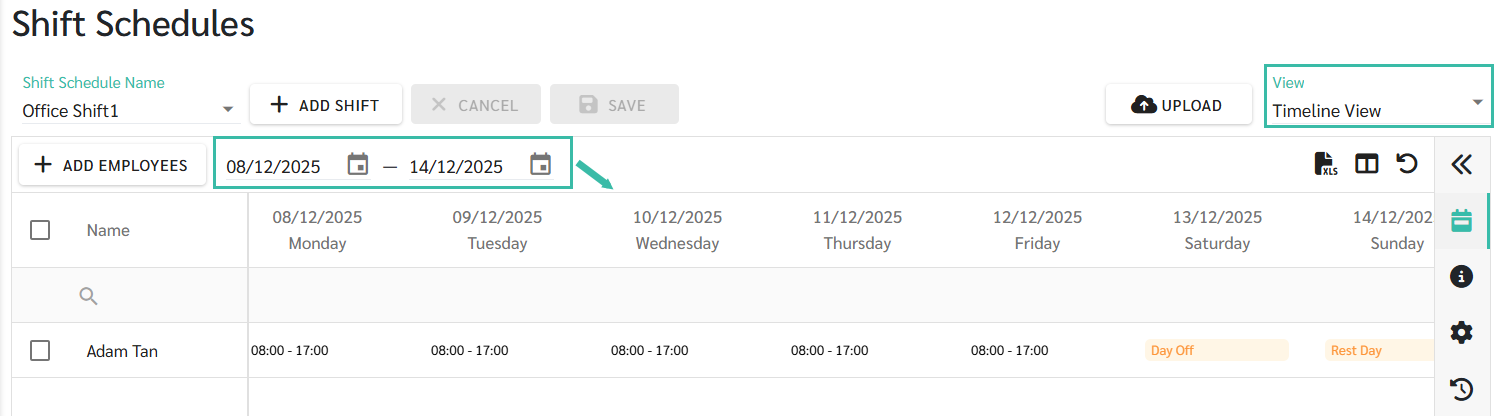
Shift Schedule View
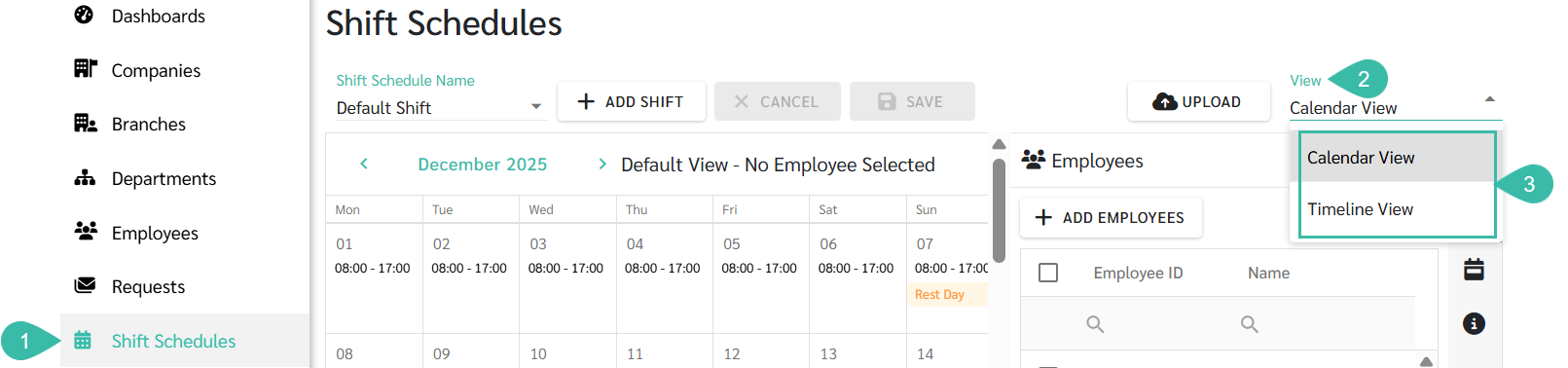
Go to the Shift Schedule tab -> Click the View Dropdown list -> Select Calendar View or Timeline View
How to select the Shift Schedule View
- Navigate to Shift Schedule.
- Click the dropdown menu in the View field.
-
Select either Calendar View (monthly view) or Timeline View (weekly view).
Examples of two different views of the shift schedule.
-
Display in Calendar View (Monthly View)

-
Display in Timeline View (Weekly View)
You can select the desired date range to view, up to 1 month, at the top of the calendar.