
Shift Schedules History
Viewing the History in the Shift Schedule Menu
In the event of any changes or updates to a Shift Schedule, admin can review the edited/updated history by following the steps below:
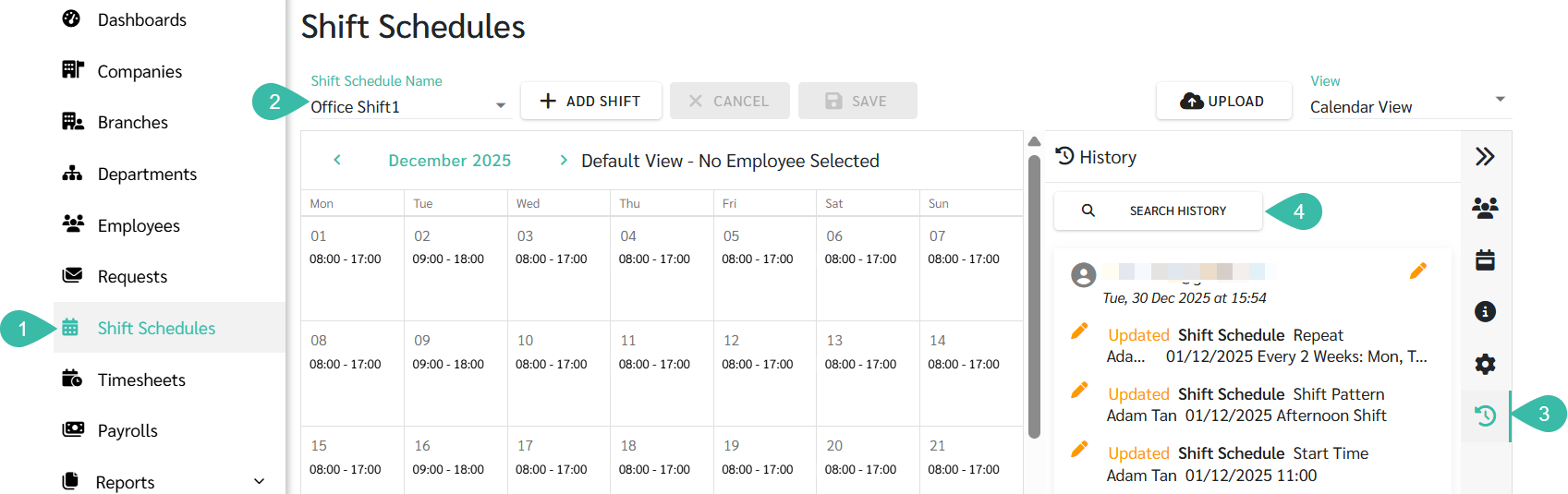
- Go to Shift Schedule tab.
- Select the Shift Schedule Name you want to review.
- Click the History tab.
-
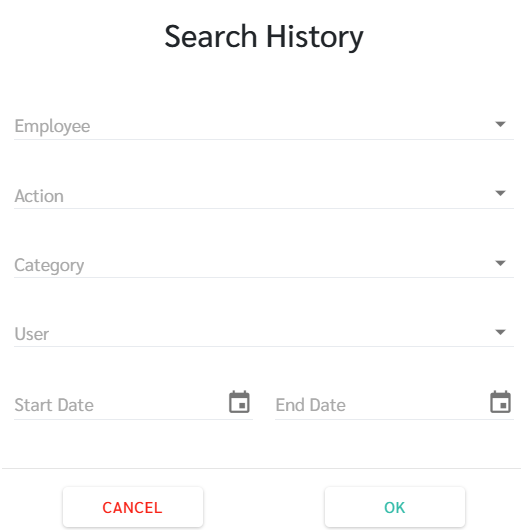
Admin can filter the displayed information by clicking the "Search History" button.
- The following filter options are available:
- Employee: refers to the employee whose information was changed.
- Action: indicates the type of action performed (Added/Updated/Deleted).
- Category: refers to the type of data edited (Shift Schedule or Settings)
- User: Refers to the person who made the change.
-
Start Date and End Date: Refers to the date range during which the edits occurred.
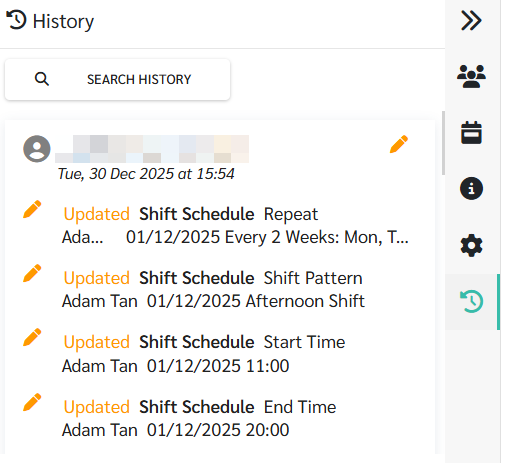
- When changes are made, the system will display the following information in the History tab:
- The action performed (Added/Updated/Deleted).
- The type of Data that was edited (Shift Schedule, Shift Patterns).
- The fields that were edited (e.g. Start Time and End Time).
- If the edit is related to a specific employee, the employee's name will be displayed.
-
The updated values after the edit.
📃Note
- The information shown in the History section includes edits made through:
- Shift Schedule edits by admin.
- Attendance Requests.
- Uploaded Data.