Load Timesheet
The Admin can view employee's Sign In/Out time or assigned Shift in the Timesheet menu.
Here's how to Load the Timesheet:
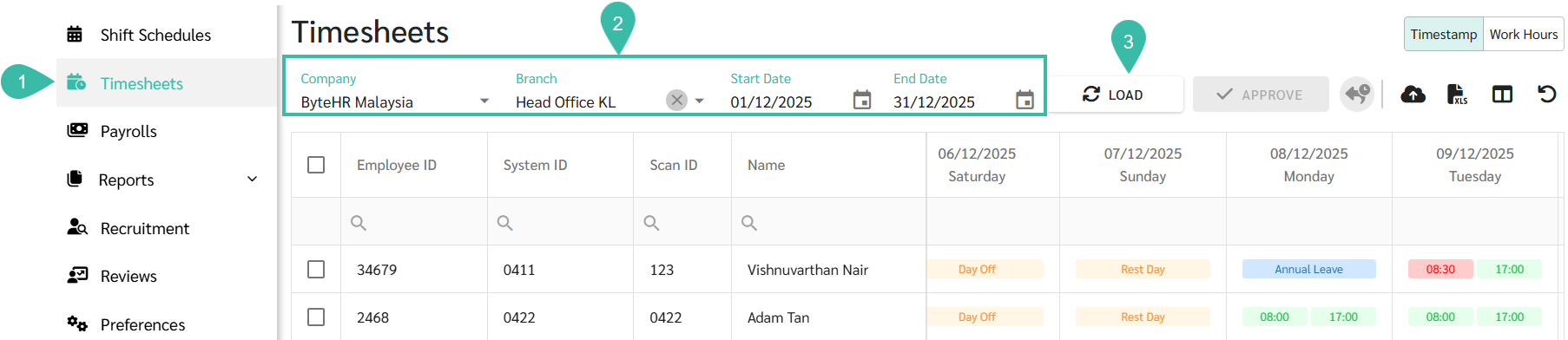
- Go to the Timesheets tab.
- Select Company, Branch, Start Date, and End Date.
-
Click the Load button to view the Timestamp data.
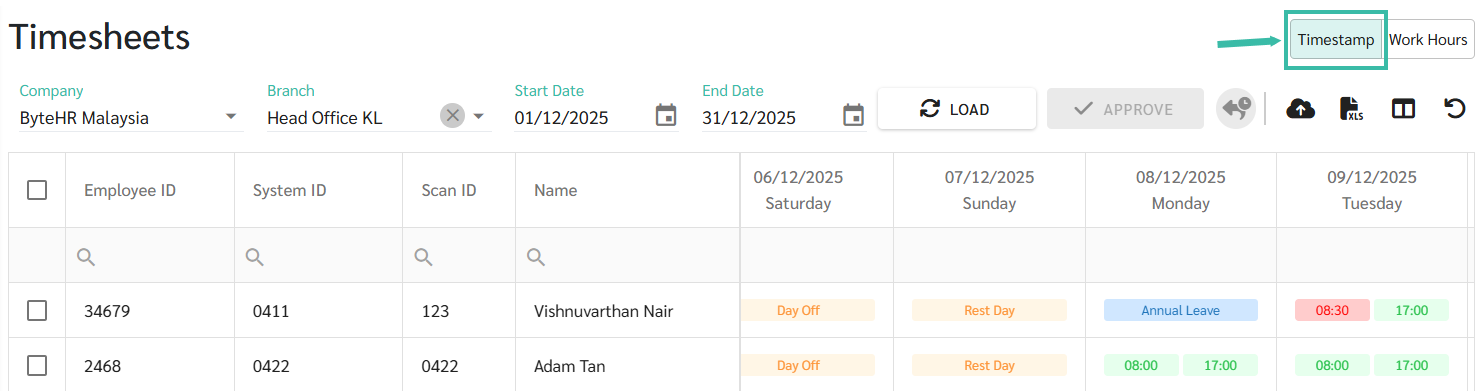
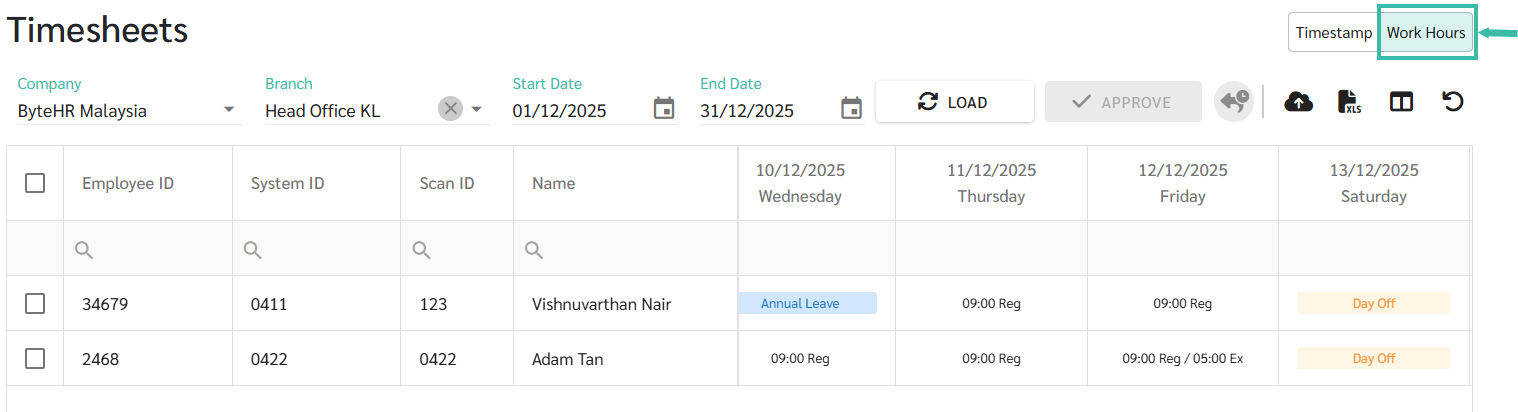
- The Timesheet offers two views:
-
Timestamp View: The system displays employee clock-in and clock-out times on the Timesheet. If an employee is late or out early, the Clock In/Out will be highlighted in red.
-
Work Hours View: The system displays employees' working hours for each day, including Regular Hours, Extra Hours, and Overtime Hours. This is ideal for monitoring employees' working hours.
-
- As you scroll to the far right of the employees' timesheet, you will see the system-generated Work Information Summary which displays key data as follows.
- Total Worked
- Total Absent
- Total Unpaid Leave
- Total Work Hour
- Total Regular
- Total OT ORP/HRP Rates
- Total Extra
-
Total Compensation (Comp)

- The admin can edit the information on the Timesheet page.
- LINK to Edit Timesheet.
Work Information Summary:
| Items | Description |
|---|---|
| Total Worked | The total number of days the employee has worked. |
| Total Absent | The total number of days the employee was absent. |
| Total Unpaid Leave | The total number of days the employee took leave without pay. |
| Total Work Hours | The total hours worked, including Regular Hours, Overtime (OT), Extra Hours, and Compensatory Hours. |
| Total Regular | The total number of hours worked during regular working hours. |
| Total ORP OT 0.5 | The total number of hours worked at OT 0.5 rate. |
| Total ORP/HRP OT 1.0 | The total number of hours worked at OT 1.0 rate. |
| Total HRP OT 1.5 | The total number of hours worked at OT 1.5 rate. |
| Total ORP/HRP OT 2.0 | The total number of hours worked at OT 2.0 rate. |
| Total HRP OT 3.0 | The total number of hours worked at OT 3.0 rate. |
| Total Extra Hours | The total number of additional hours worked beyond normal working hours, excluding overtime. |
| Total Compensation Hours | The total number of overtime hours converted into compensatory leave. |
| Total Late (Minutes) | The total number of minutes an employee arrived after the scheduled start time. |
| Total Late (Days) | The total number of days an employee arrived after the scheduled start time. |
| Total Out Early (Minutes) | The total number of minutes an employee left before the scheduled end time. |
| Total Out Early (Days) | The total number of days an employee left before the scheduled end time. |
📃Note
-
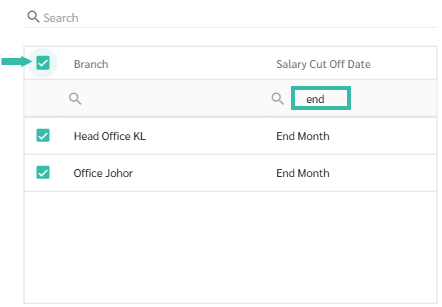
You can select multiple branches simultaneously, provided that each branch has the same salary cut-off date.
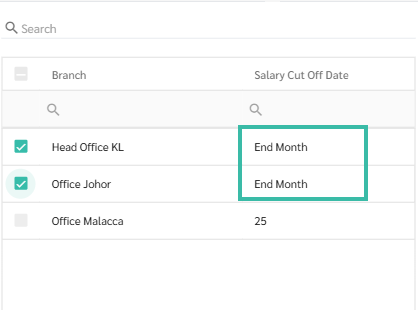
-
The admin can filter the Salary Cut Off Date column and then select all.