Add Trainings to Employees
🗨️Note
Setup Procedure:
- Go to Employees tab-> Select the employee for whom you want to add training -> Click Trainings -> Click the arrow to select the name of the training/seminar created in the system -> Verify the information is correct -> Click Save.
How to Add Training topics for Employees.
After the admin has created the training topics in the Preferences tab, please follow the steps below.
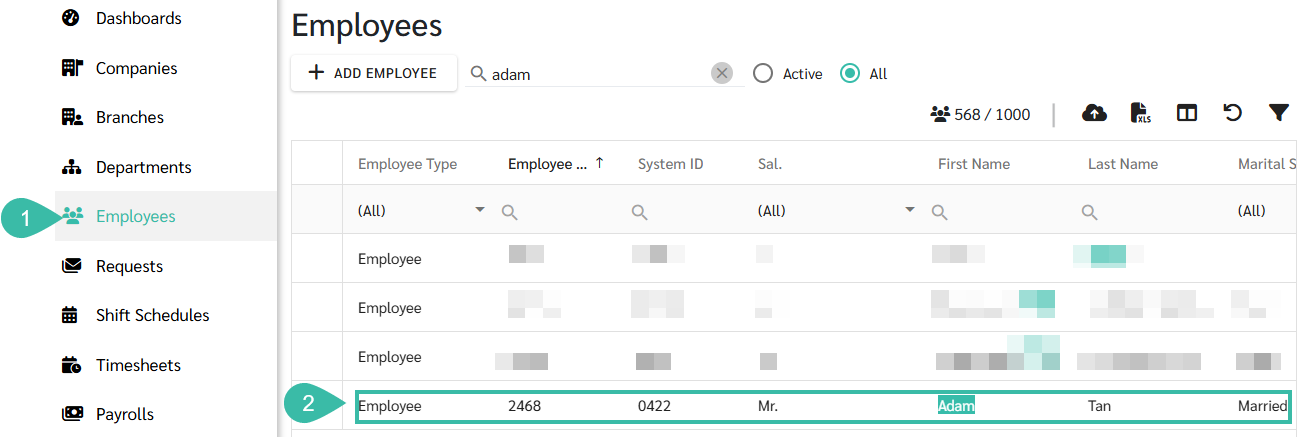
- Navigate to the Employees menu.
-
Select an employee to add the Training topic.
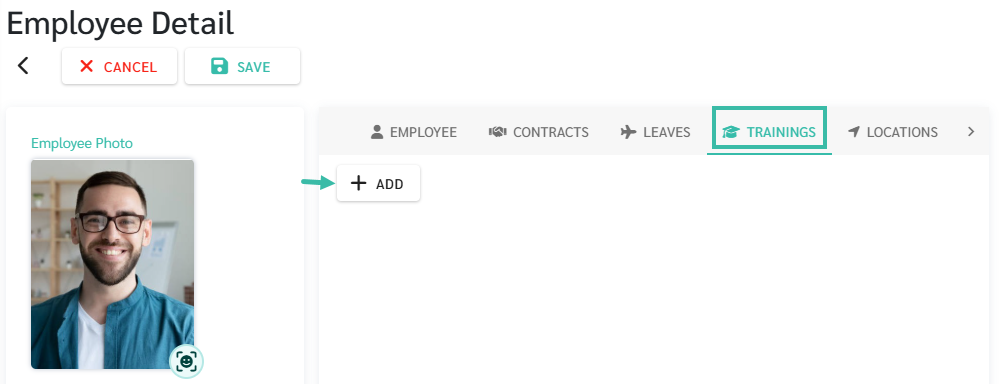
- In the Employee Details page, click Training.
-
Press + Add and select the training topic.
-
Select Training Name and click Save.
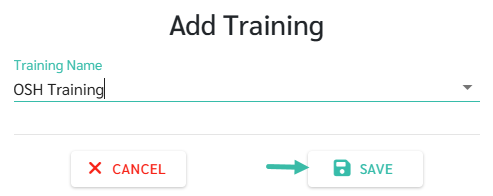
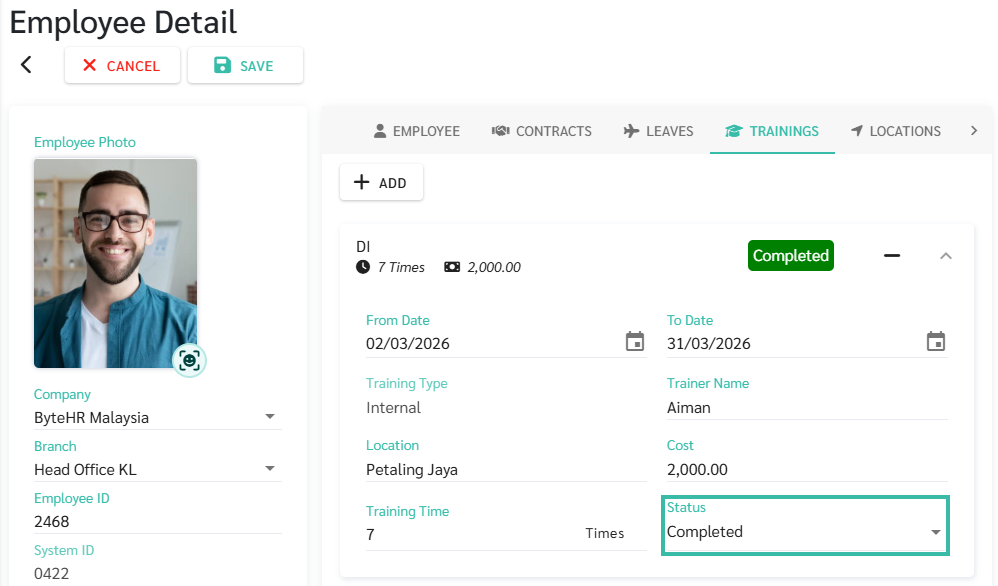
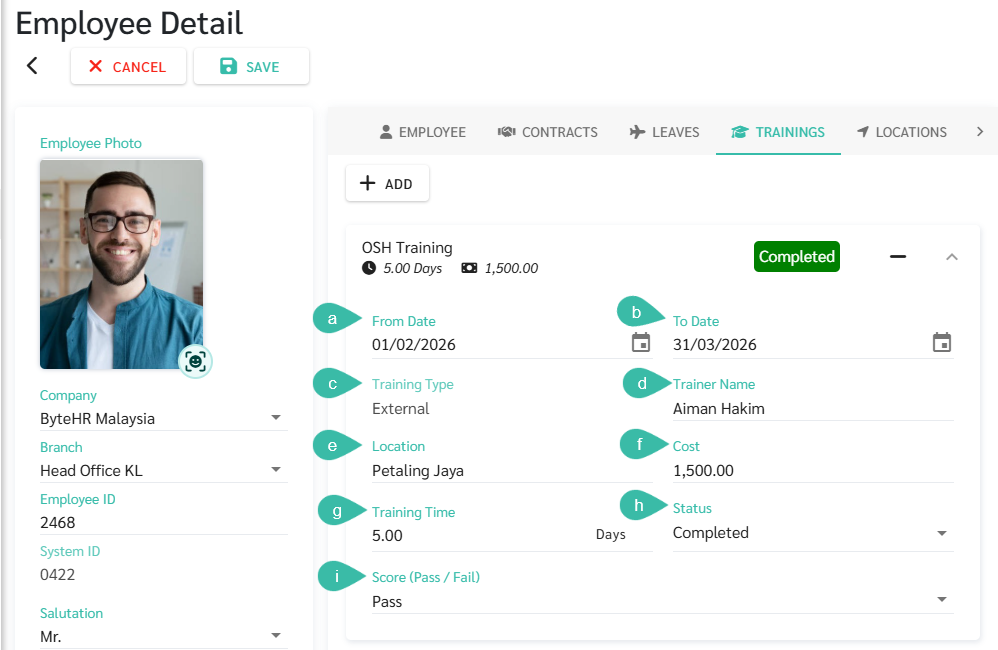
- Once Training topic is added, please fill in the following information.
-
From Date
You can enter the start date of the training.
-
To Date
You can enter an end date other than the start date for multi-day training or seminars. However, for a single-day training session, enter the same date as the start date (From Date).
-
Training Type
This topic depends on the settings in the Training menu.
-
Trainer Name
It is possible to record information for the name of the trainer in that particular training course.
-
Location
It is possible to record information about the location where the training was held.
-
Cost
You can record information about the expenses for that training.
-
Training Time
The training time will depend on the settings in the Training Topics menu.
- Training Status will have 3 options to choose from:
- Assigned
- In progress
- Completed
-
Score
Scoring will depend on the settings in the Training menu.
-
🗨️Note
- You can add training for multiple employees simultaneously by uploading Trainings template.
- See LEARN MORE for information on uploading training materials
- For information on creating training topics, see LEARN MORE.
📢Note
-
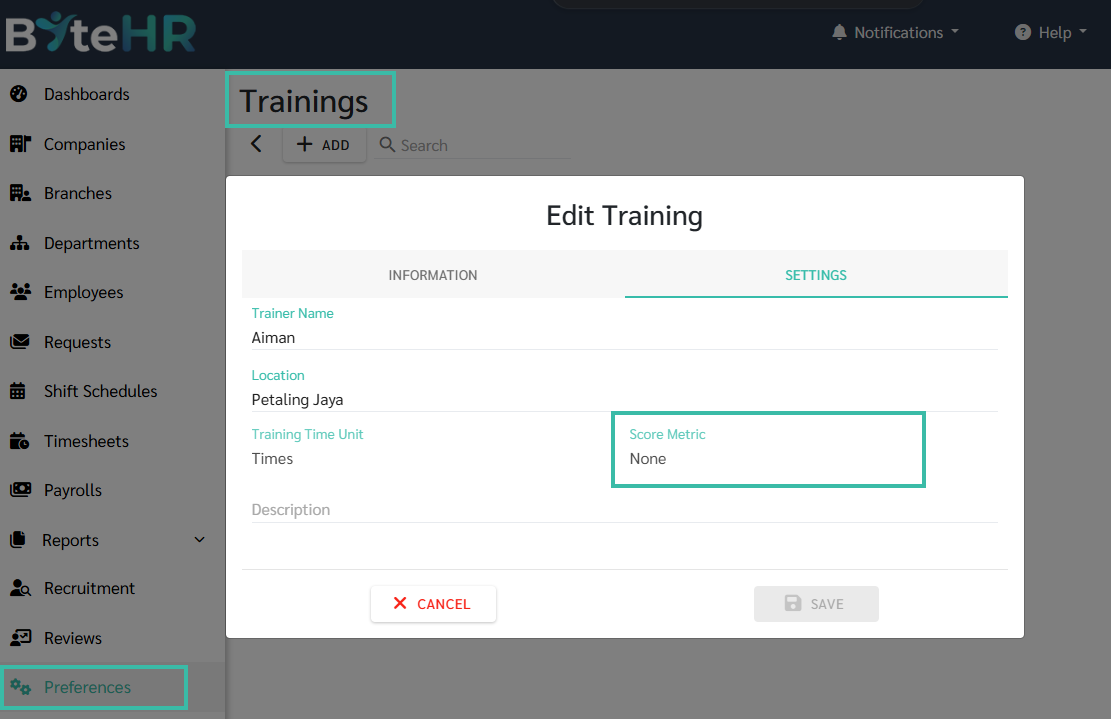
If the Trainings Score metric in Preferences is set to "None", the Score Metric field will not be displayed when the Training status is Completed in the Employee Detail under Trainings tab.