
Upload Training Materials
There are two ways to upload training materials:
- Upload from Employees tab
- Upload from the Preferences tab
Upload from Employees Tab
- Navigate to the Employees tab.
- Click on the Upload Employees icon.
-
Select Trainings Employees.
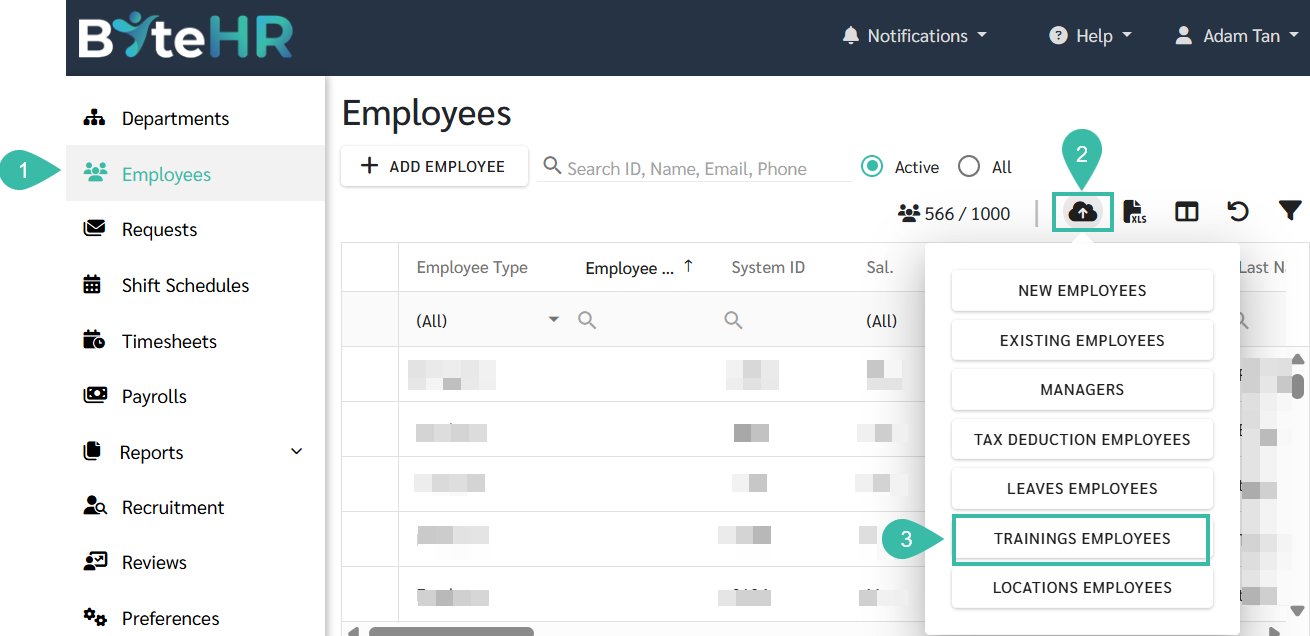
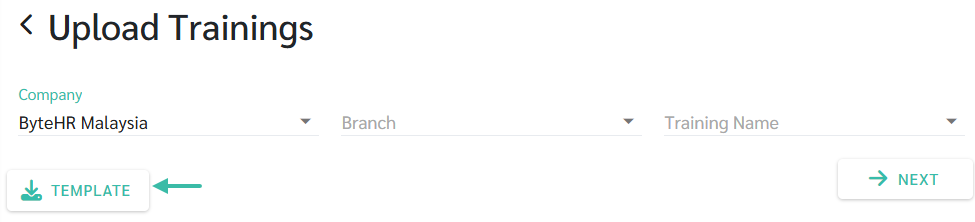
- The Upload Trainings page will be displayed.
-
Click on the Template to download the upload template.
-
Fill in the required details in the Upload Trainings template.

-
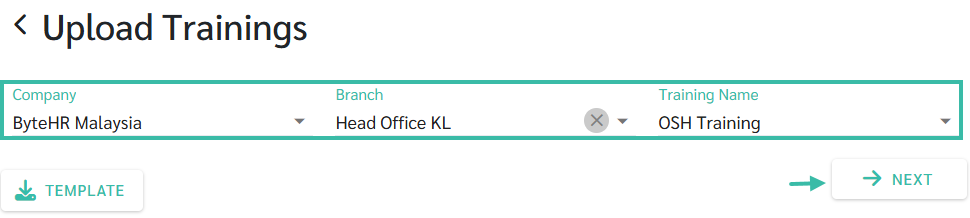
Once completed, return to the Upload Trainings page. Select Company, Branch to which you want upload Training details. Then, select the Training Name. Click Next.
-
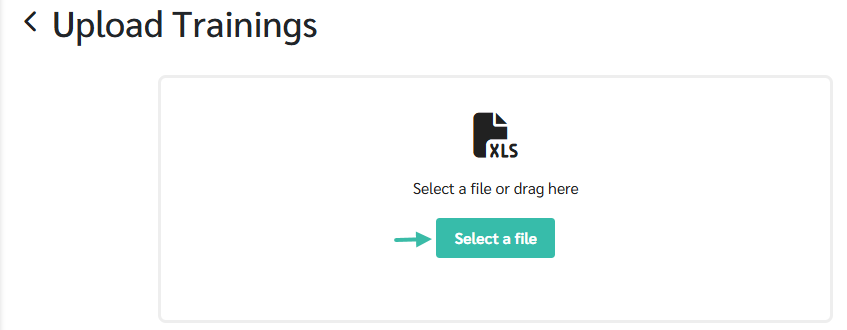
Upload the completed template file.
-
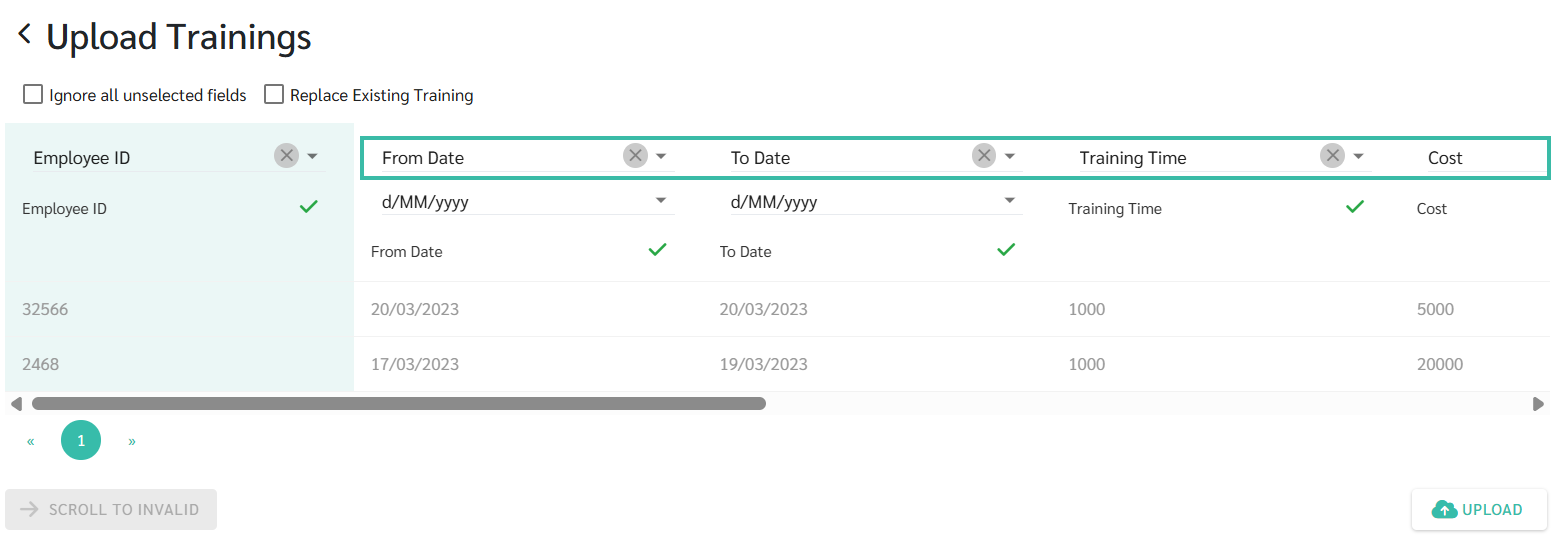
Match the fields accordingly.
-
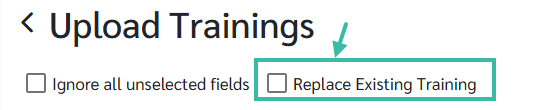
If updating existing training records, tick "Replace Existing Training". The system will then use the uploaded information to update the latest training data for the selected topic.
-
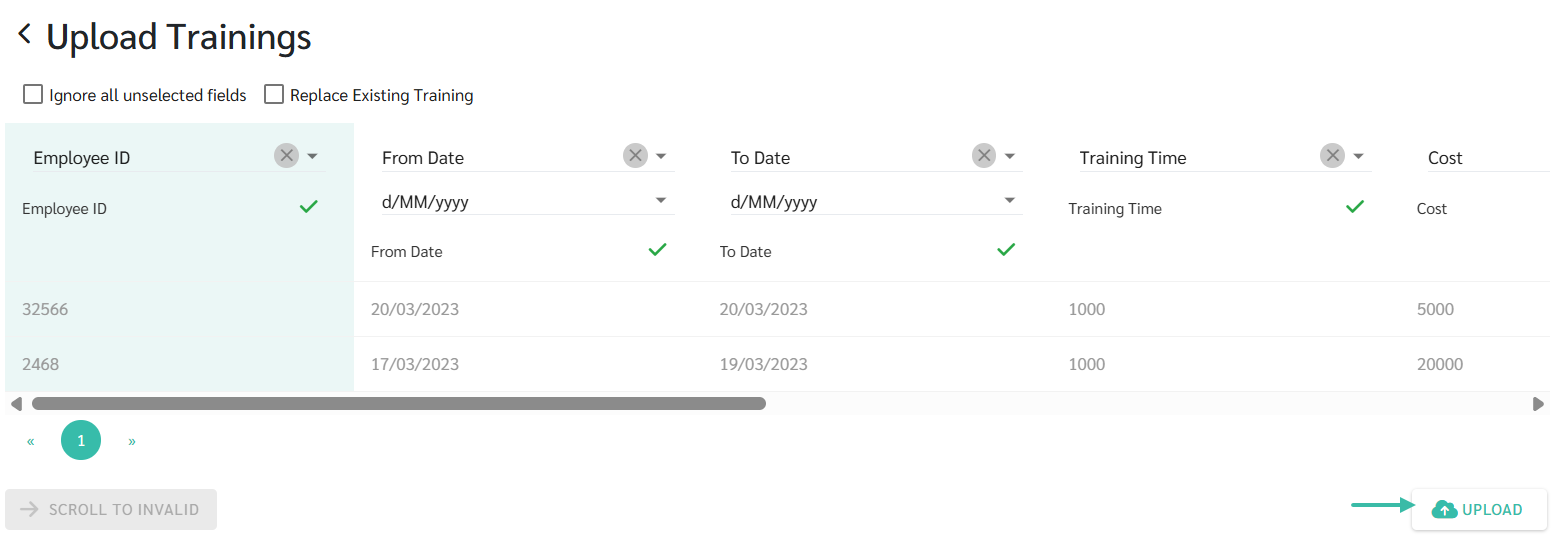
Click Upload to complete the process.
-
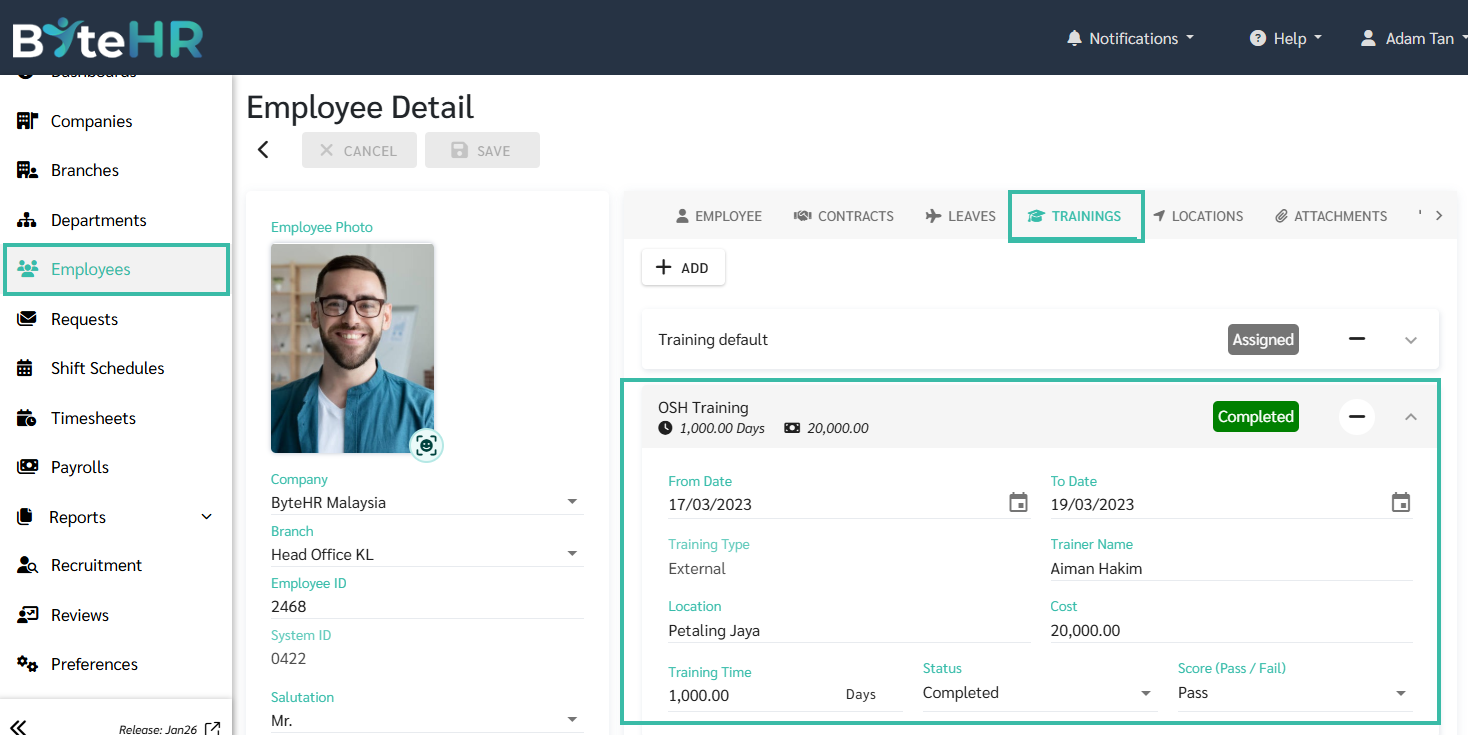
The Uploaded Training details will be updated in the Employee profile under Trainings.
Upload from Preferences Tab
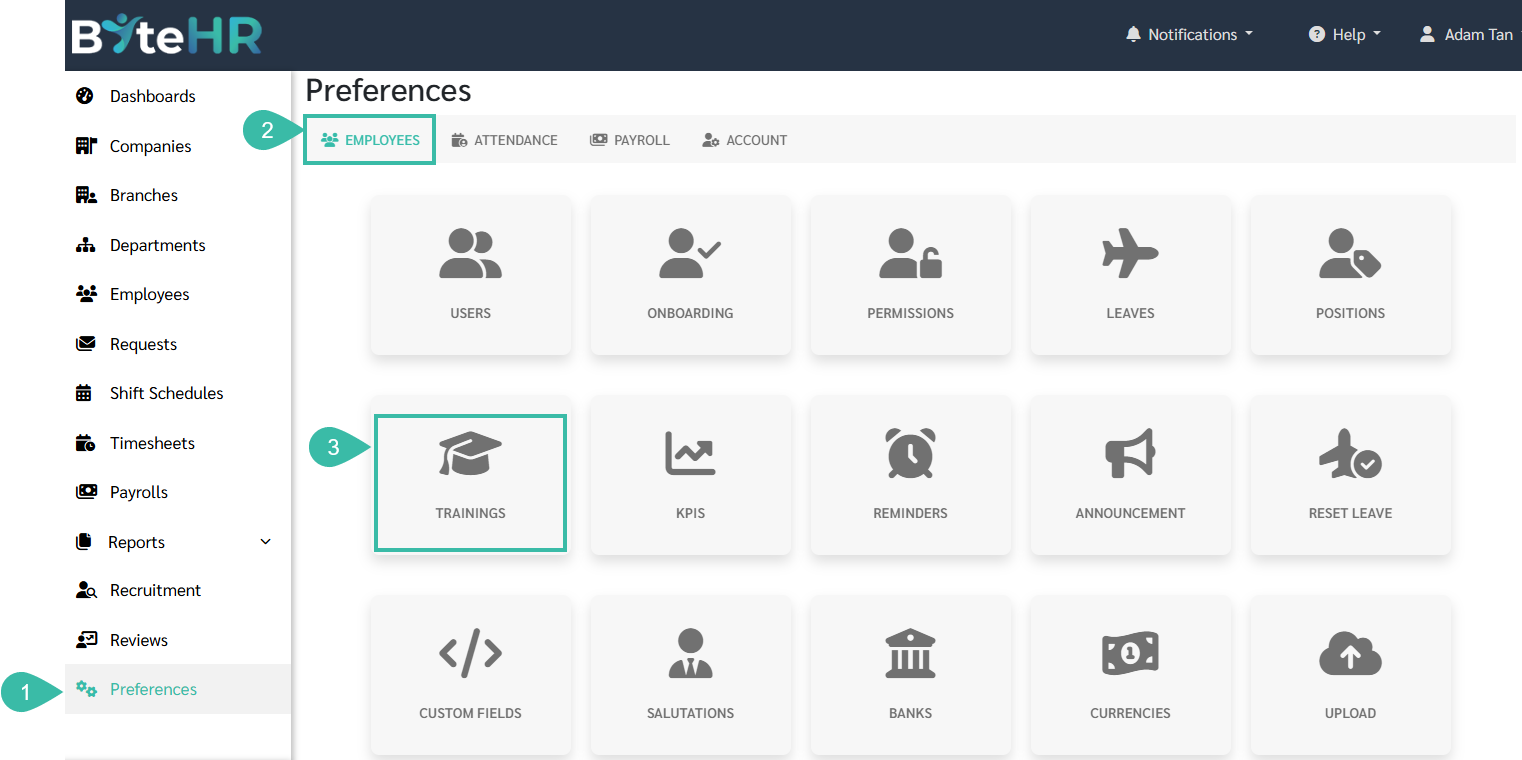
- Go to Preferences tab.
- Click on Employees.
-
Select Upload.
-
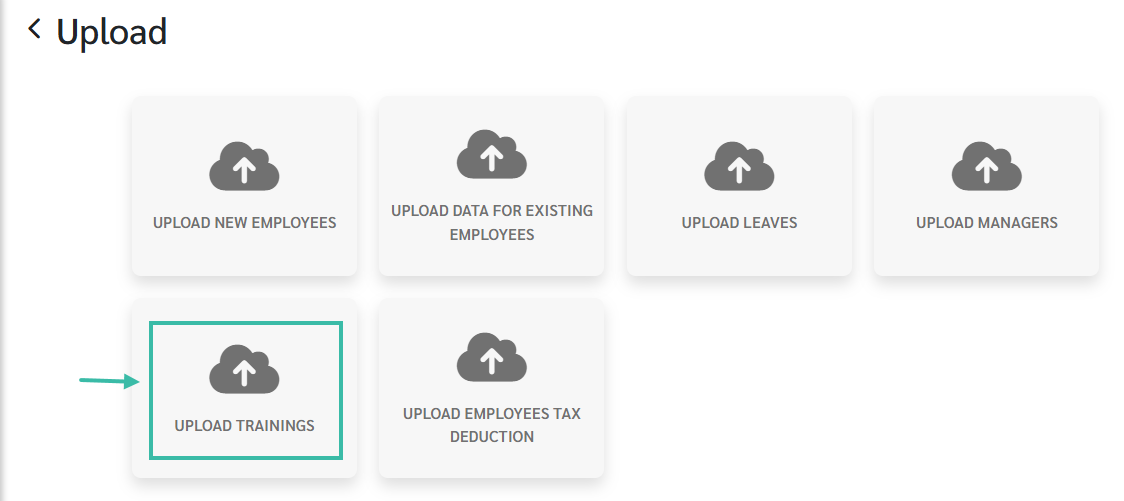
Choose Upload Trainings.
-
Click on Template to download the upload template.
-
Fill in the required details in the template.
-
Once completed, return to the Upload Trainings page. Select Company, Branch to which you want upload Training details. Then, select the Training Name. Click Next.
-
Upload the completed template file.
-
Match the fields accordingly.
-
If updating existing training records, tick "Replace Existing Training". The system will then use the uploaded information to update the latest training data for the selected topic.
-
Click Upload to complete the process.
