
Hiring Process
Convert Candidate to Employee
- Go to Recruitment
- Open Candidates or Vacancies
- (If using Vacancies, select a vacancy first)
-
Click on the candidate name
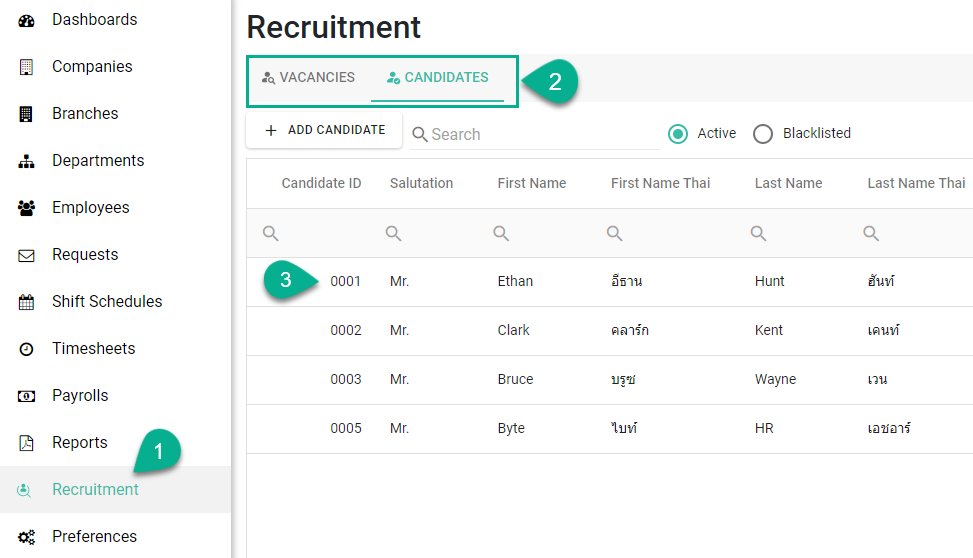
-
In Interview Status, select Hired
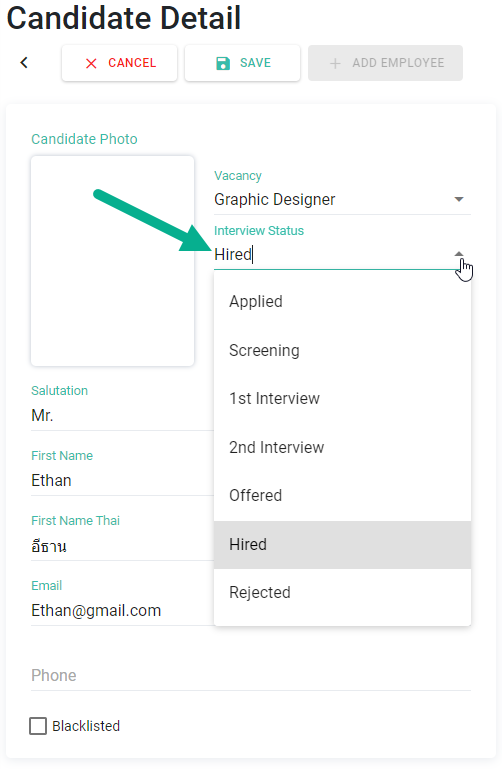
- Click Save
-
Click [+ Add Employee]
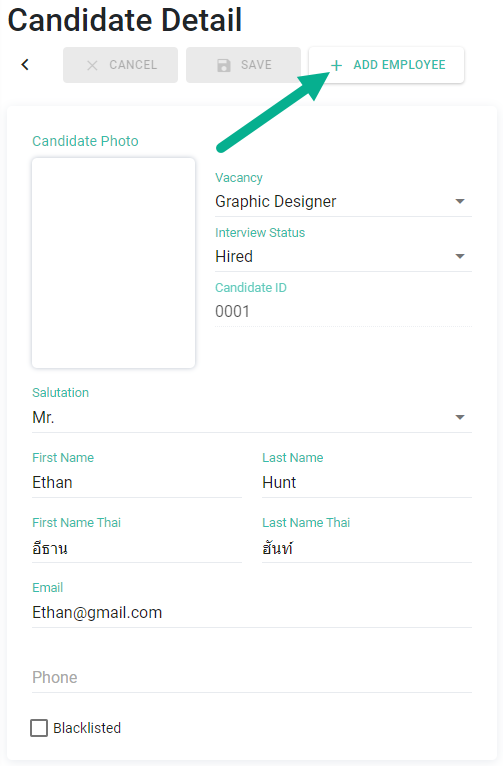
Auto-Populated Employee Data
The system will redirect you to the employee creation page
Candidate data will be automatically filled in, including:
Personal Information
- Personal details
- Tax ID
- Passport number
- Date of birth
- Gender
- Marital status
- Nationality
-
Email / Phone number
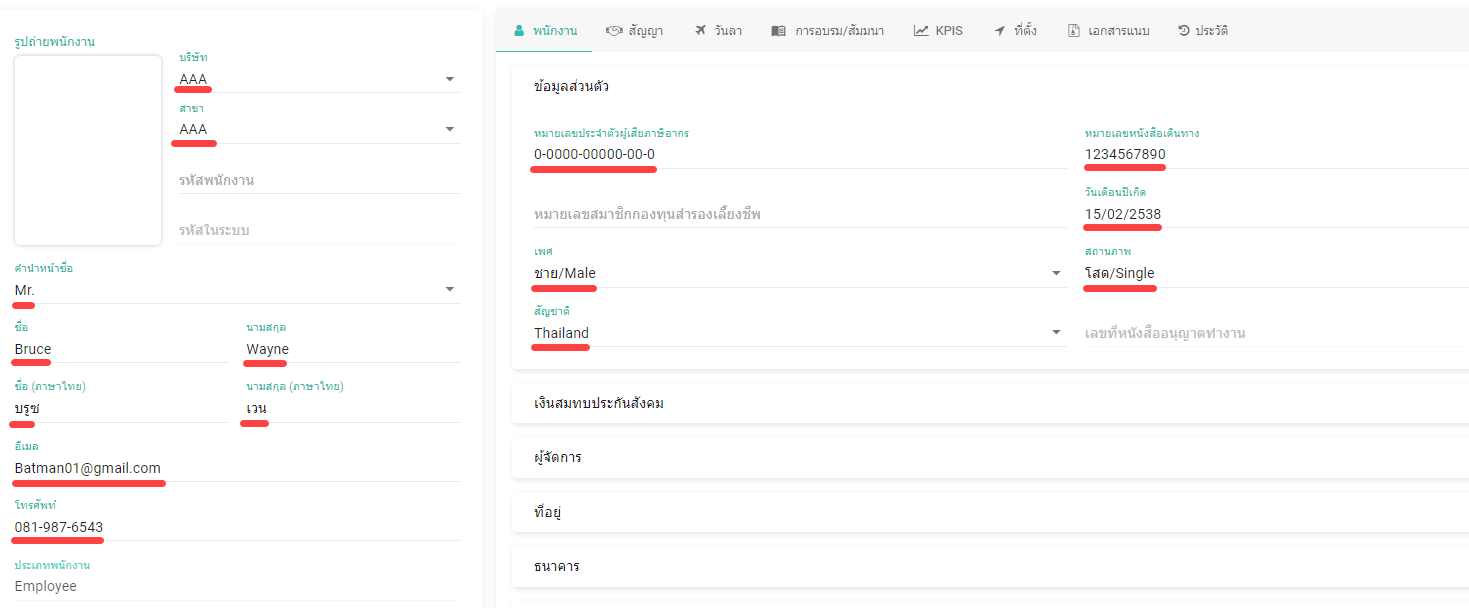
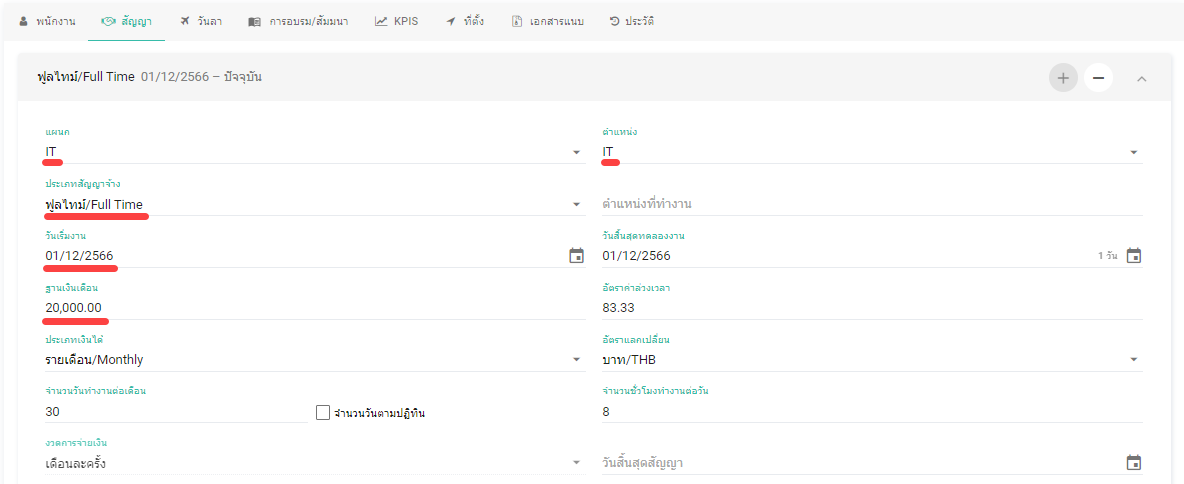
Employment Information
- Contract details
- Department / Position / Employment type (from vacancy)
- Expected start date → Start date
-
Expected salary → Base salary
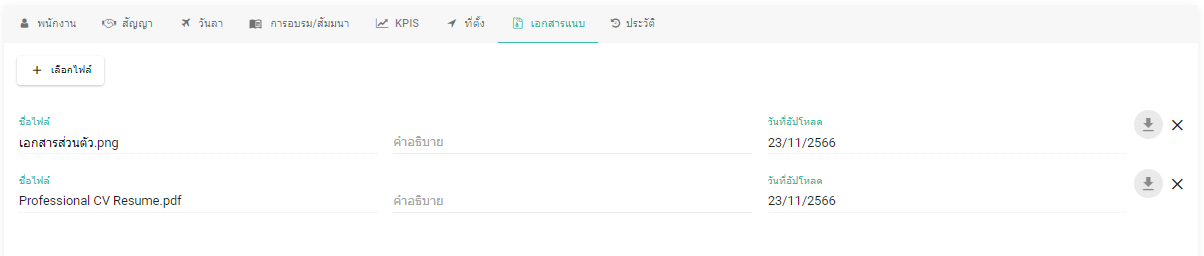
Documents
-
CV and attachments will be transferred to the employee’s Attachments tab
Complete Employee Setup
- Fill in any remaining required information
- Click Save to complete the process
Note 📝
- [+ Add Employee] button will be disabled if there are unsaved changes in the candidate profile