
Create Vacancy Link
Steps to Create a Vacancy Link
Create Vacancy Link
-
Go to Recruitment → Vacancies
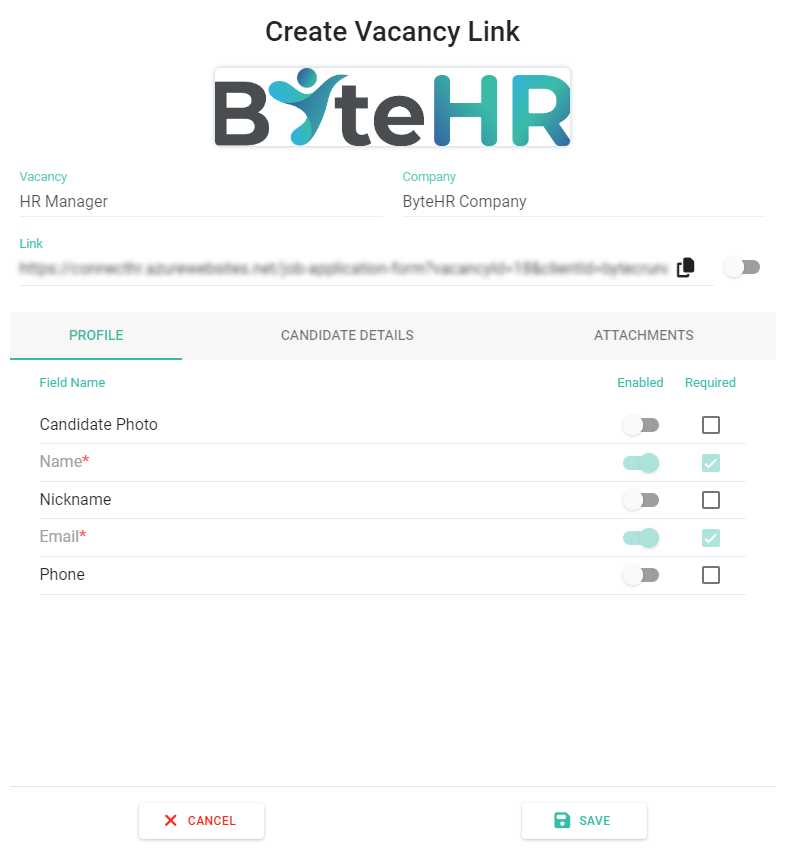
Click the link icon on a vacancy

Configure the application form:
- Enable visible fields
- Set required fields
-
Toggle Link to activate → Click Copy to share → Click Save
What Happens Next
-
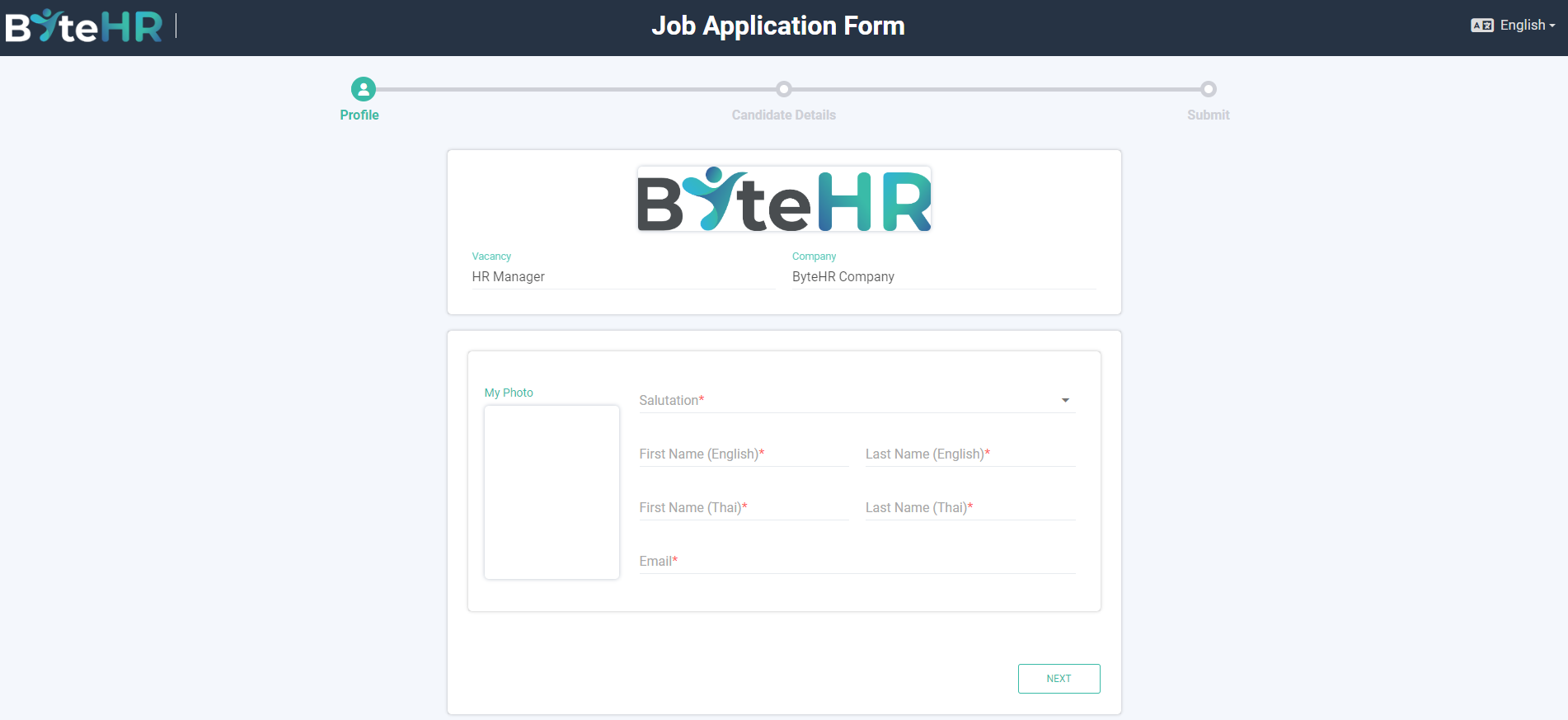
Candidates access the link → fill in the form → upload CV
-
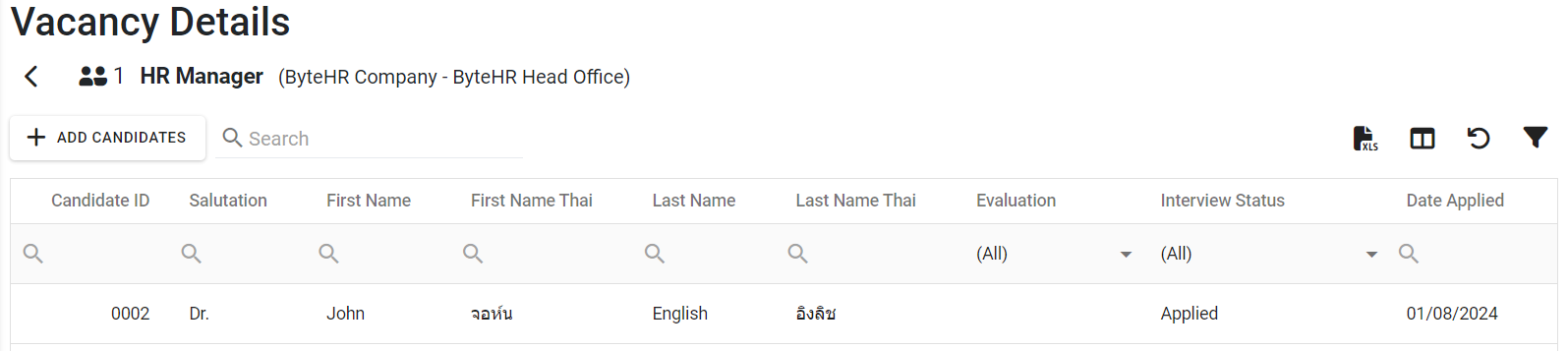
The system creates a candidate profile and links it to the vacancy
- The Owner receives a notification email

FYI: Link is automatically disabled when the vacancy is Closed

Note 📝
- The system detects duplicate candidates using their email address
- Once a candidate submits an application, they cannot reapply unless their status is Rejected
- If a candidate reapplies successfully, the new data will overwrite the previous application
- Blacklisted candidates are not allowed to reapply