
Payment Upload History
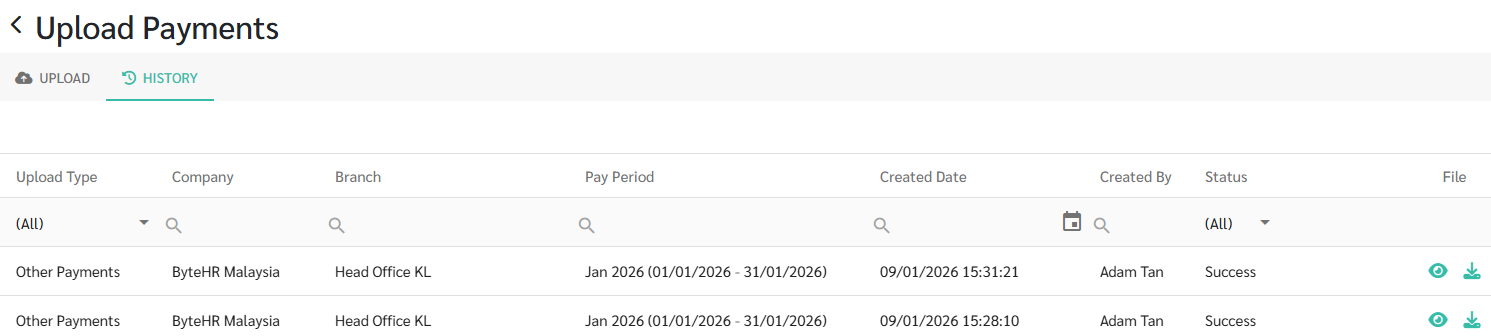
You can view the Upload Payments History as follows:
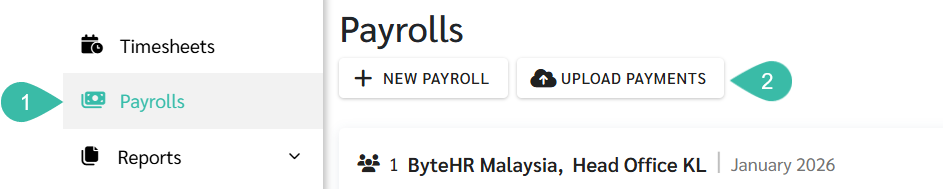
- Navigate to the Payrolls tab.
-
Click Upload Payments.
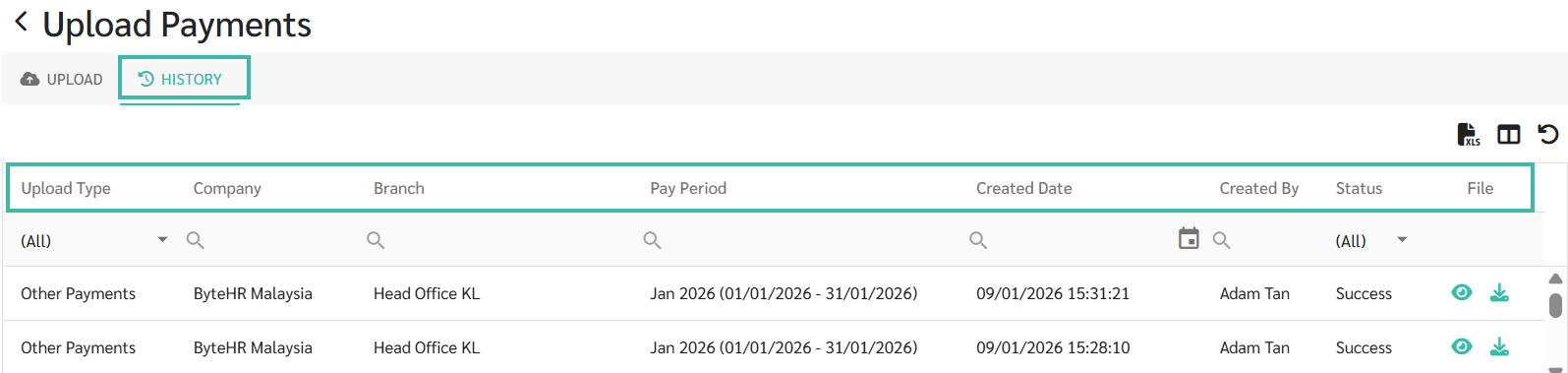
- Click History tab.
- The system displays the Upload Payments History details as follows:
- Upload Type
- Other Payments
- Salary Payments
- Company
- Branch
- Pay Period ➜ The Pay period selected by the User during the Upload.
- Created Date ➜ The date, month, year, and time when the Upload was created.
- Created By ➜ The name of the user who uploaded the file.
- Status
-
File
- Upload Type
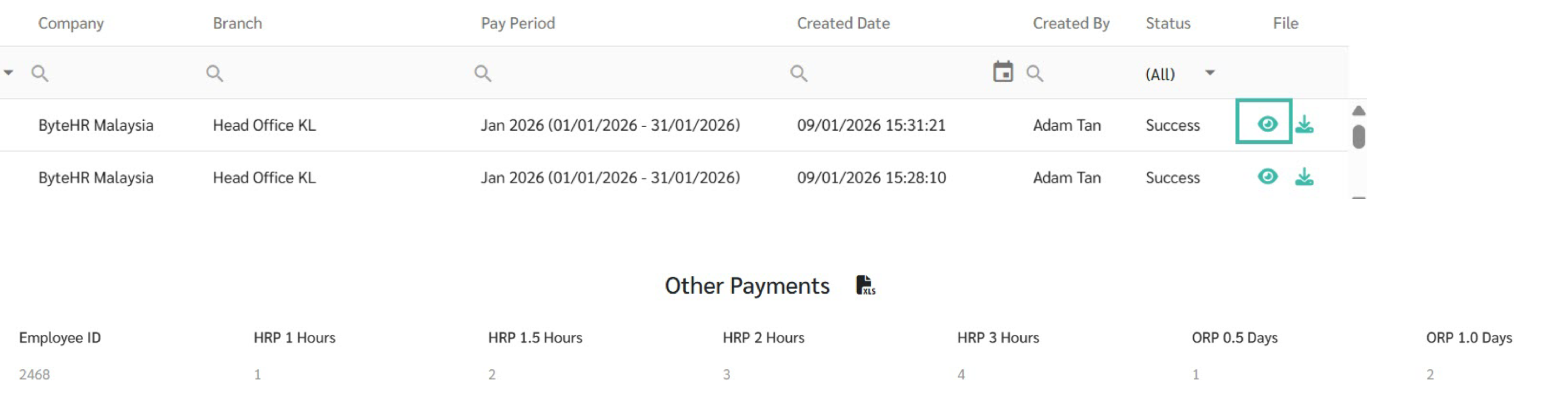
- You may view or download the uploaded file to review the Payments/Deductions after any incorrect values has been corrected.
-
Click View to preview the uploaded file.
-
Click Download to download the uploaded file.
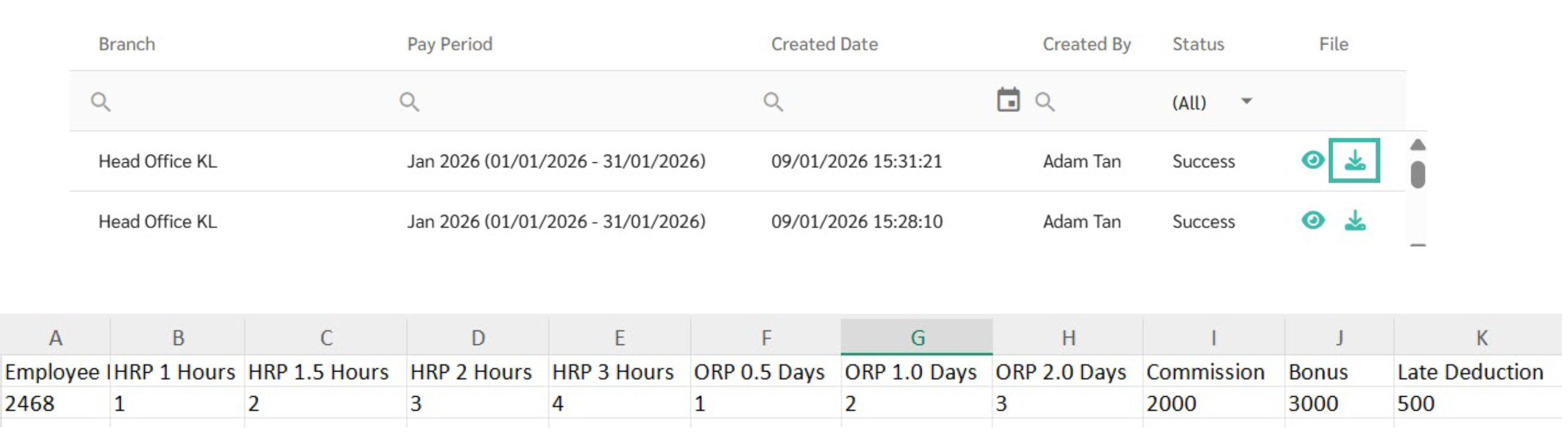
Example:
On January 09, 2026, two Other Payments records for ByteHR Malaysia were uploaded by a user named Adam Tan.
The Upload Payments History Allows you to Filter the Desired Information
-
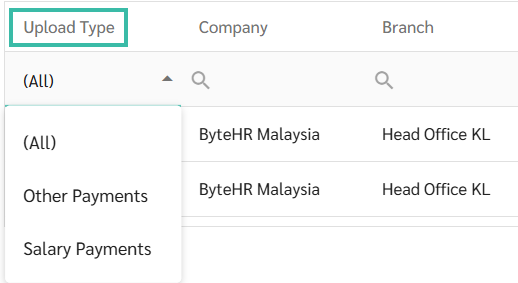
To display only Salary Payments or Other Payments, select the relevant Upload Type filter.
-
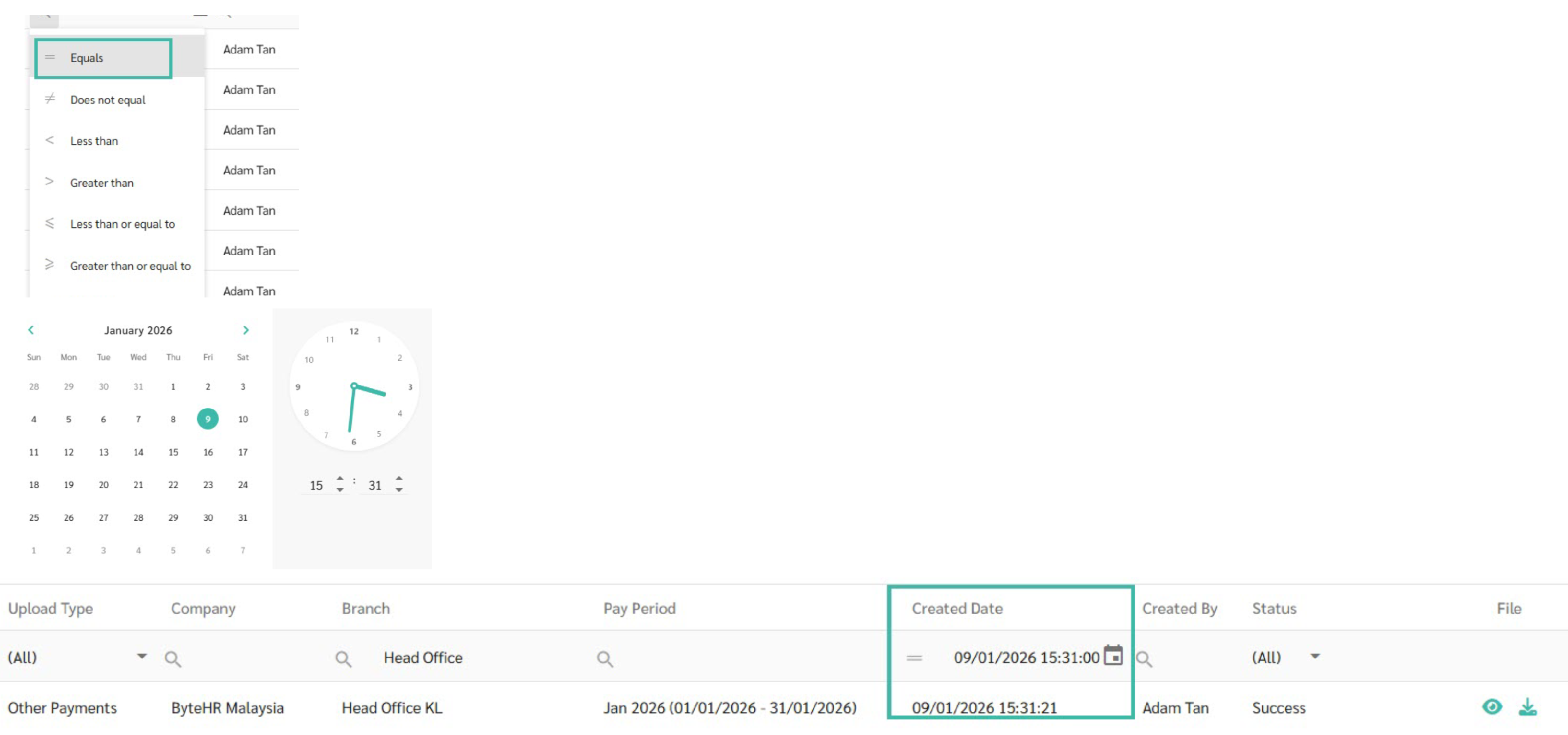
To display Upload Payments History for a specific Created date or time period, click the Search and Calendar icons and select the desired date or time range.
-
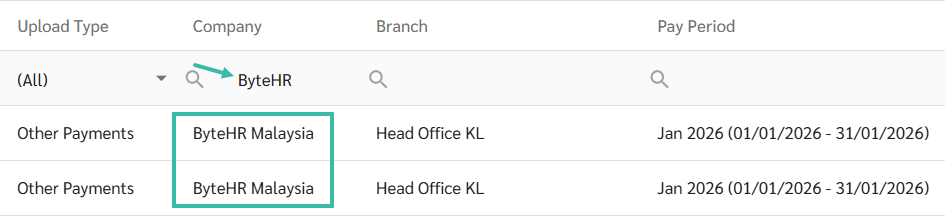
To display Upload Payments History for a specific Company, type the Company name in the search bar to filter the results accordingly.
-
To display Upload Payments History for a specific Branch, type the Branch name in the search bar to filter the results accordingly.

