
Generate Payslip Admin View
Steps to Generate Payslip Admin View:
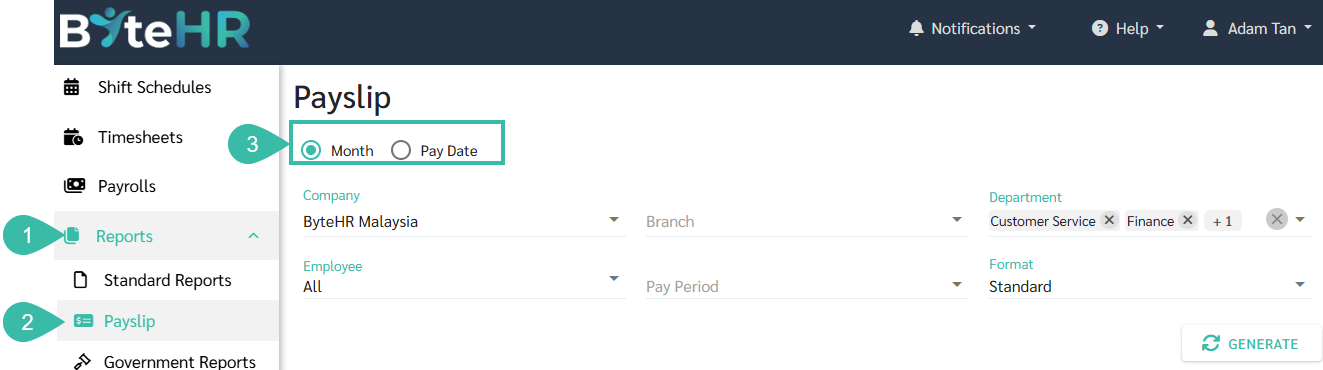
- Go to Reports.
- Click on Payslip.
- Select how you want to generate the payslip:
- By Month, or
-
By Pay Date
-
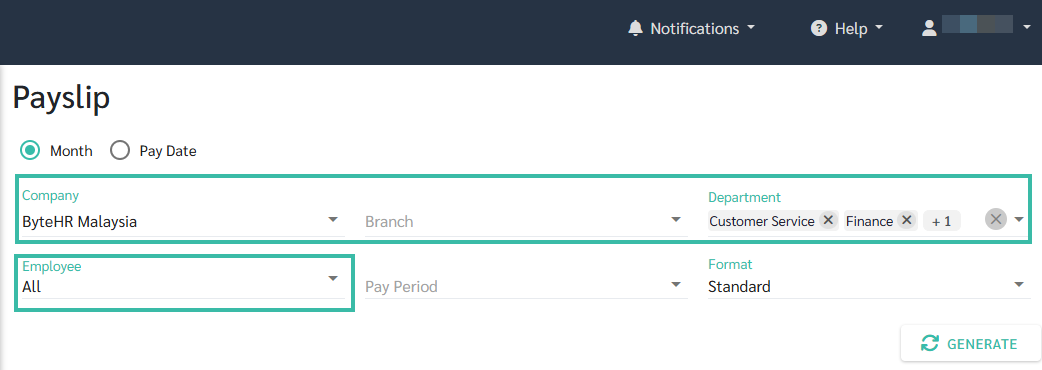
Select Company, Branch, Department, or Employee.
-
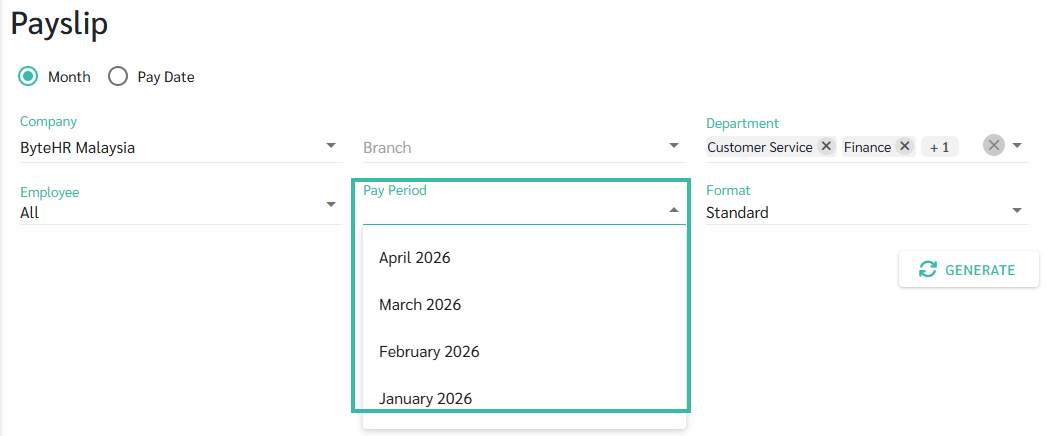
If generating by Month, select the Pay Period.
-
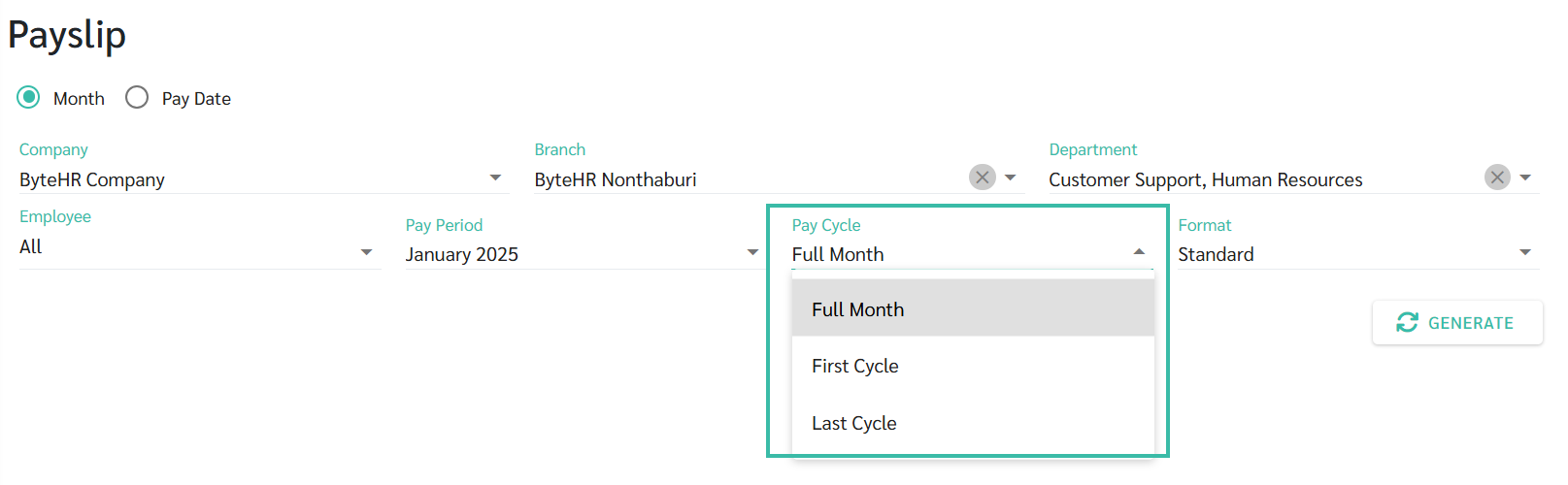
If there are multiple payroll runs within the same month, select the appropriate Pay Cycle.
-
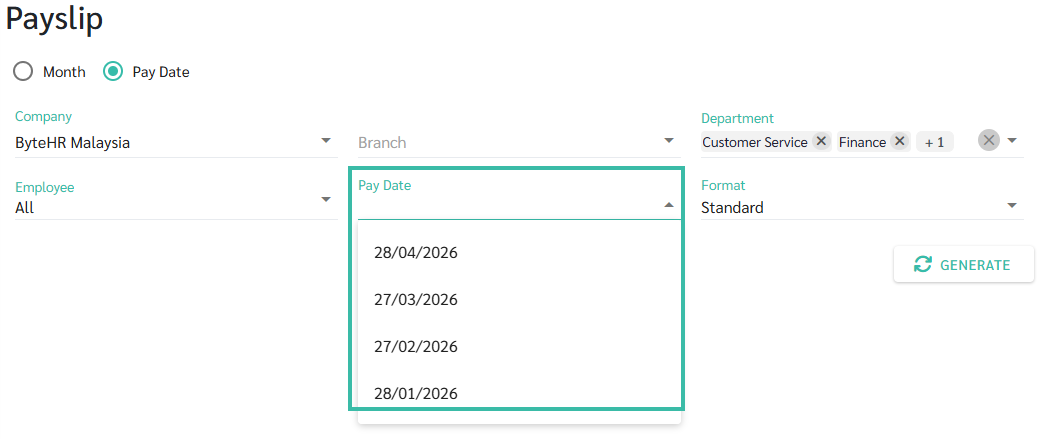
If generating by Pay Date, select the Pay Date.
-
Choose the desired Payslip Format.
-
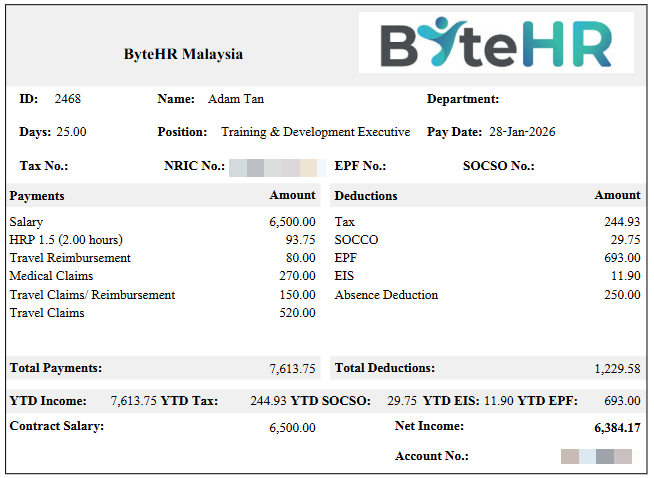
Standard
-
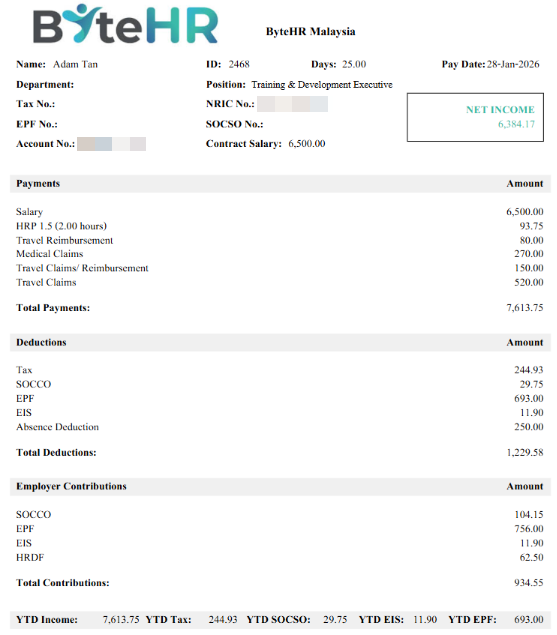
Format 1
-
-
Click Generate.
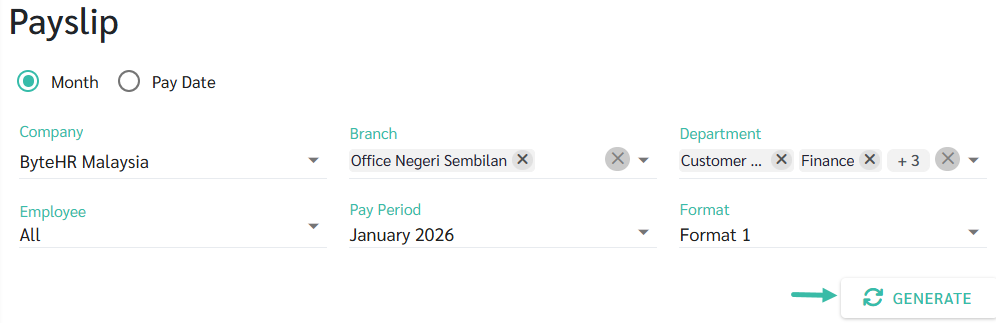
- You may download, save as PDF, or print the Payslip.
For more information on Employee Payslip Settings, please see LEARN MORE.