
Add Managers
The admin can add managers to employees. Here's how:
- Go to the Employees menu.
-
Select the employee you want to make a subordinate.
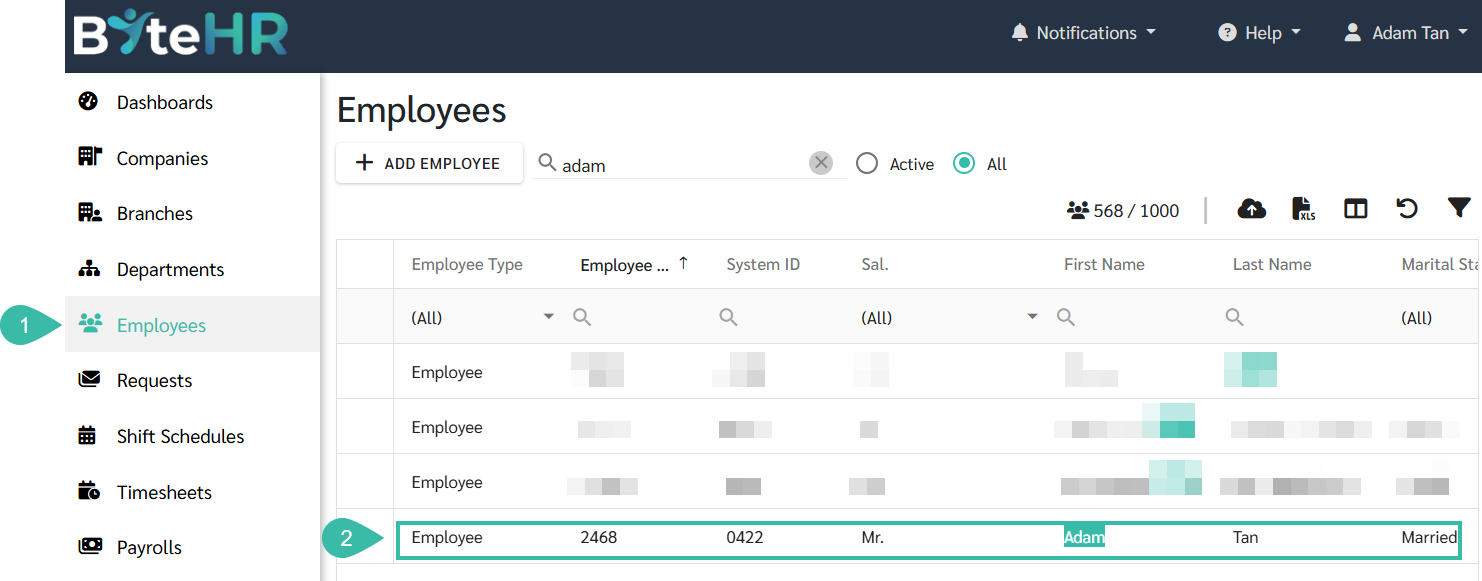
- Select the topic: Manager.
-
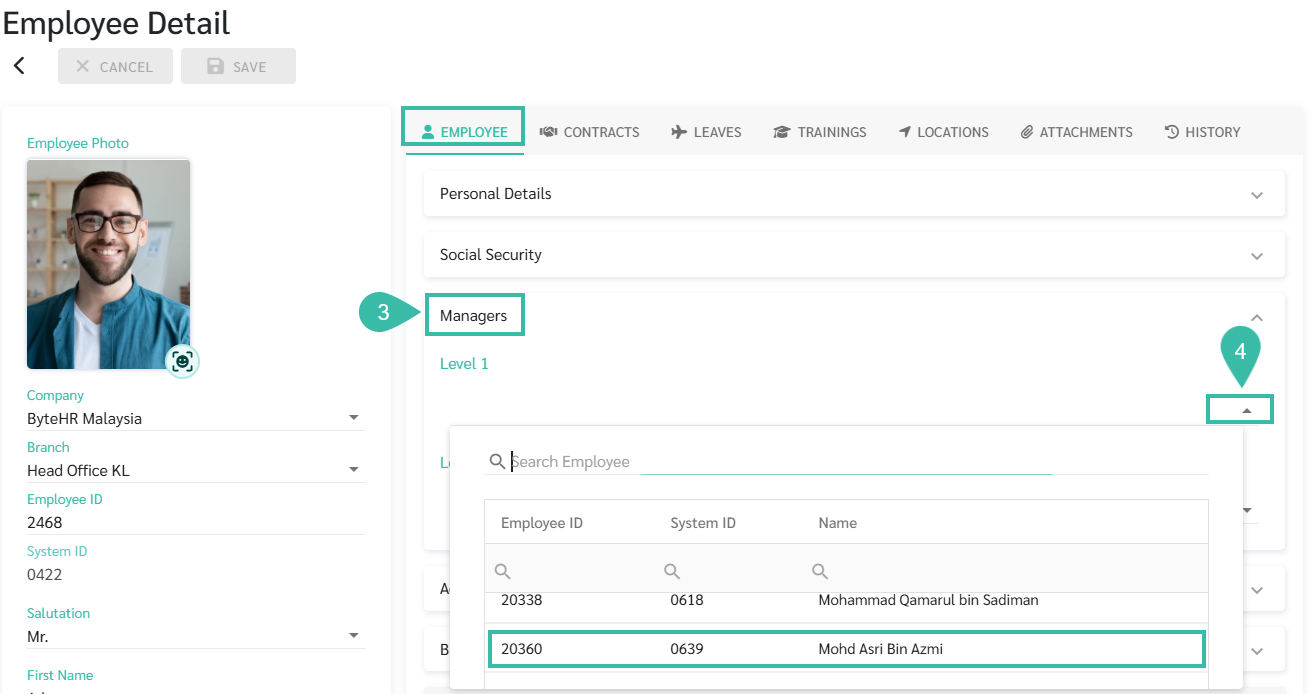
You can click the dropdown list under "Level 1 and Level 2 Managers" to select the desired managers. You can add multiple managers at each level.
-
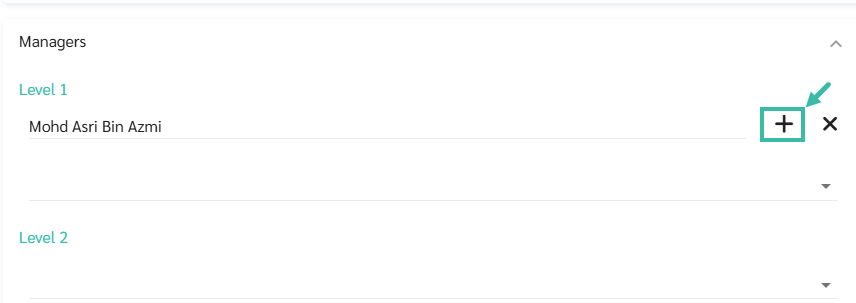
To specify the request topic for which the manager has the authority to approve, click the (+) button after the manager's name.
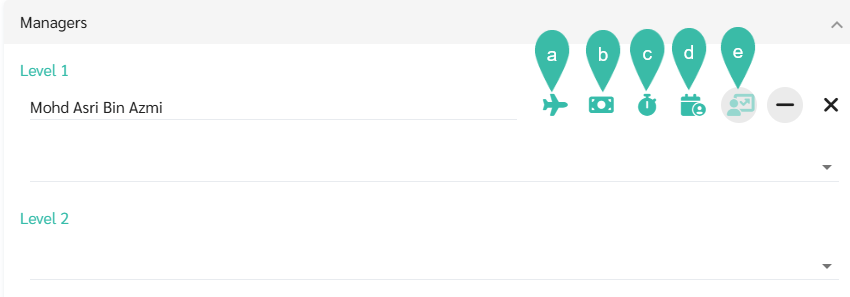
- Then, select the request topic that the manager has the authority to approve, such as:
- Leave
- Reimbursement.
- Overtime
- Attendance
-
Review
-
Once completed, click Save.
📃Note
- Approval heading: Green means eligible to approve, Black means ineligible to approve.
- The review topic can have up to 5 managers approve it.
- Which topics do managers not have approval authority over? Managers will not see requests on those topics.
- To find out more on Uploading managers, refer to this Link.