
Add Location to an Employee
💬 Note
- If the admin wants employees to be able to clock in only at designated locations and also allows them to check in at multiple locations, the admin can add these locations to the employee's profile page.
- Go to Employees.
-
Select the employee you wish to add location.
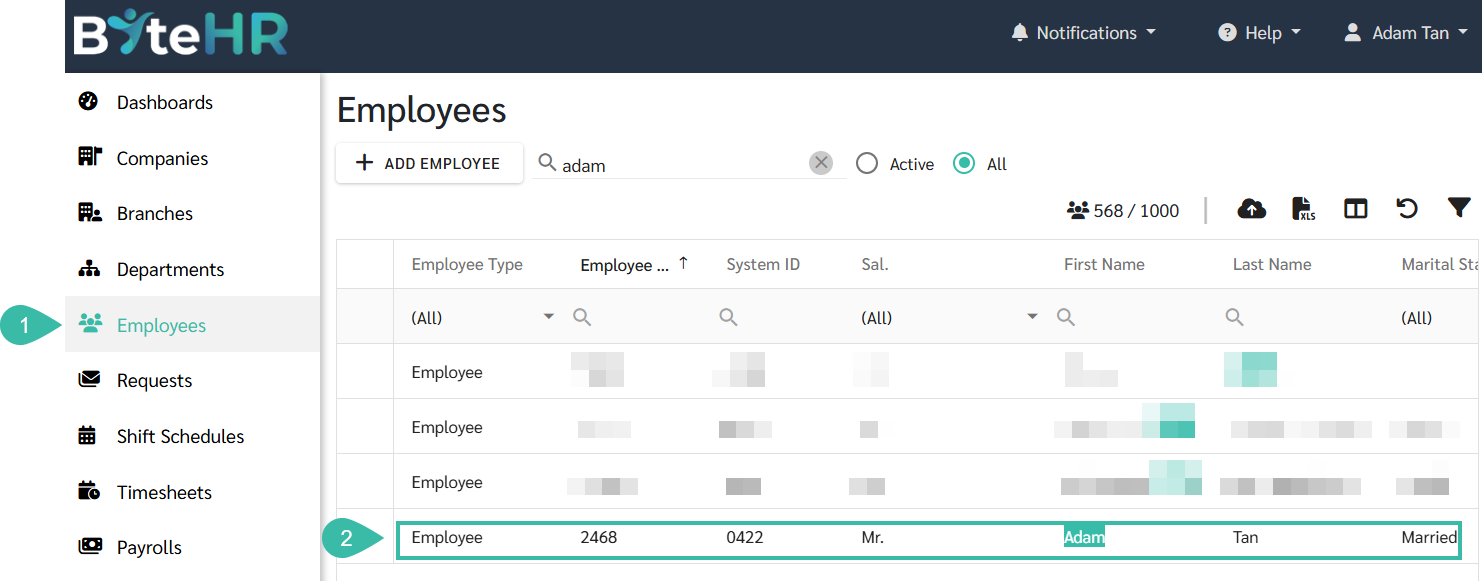
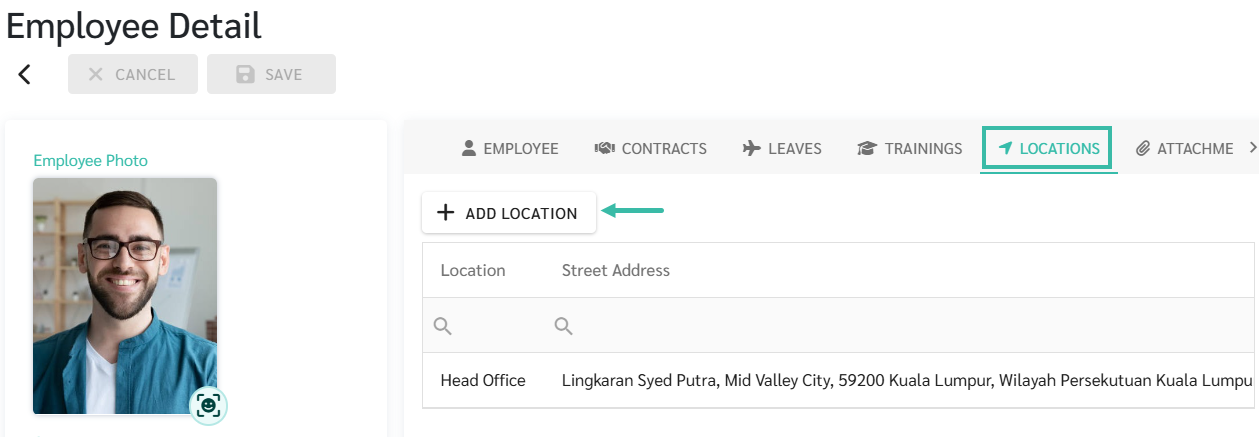
- Select the Locations tab.
-
Click + Add Location.
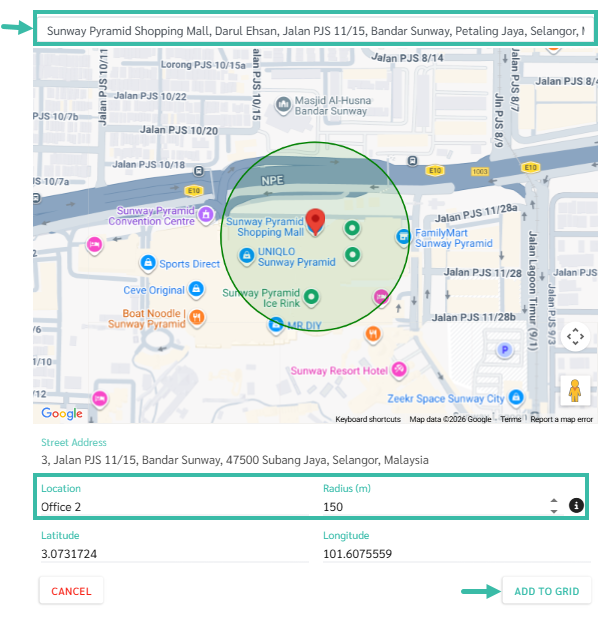
- Add a location by searching in the "Search Location" field. The system will find a location, place a pin, and automatically enter the latitude and longitude.
- Enter a desired name in the Location field.
- Specify the radius/width; it should not be less than 100-150 meters.
-
Click Add to Grid.
- For more information on uploading employee locations, refer to this Link.