
Designating Payroll Approvers
The procedure for determining the Payroll Approver is as follows:
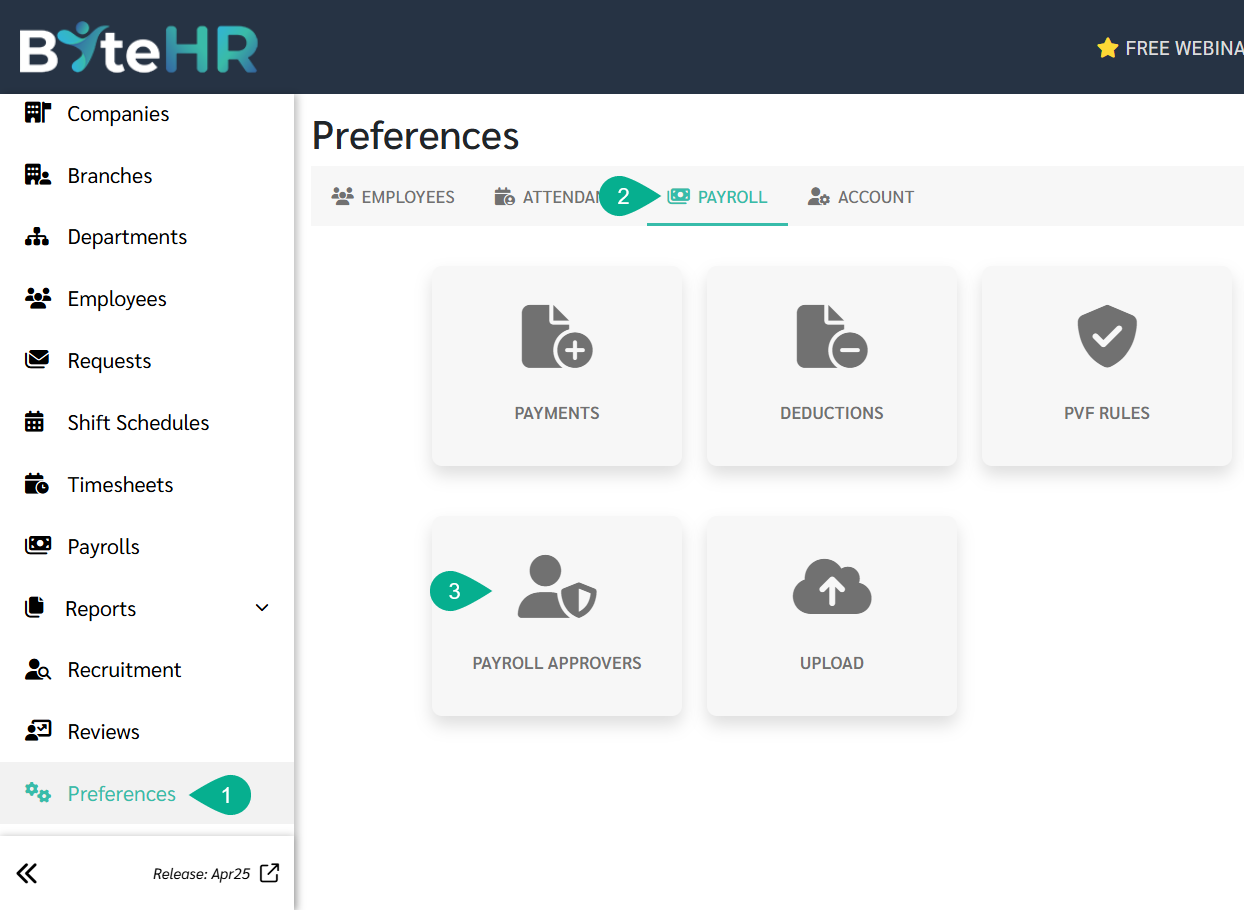
- Navigate to Preferences tab.
- Click Payroll.
-
Select Payroll Approvers.
-
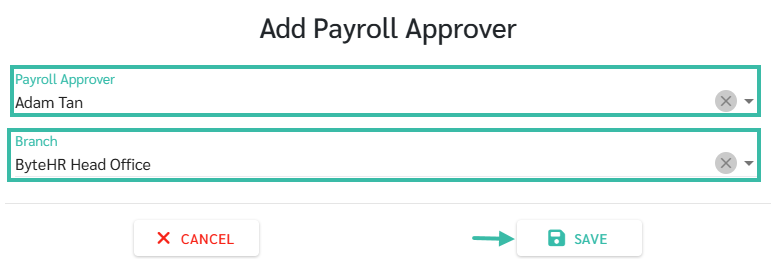
Click Add.

-
Select the name of the employee you would like to assign as the Payroll Approver and choose the branch they are responsible for, then click Save.
*Note: Users who can approve payroll include Account Owner, Admin, and Payroll User (Edit).
-
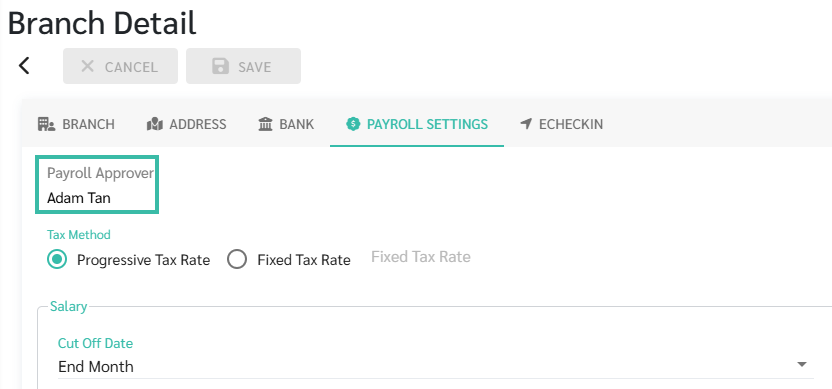
Once a payroll approver is assigned to a branch, only that approved person can approve Payroll block for that branch. The list of payroll approvers can be found on the Payroll Approvers page or in the Branch Details - Payroll Settings. Each branch can only have one payroll approver assigned.
For other branches that are not specified, all admin can approve salaries as usual.
- If a payroll approver is deleted or the responsible branch is changed, the system will send an email notification of the change to the Account Owner, all Admins with access to that branch, and the deleted payroll approver. Payroll requests that are in a pending approval status will automatically be changed to a draft status.
Payroll processing for branches with designated Payroll Approvers.
- For branches with designated payroll approvers, the admin can process payroll as usual, but only the designated payroll approvers can approve the payroll.
-
When an admin who is not the payroll approver clicks the "Approve" button on a payroll block, the system will display a pop-up notification saying that a notification will be sent to the payroll approver. Click the "Notify" button.
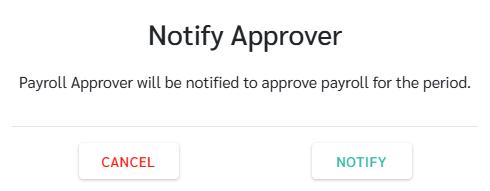
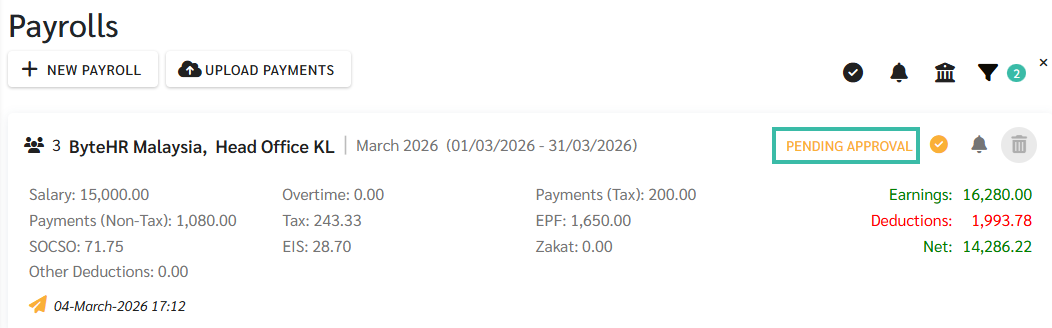
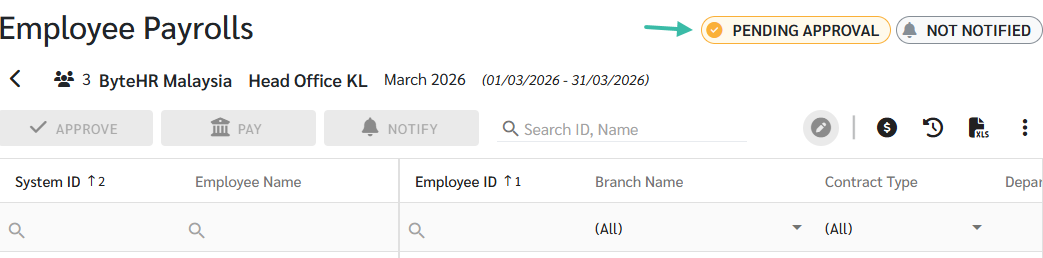
- The payroll block will be updated to "Pending Approval" status. The admin will not be able to approve, edit, or save it as a draft; it must wait for the payroll approver to complete the next steps.
The admin can check the Payroll status at:
-
Payrolls Page
-
In the Employee Payroll details.
-
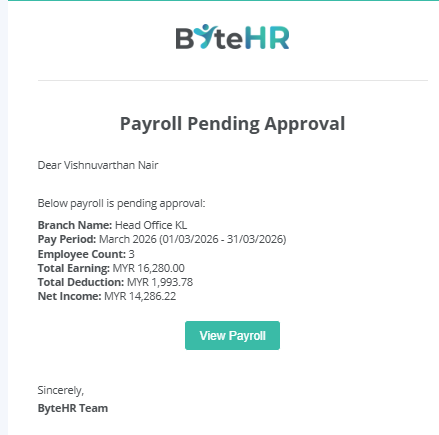
Payroll approvers will receive notifications via email. They can click the "View Payroll" button to access the payroll block.
-
Once the payroll approver accesses the payroll block, they can either approve or mark as draft.

- After the Payroll has been approved, the admin can proceed with notifying payslip and uploading the bank files as usual.
📃Note
The only users who have the right to designate payroll approvers are the Account Owner and Admin.
🚩Warning
The system will automatically remove the payroll approver from the settings if the following conditions are met:
- Employee Type has been changed to Ex-Employee.
- The username has been deleted.
- The User Role have been changed to rights other than Account Owner, Admin, and Payroll User (Edit).
- The branches under their responsibility have been blocked.
Other admin will need to assign payroll approvers to the branches under their responsibility before they can approve payroll again.