
Rounding Rules
How to create a rounding rule:
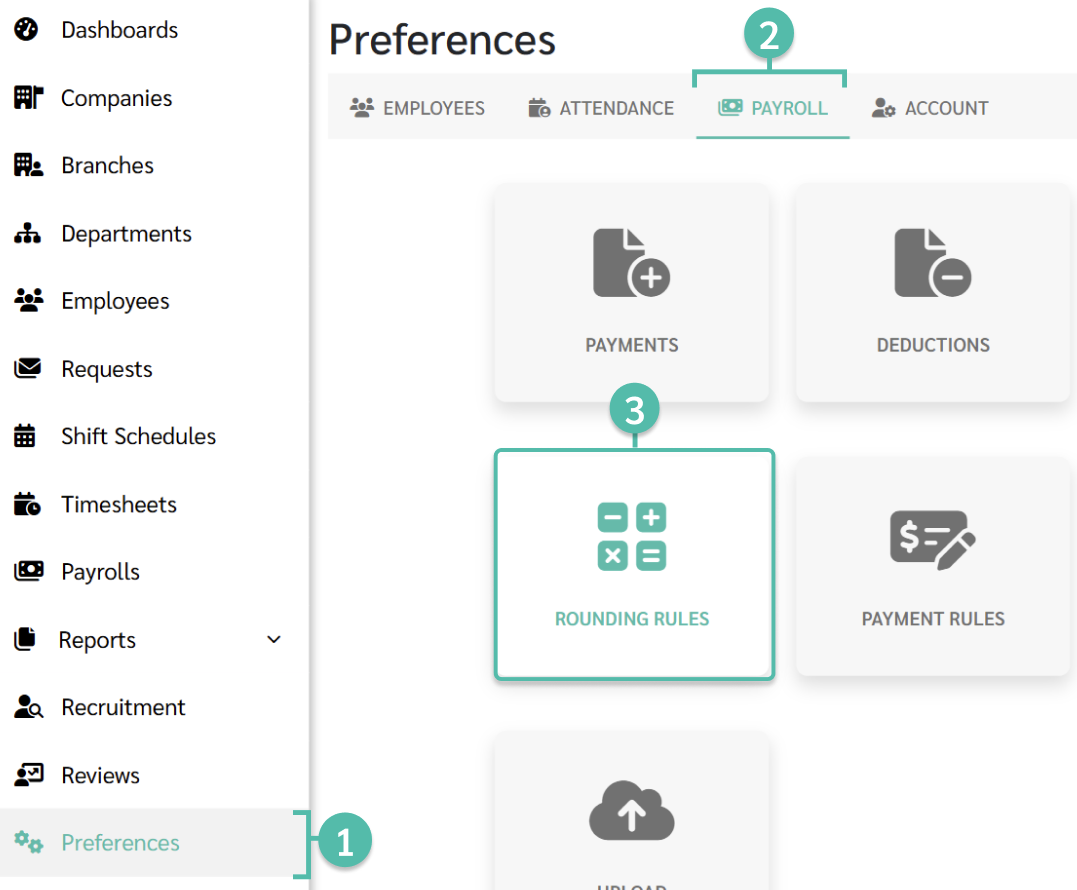
- Go to Preferences tab.
- Select Payroll.
-
Click Rounding Rules.
-
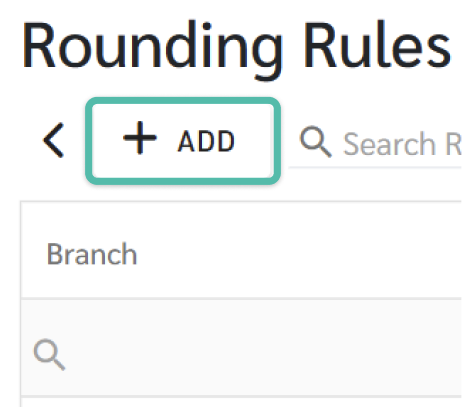
Click + Add to add a rounding rule.
-
Select the Company and Branch.
Rounding rules can be set for one or multiple branches.
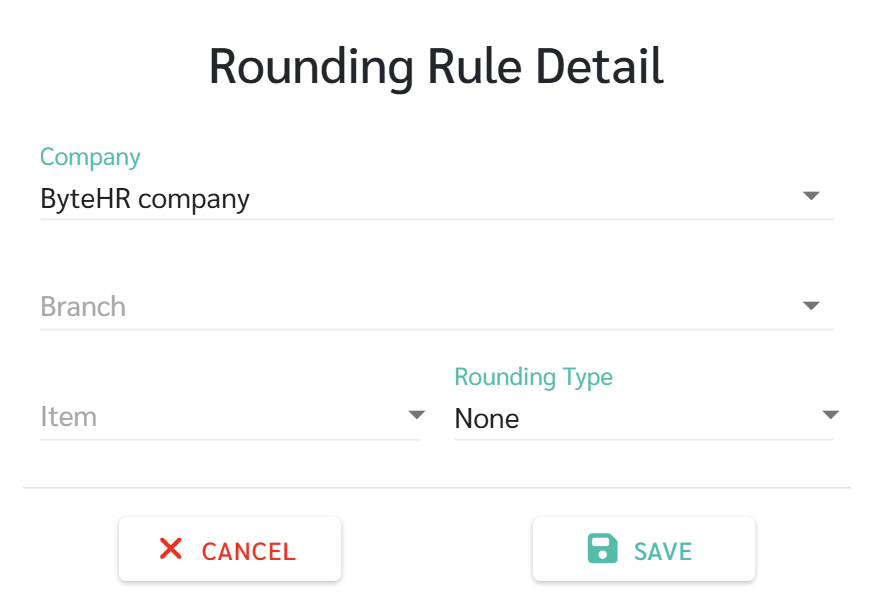
- Rounding types include Round Up, Round Down, or Round Off.
-
Round Up: e.g.,
100.01 will be rounded to 101.00.
-
Round Down: e.g.,
100.99 will be rounded to 100.00.
-
Round Off: e.g.,
100.01 will be rounded to 100.00, and 100.50 will be rounded to 101.00.
-
- Rounding rules can be set for:
- Net Income
- OT Amount
- OT Hours
- OT Rate
- Tax
- Total Deductions
- Total Earnings
- Total OT Earned
💬Note
1. Overtime hours can be rounded to the nearest unit of 15 minutes, half an hour, or an hour.
2. Overtime hours include compensated leave.
Example 1
|
1. Item = Overtime Hours 2. Rounding Type = Round down 3. Rounding Unit = Quarter Hour (displayed in 15-minute intervals) |
|
|
Timesheet |
Pay Details |
|
Overtime (OT) Hours in Timesheet = 01:17 hours |
Overtime (OT) hours in Pay Details will be rounded to 1:15 hours. |
|
Overtime (OT) Hours in Timesheet = 01:42 hours |
Overtime (OT) hours in Pay Details will be rounded to 1:30 hours. |
Example 2
|
1. Item = Overtime Hours 2. Rounding Type = Round up 3. Rounding Unit = Quarter Hour (displayed in 15-minute intervals) |
|
|
Timesheet |
Pay Details |
|
Overtime (OT) Hours in Timesheet = 01:17 hours |
Overtime (OT) hours in Pay Details will be rounded to 1:30 hours. |
|
Overtime (OT) Hours in Timesheet = 01:42 hours |
Overtime (OT) hours in Pay Details will be rounded to 1:45 hours. |
Example 3
|
1) Item = OT Hours 2) Rounding Type = Round off (rounding down) 3) Rounding Unit = Quarter Hour (Displayed in every 15 minutes) |
|
|
Timesheet |
Pay Details |
|
Overtime (OT) Hours in Timesheet = 01:17 hours |
Overtime (OT) hours in Pay Details will be rounded to 1:15 hours. |
|
Overtime Hours in Timesheet = 01:38 hours |
Overtime (OT) hours in Pay Details will be rounded to 1:45 hours. |
Example 4
|
1. Item = Tax 2. Rounding Type = Round Off (Rounds to the nearest integer. If greater than or equal to 0.50, round to 1. If less than 0.5, round down.) |
|
|
Before adding rounding rules. |
After adding rounding rules. |
|
The tax calculated is 193.45. |
Rounded to RM193.00 |
|
The tax calculated is 193.88. |
Rounded to RM194.00 |
|
The tax calculated is 193.50. |
Rounded to RM194.00 |