
Weekly Payment
Weekly payment schedule is only available for Payment Type such as hourly, daily, and weekly.
To set up weekly payments, follow these steps:
-
Navigate to Company / Branch.
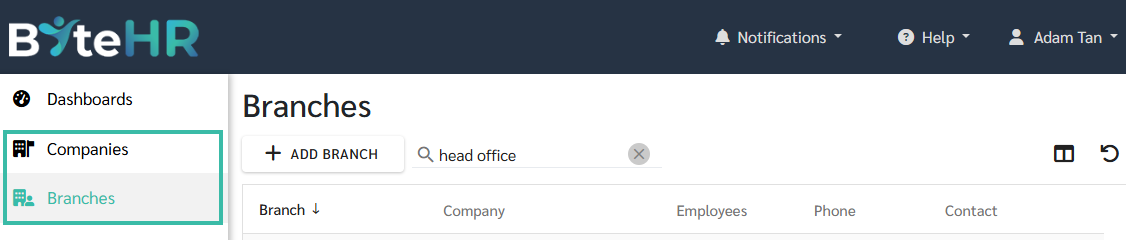
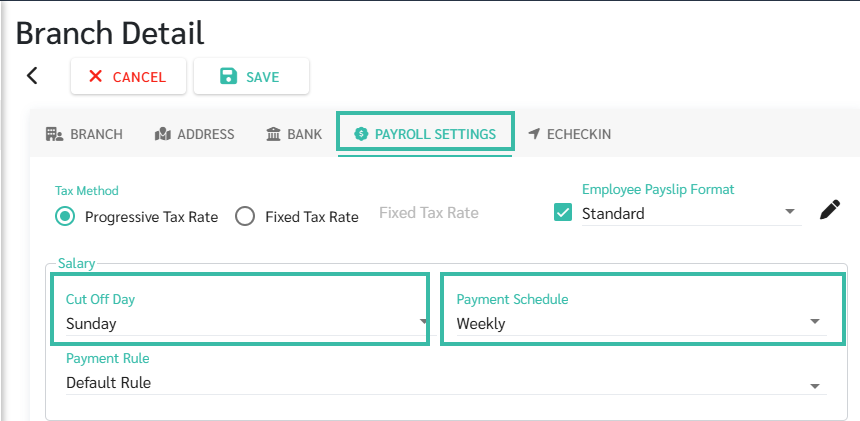
- Go to Payroll Setting.
- Select Payment Schedule - Weekly.
-
Enter the payroll cut-off day (e.g., Sunday).
-
When processing payroll, the system will prompt you to select a period. This will display payroll details for week 1, 2, 3, etc. Note that weeks with the 1st of the month will not be included in the payroll processing. That week will always be considered Week 1. For example,
Payment Schedule = Weekly,
Cut Off Day = Sunday.
April 2021 has 4 weeks:
Week 1 starts from 29/03/2021 to 04/04/2021,
Week 2 starts from 05/04/2021 to 11/04/2021,
Week 3 starts from 12/04/2021 to 18/04/2021,
Week 4 starts from 19/04/2021 to 25/04/2021
- You can include regular Payments/Deductions in the employment contract if the contract pays weekly. The amount of Payments/Deductions must also be the amount Per Week.
- Calculation of taxes for weekly payments. The system will average the taxes into 52 instalment (1 year = 52 weeks).
🏷️ Case:
If the payment schedule is changed from once a month or twice a month to weekly payment, all monthly employees in that Branch will have their payment schedule changed to weekly. However, the payment schedule for hourly and daily employees will remain the same.