Upload Employee to a Flexible Shift Schedule
How to Upload Employees to a Flexible Shift Schedule:
- Go to the Shift Schedules tab.
-
Select Upload.

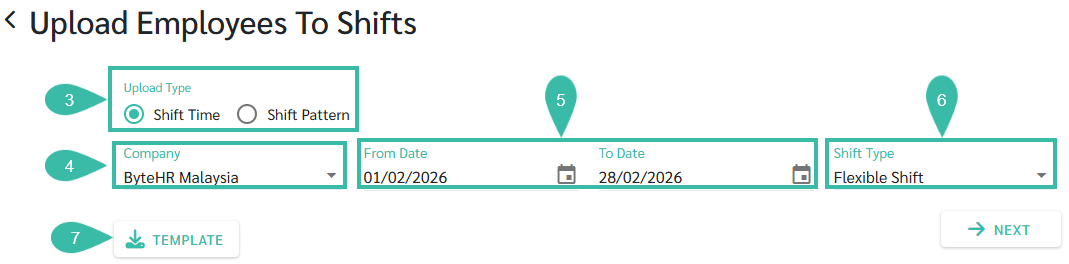
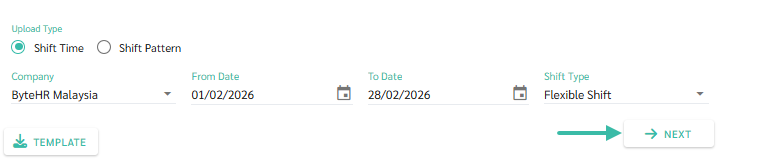
- In the Upload Employees to Shifts page, select the Upload Type as Shift Time.
- Select the Company to upload employees to Shifts.
- Select the dates in the From Date and To Date fields.
- Select the Shift Type as Flexible Shift.
-
Click Template to download Flexible Shift Template
- Fill in the required details in the downloaded Template. Then, save the file:
-
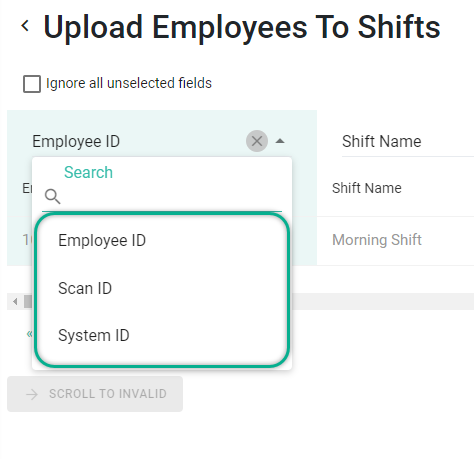
The Employee ID field can be filled with Employee ID, Scan ID, or System ID. Select the column that matches the information in the template.
-
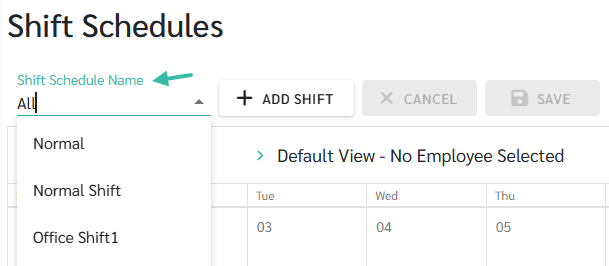
The Shift Name refers to the Shift Schedule Name that the employees are assigned to.
- Enter the working hours per day, e.g., 09:00 means 9 hours.
-
If it's a weekly day off, enter "DAY OFF" in front of the time, e.g., DAY OFF 09:00
*If no time is entered, the system will automatically assign a time. The system will use the data from the original shift schedule.
-
Example of a Flexible Shift Template.

-
-
Once the template is completed, Click Next.
-
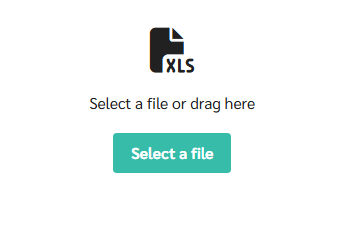
Select the file you want to upload.
-
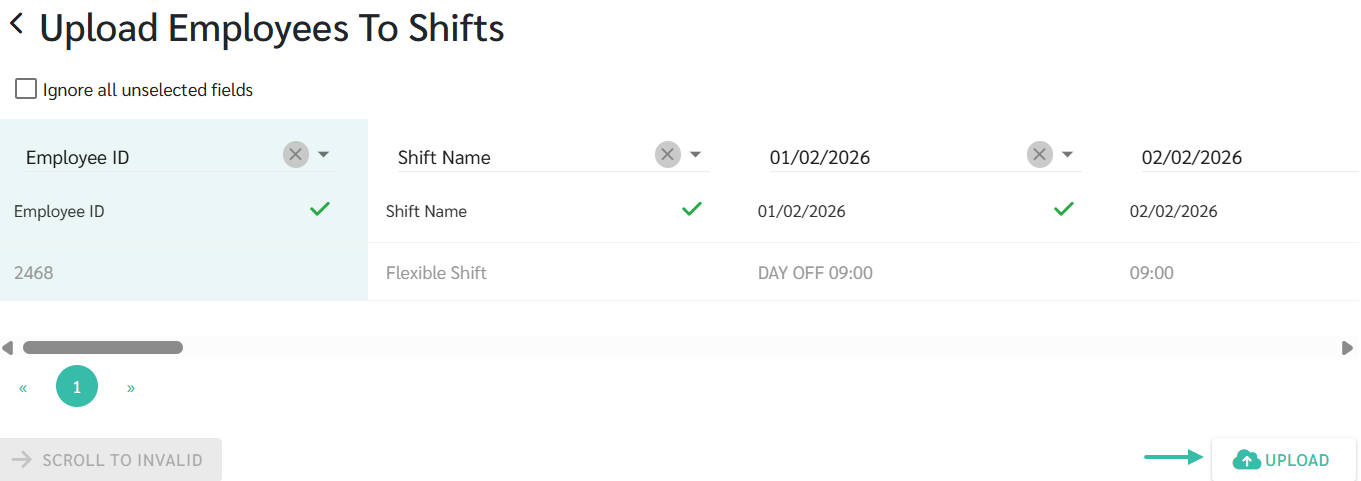
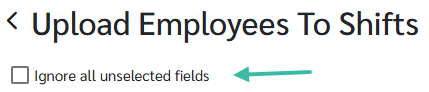
Match the fields and click Upload.
*If you click Ignore all unselected fields, the system will skip fields that have no data.
-
Example of uploading a Flexible Shift Template.

-
-
Click Upload to Upload the template into the system.