
Overtime Rules
To Set Up Overtime Rates, follow the steps below:
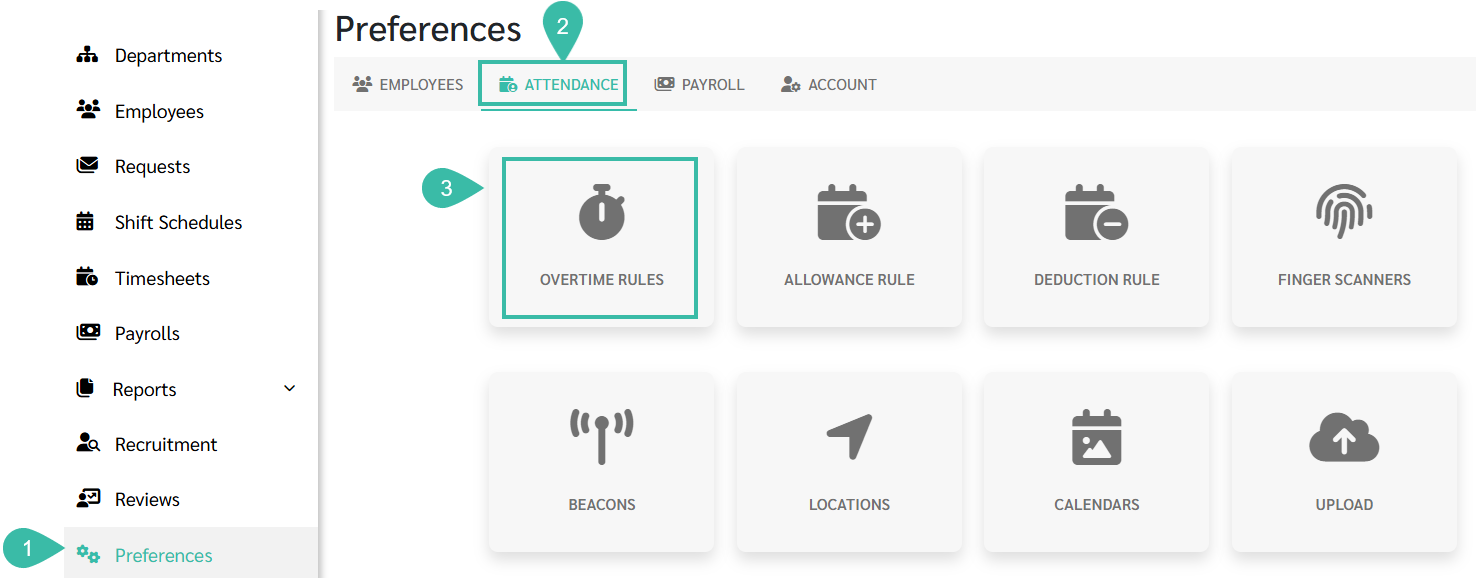
- Go to Preferences tab.
- Select Attendance.
-
Click Overtime Rules.
-
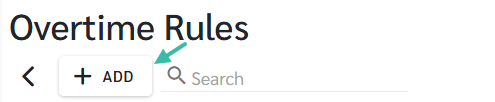
Click the + Add button to create a new Overtime Rules.
- Enter a Name in the Overtime Rule Name Field (e.g., Office Overtime Rule, Factory Overtime Rule).
- Tick Default if this Overtime Rule should apply to employees by default.
- Approval Workflow:
-
Manager Level 1:
Any: Any Manager Level 1 can Approve.
All: All Manager Level 1 approvers must approve.
-
Manager Level 2:
Notify: Manager Level 2 is notified after approval by Level 1.
Any: Any Manager Level 2 can Approve.
All: All Manager Level 2 approvers must approve.

-
-
Click + Add Detail to configure Overtime Rates by each Payment Type..*By Default, this is the Overtime Rule.
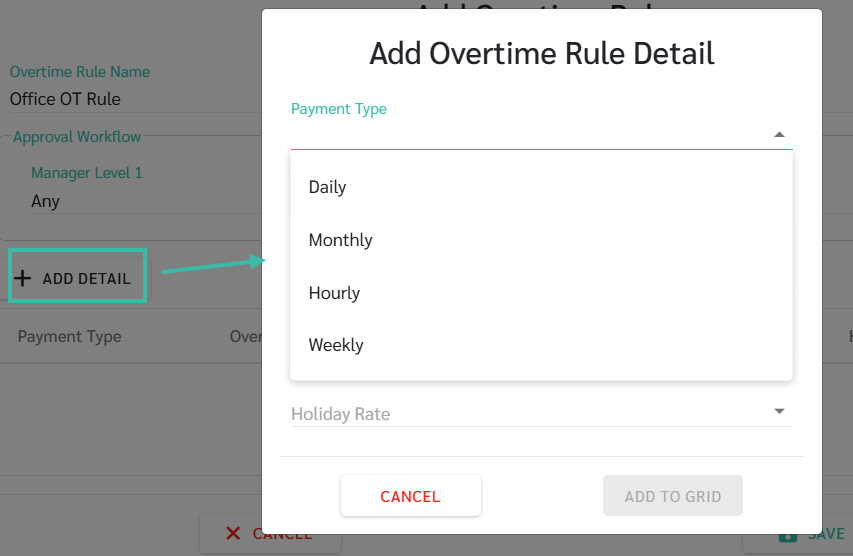
- Payment Type: Daily
-
Overtime Rate:
Work in excess of the normal hours of work (Regular Hours) - HRP 1.5
-
Day Off Rate:
Work on Day Off - HRP 1.5
-
Rest Day Rate:
Work does not exceed half his normal hours of work - ORP 1
Worked more than half day of his normal work - ORP 2
Work in excess of the normal hours of work - HRP 2
-
Holiday Rate:
Work on any paid Public Holiday to which he is entitled for - ORP 2
Work in excess of the normal hours of work on a paid Public Holiday - HRP 3
-
- Payment Type: Monthly
-
Overtime Rate:
Work in excess of the normal hours of work (Regular Hours) - HRP 1.5
-
Day Off Rate
Work on Day Off - HRP 1.5
-
Rest Day Rate
Work does not exceed half his normal hours of work - ORP 0.5
Work more than half his normal hours of work - ORP 1
Work in excess of the normal hours of work - HRP 2
-
Holiday Rate:
Work on any paid Public Holiday to which he is entitled for - ORP 2
Work in excess of the normal hours of work on a paid Public Holiday - HRP 3
-
- Payment Type: Hourly
-
Overtime Rate:
Work in excess of the normal hours of work (Regular Hours) - HRP 1.5
-
Day Off Rate:
Work on Day Off - HRP 1.5
-
Rest Day Rate:
Work does not exceed half his normal hours of work - ORP 1
Worked more than half day of his normal work - ORP 2
Work in excess of the normal hours of work - HRP 2
-
Holiday Rate:
Work on any paid Public Holiday to which he is entitled for - ORP 2
Work in excess of the normal hours of work on a paid Public Holiday - HRP 3
-
- Payment Type: Weekly
-
Overtime Rate:
Work in excess of the normal hours of work (Regular Hours) - HRP 1.5
-
Day Off Rate:
Work on Day Off - HRP 1.5
-
Rest Day Rate:
Work does not exceed half his normal hours of work - ORP 0.5
Work more than half his normal hours of work - ORP 1
Work in excess of the normal hours of work - HRP 2
-
Holiday Rate:
Work on any paid Public Holiday to which he is entitled for - ORP 2
Work in excess of the normal hours of work on a paid Public Holiday - HRP 3
-
- Payment Type: Daily
-
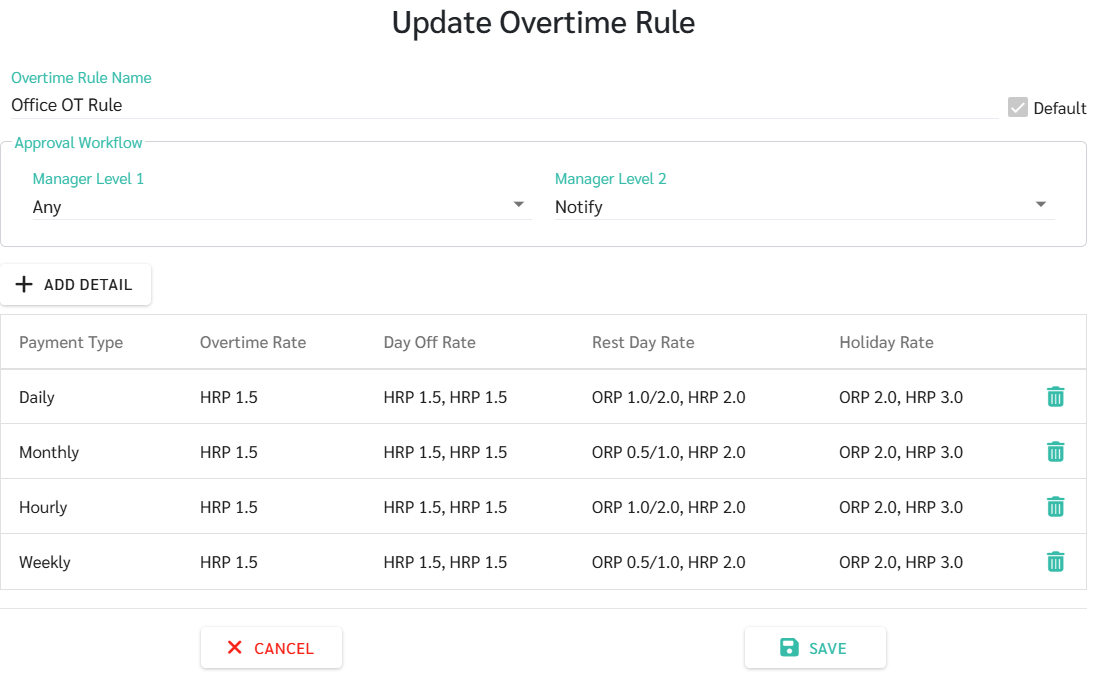
Click Save once the Overtime Rates are configured for each Payment Type.
-
Example:
📃Note
- The system determines Overtime Rates based on the employee's assigned Shift Schedule, including the Shift Start Time, Shift End Time, and the configuration that allows Sign In before Shift Starts.
- The system does not always divide the date from midnight.