
Payroll Calculation for Foreign Currency ***Add On***
The Currency Add-On function is a "Add-on" feature.
How to Set Up Salary Calculation in Foreign Currency
- Updating the Pay details in the Employee's Contract.
- Navigate to Employees tab.
-
Select the employee.

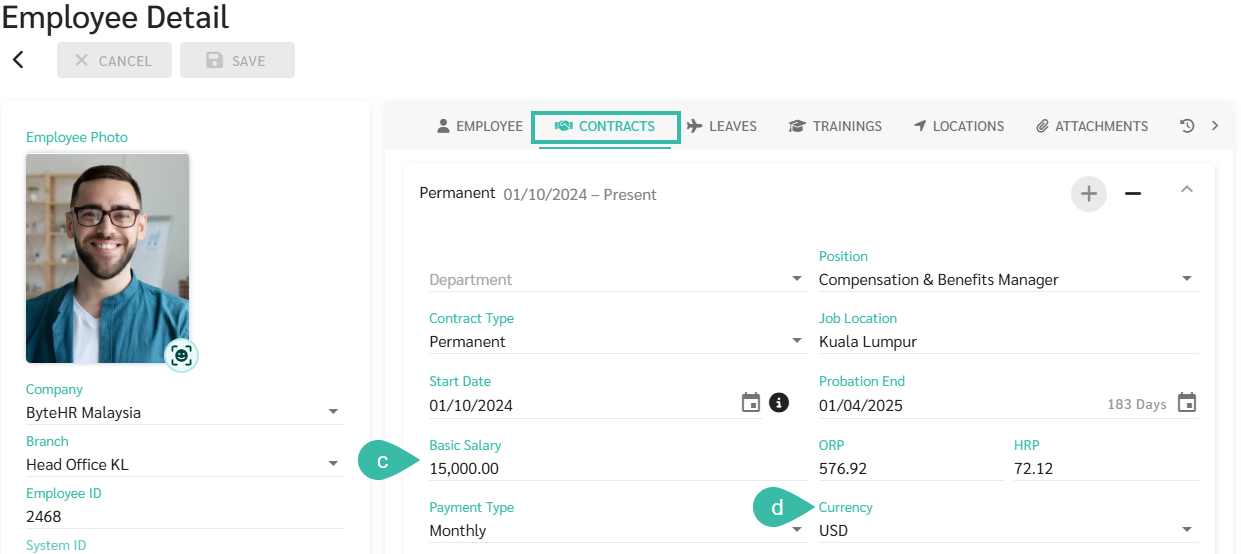
- Under Employee Contract, enter the Basic Salary in the foreign currency. Ex; 15,000.
-
Select the Currency. Ex: USD.
-
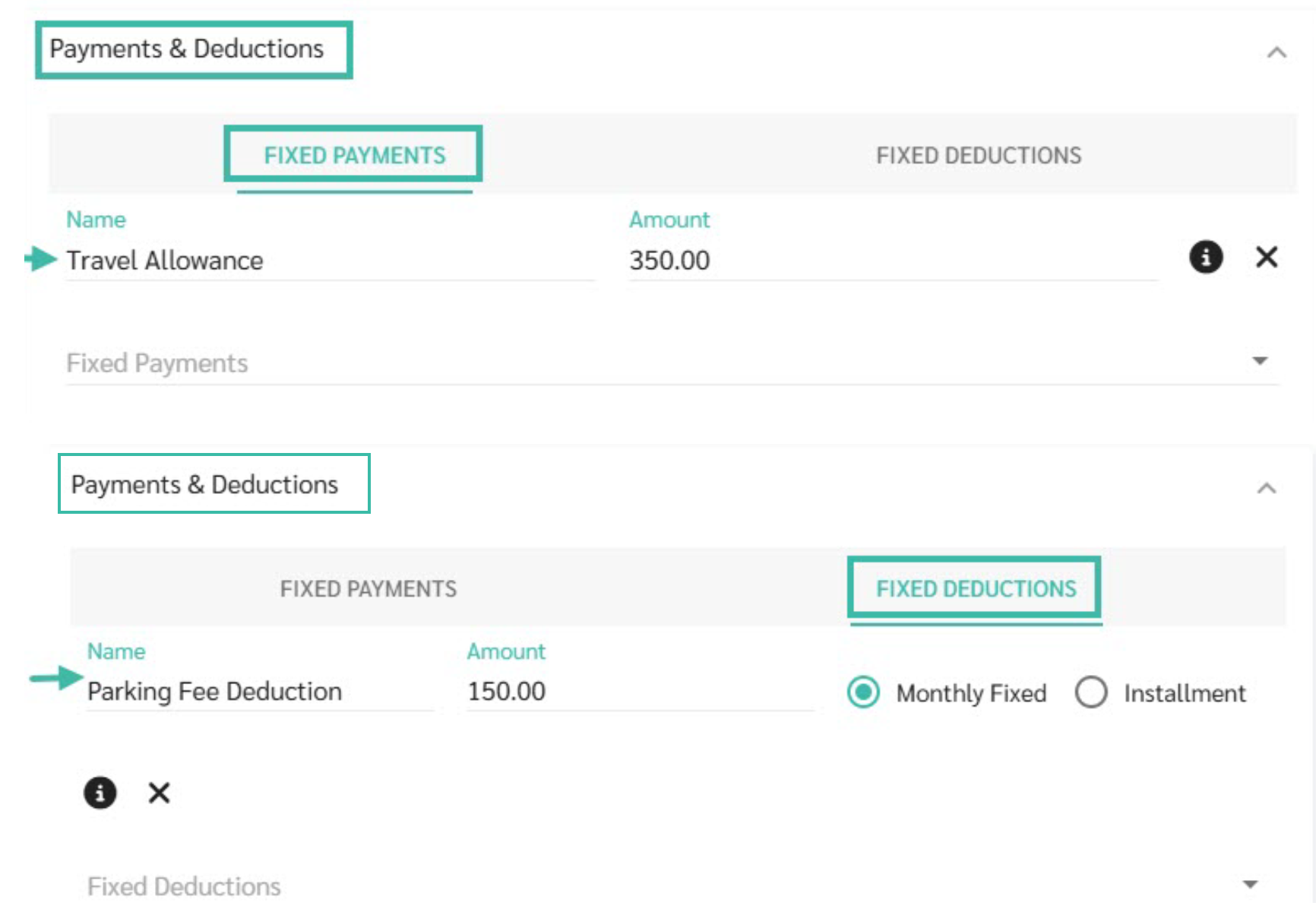
Under Payments & Deductions, enter the Fixed Payments and Fixed Deductions (if any) in the foreign currency.
-
Click Save.

- Add Currency in the system:
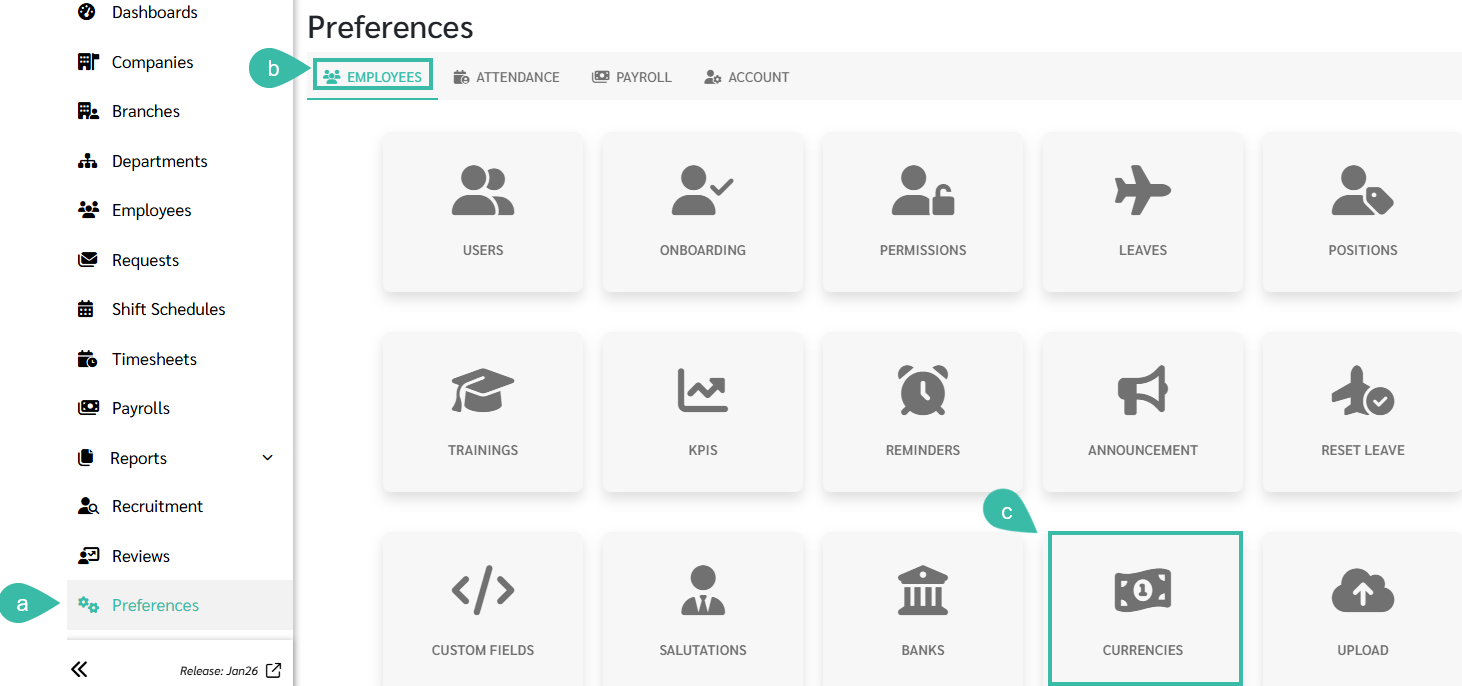
- Go to Preferences.
- Select Employees.
-
Click Currencies.
- Add/ Edit Currency
-
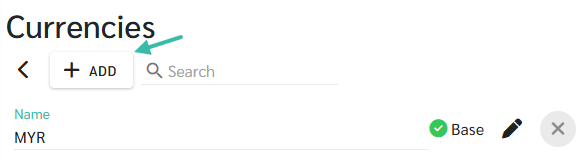
Click + Add to add a new currency
-
Click the Pencil icon to Edit the exchange rate of the existing Currency.

-
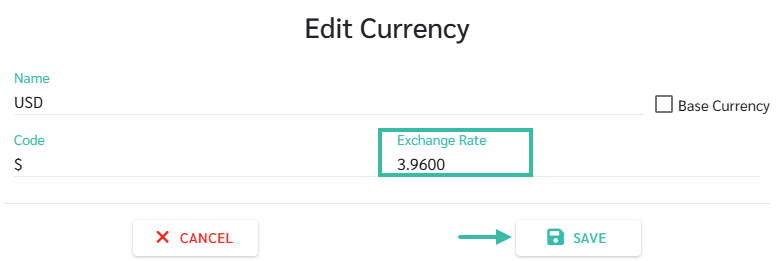
- Enter the Exchange Rate for the chosen currency for the purpose of Payroll computation.
- For example: The exchange rate for 1 USD = 3.96 MYR.
-
Click Save.
- Payrolls
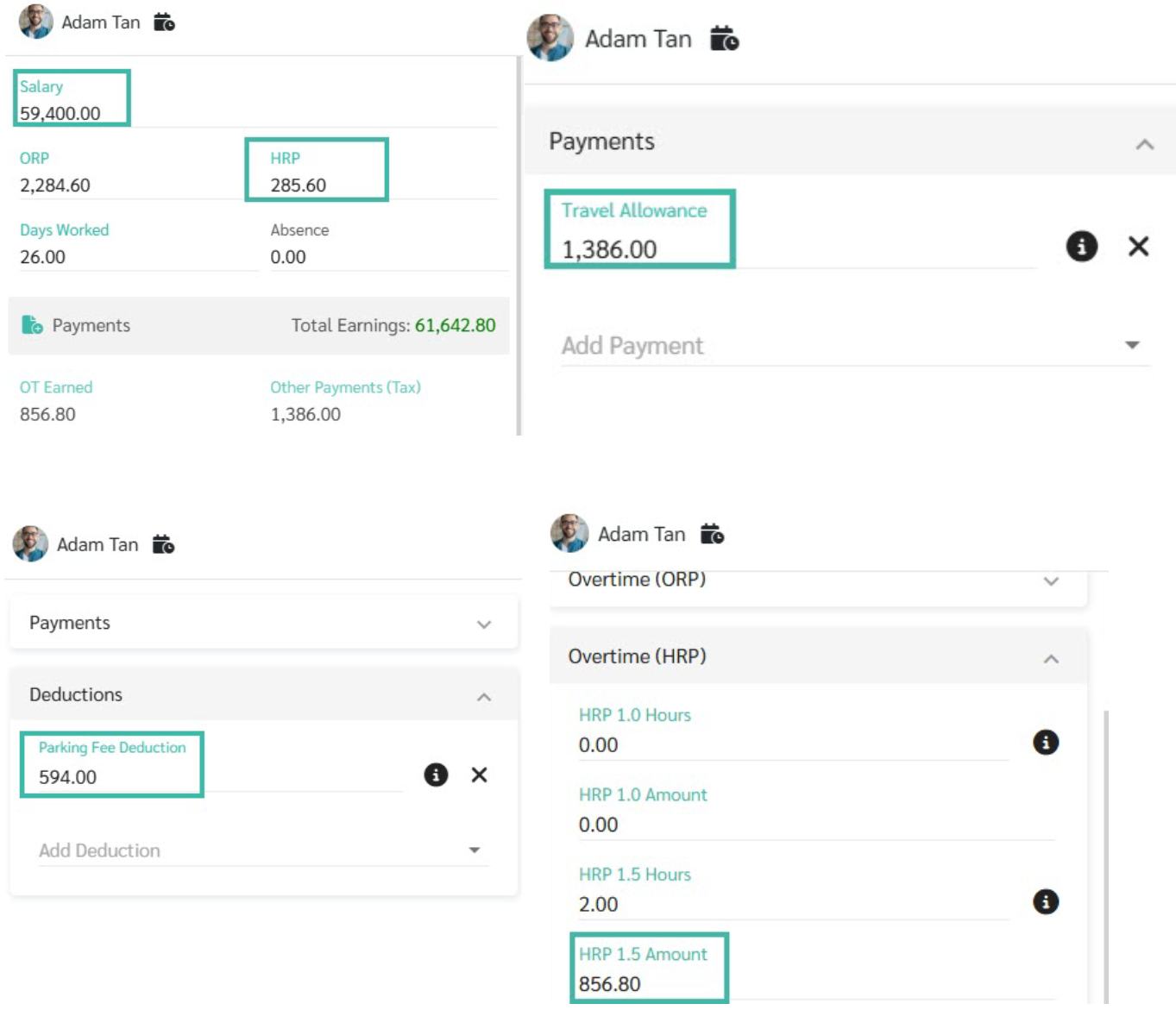
- The system will convert the Basic Salary, Fixed Payments, Fixed Deductions from Foreign Currency to MYR using the Exchange Rate updated in the Preferences -> Currencies.
-
Example: The exchange rate for 1 USD = 3.96 MYR.
| Component | Calculation | Amount (MYR) |
|---|---|---|
| Basic Salary | 15,000 x 3.96 | 59,400.00 |
| Hourly Rate Pay (HRP) | 15,000/26/8= 48.08 X 3.96 | 285.60 |
| Travel Allowance (Fixed Payment) | 350 x 3.96 | 1,386.00 |
| Parking Fee (Fixed Deduction) | 150 x 3.96 | 594.00 |
| Overtime HRP 1.5 | 285.60 X 1.5 X 2 Hours | 856.80 |