
Manually Reset Carry Forward Leave Days
How to Manually Reset Carry Forward Leave Days
If the system is not configured to automatically reset carry forward leave, the admin can manually reset leave and carry forward leave under the "Reset Leave" section as follows:
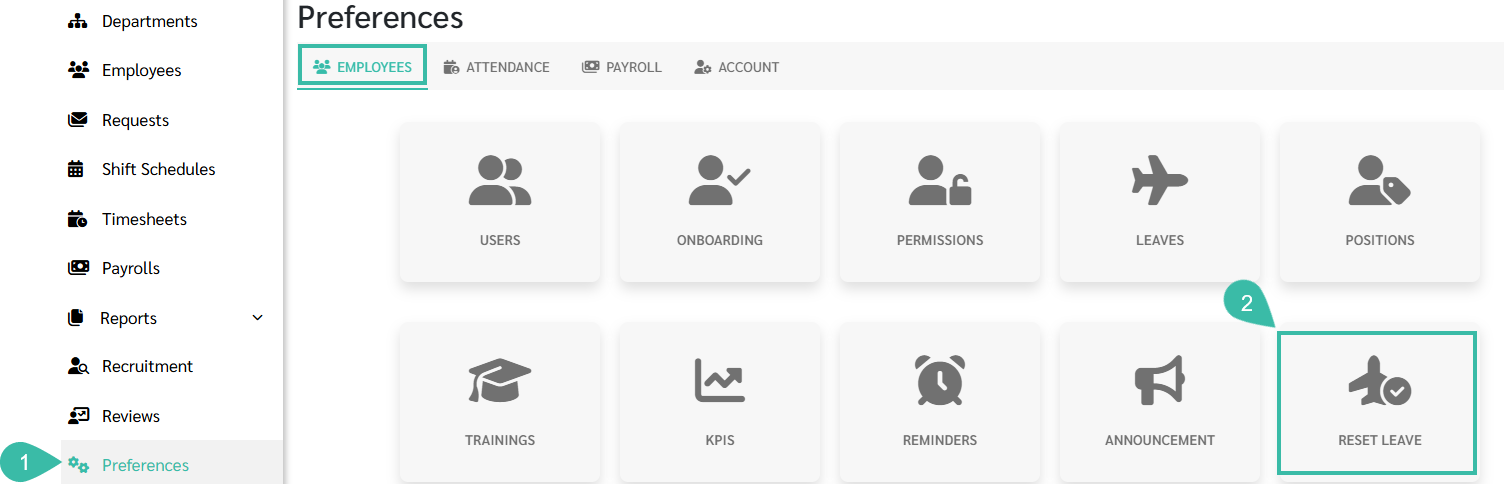
- Go to Preferences tab.
-
Select Employees. and Click Reset Leave.
- Select the desired Company, Branch, Department, Employee, and Leave Type.
- Select "Reset Carry Forward" as the Reset Type.
-
Click Load.

- Tick the checkbox next to the Employee ID you wish to reset.
- Click "Reset."
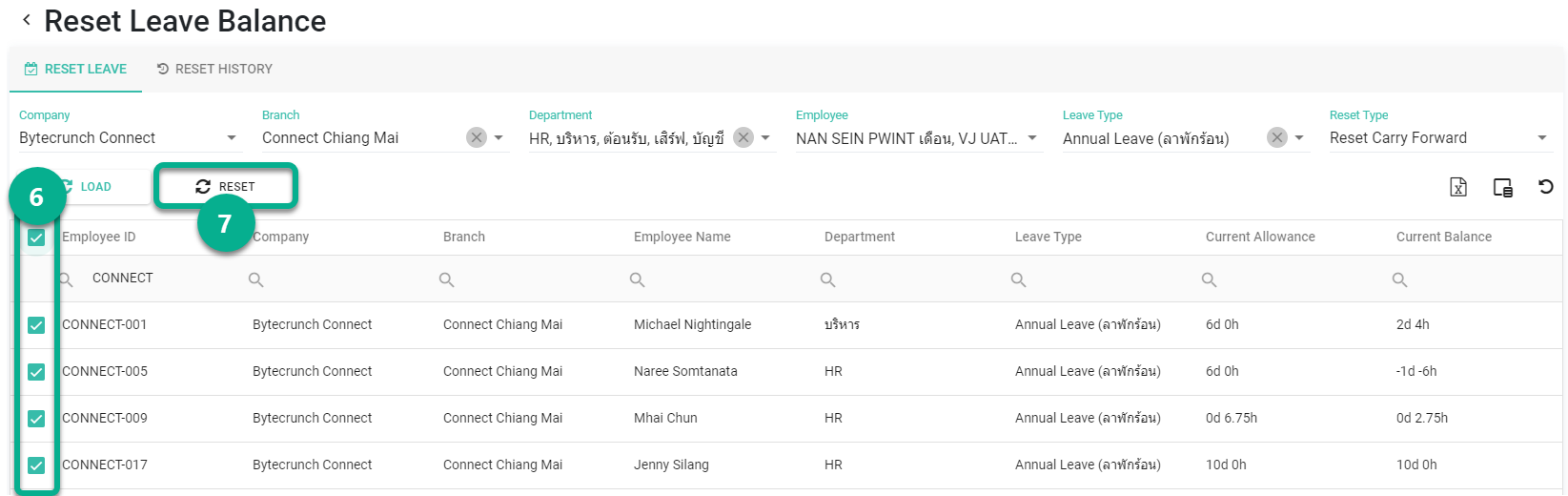
After the reset, the system will save the reset, which can be viewed in the tab.