Delete a Position
Only positions that are not currently assigned to any employees can be deleted.
⚠️ Caution:
When a Position is deleted, the system will also permanently remove all data linked exclusively to that Position including Deduction Rules, Allowance Rules, and Announcements.
How to Delete a Position
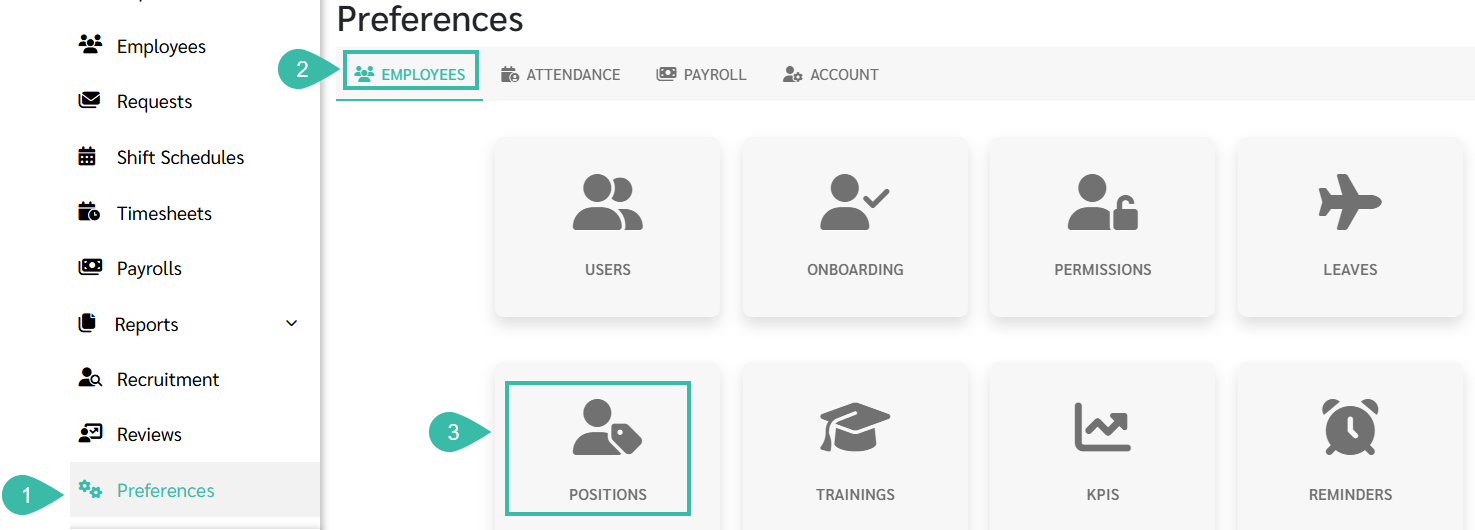
- Go to Preferences tab.
- Select Employees.
-
Click Positions.
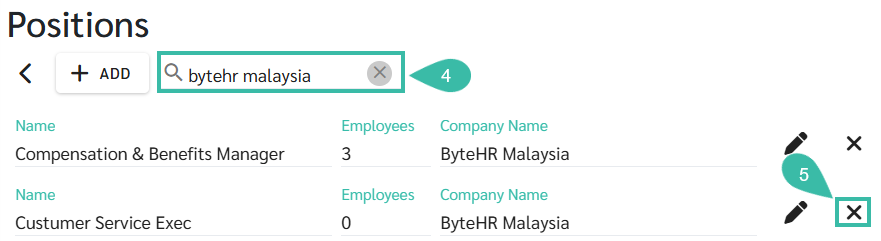
- Use the Search bar to find the Position by entering the Company Name or Position Name.
-
Click the Delete icon next to the Position you want to remove.
-
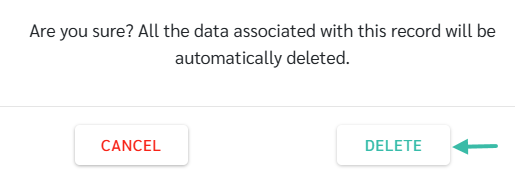
A confirmation message will appear, informing you that all data related to this Position will be deleted.
This includes:
- Deduction Rules (applicable only to this position)
- Allowance Rules (applicable only to this position)
- Announcements (applicable only to this position)
-
Click Delete to confirm.