
Editing a Position
🔍 Note:
If a Position was created incorrectly when entered in an employee's Contract, you can edit the Position Name via Preferences - Positions.
How to Edit an Existing Position
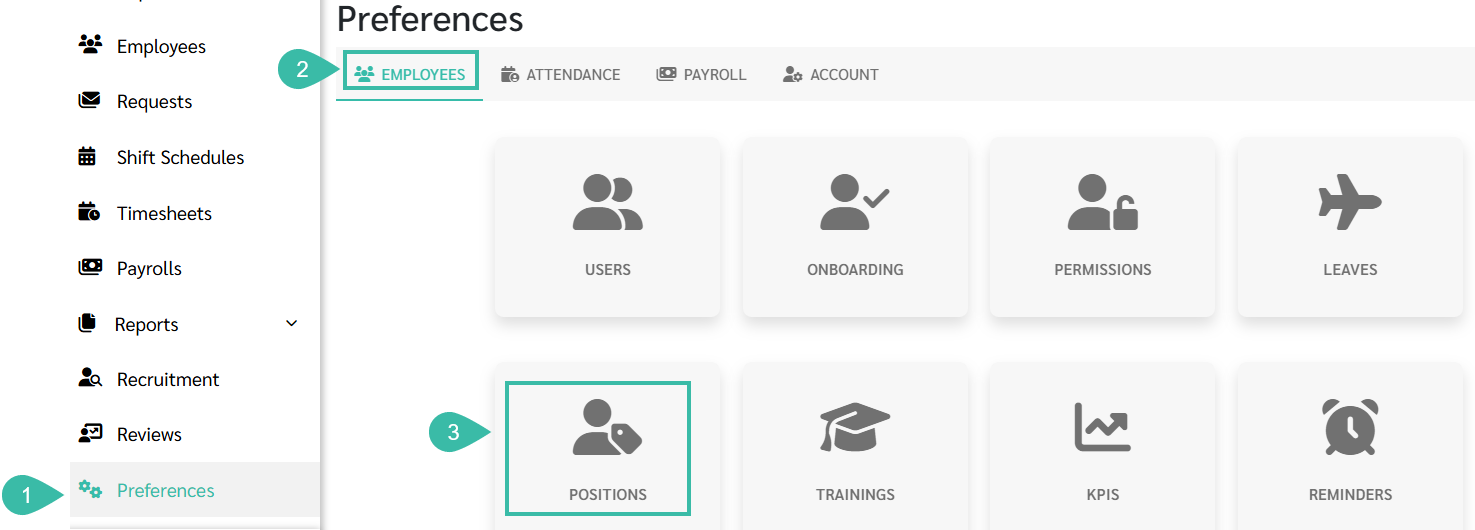
- Navigate to the Preferences tab.
- Select Employees.
-
Click Positions.
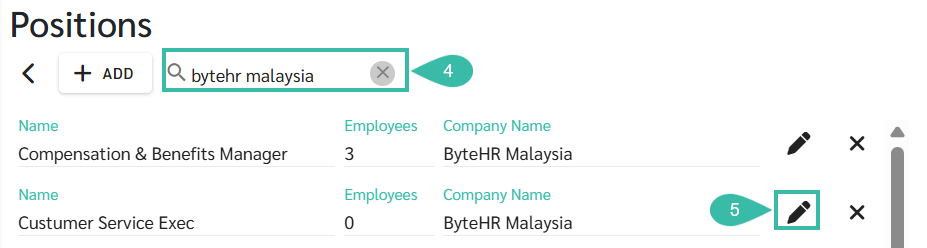
- Use the Search bar to find the Position by entering the Company Name or Position Name.
-
Click the pencil icon next to the Position you want to update.
- Update the Position Name in the Name field.
-
Click Save.
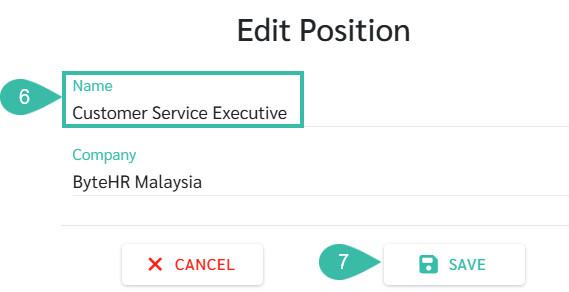
- Once saved, the updated Position Name will be reflected in all employee's employment contracts where this Position was used.
⚠️ Caution:
Before deleting a Position, ensure that it is not assigned to any employee, including both Current and Previous Employee Contracts.