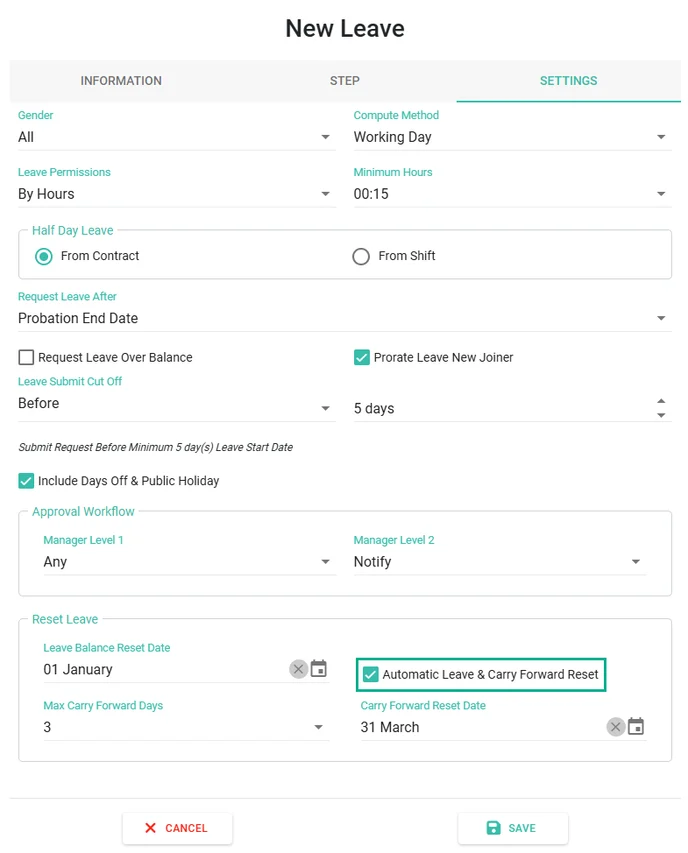
Automatic Leave & Carry Forward Reset
How to Set Up Automatic Reset Leave
To enable automatic leave reset, configure the setting for each Leave Type as follows:
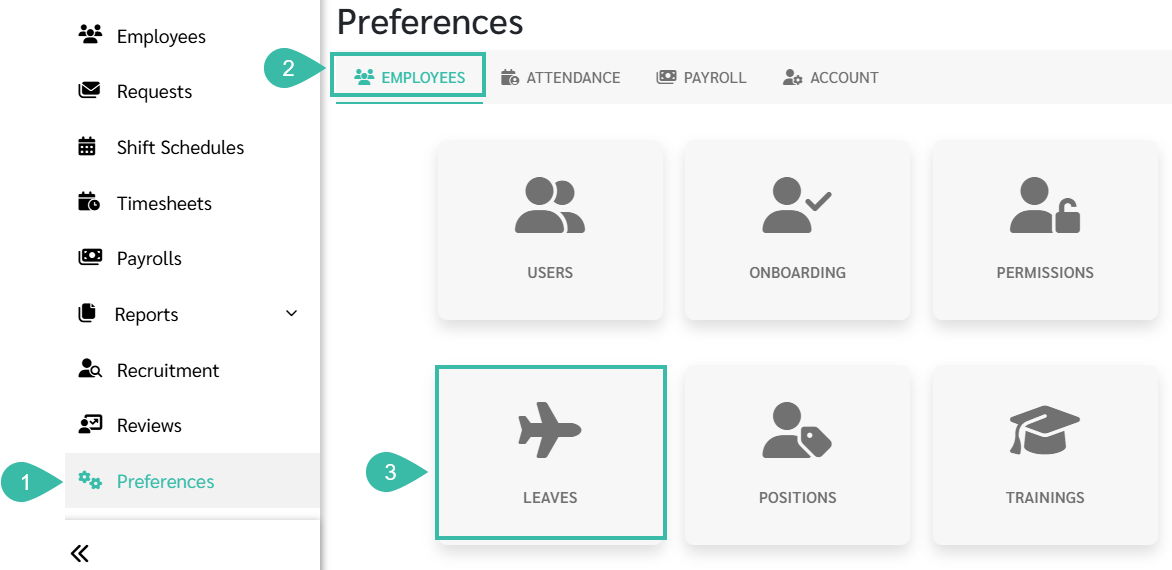
- Go to Preferences.
- Select Employees.
-
Click Leaves.
-
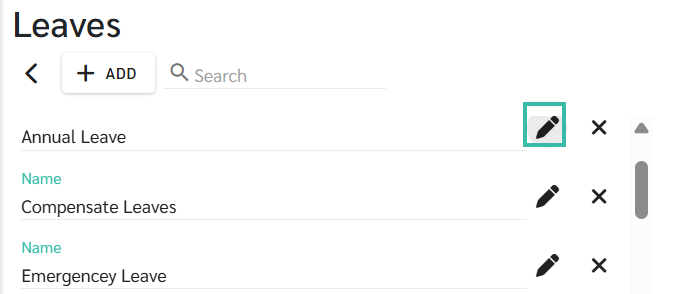
Click + Add to add a new Leave Type, or click an existing Leave Type to edit it.
-
In the Settings page, the system is enabled by default for Automatic Leave & Carry Forward Reset.