
Permissions to Allow Employees to Submit Report Requests
Admin can configure permissions to allow employees to submit Report Request like Salary Certificate and Employment Certificate.
Process for Setting Up Permissions for Employees to Submit Report Requests
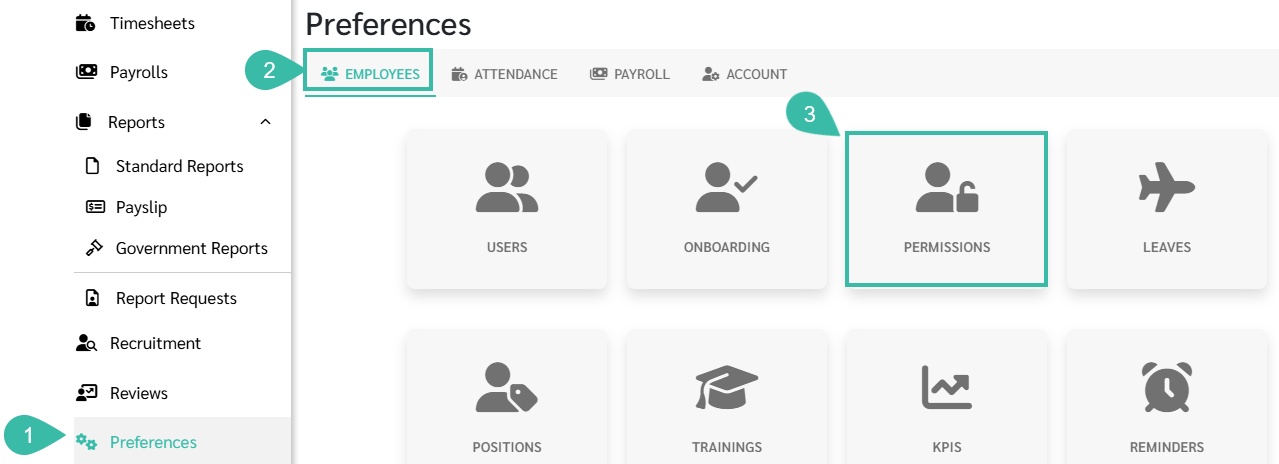
- Go to Preferences tab.
- Select Employees.
-
Click Permissions.
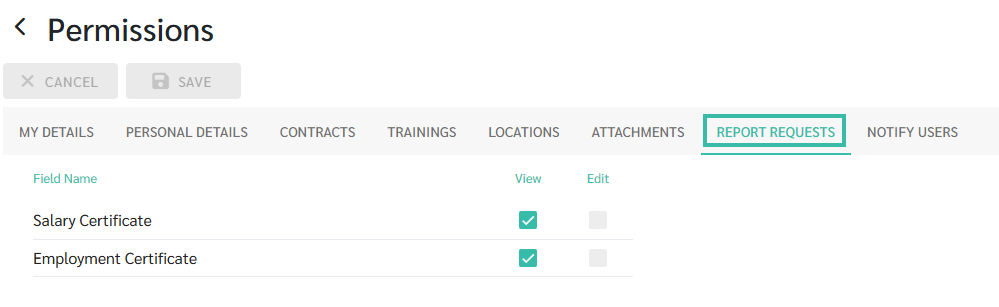
- Open the Report Requests tab to configure which type of Report, employees are allowed to View.
-
If the Permission type is Enabled (View), employees will be able to submit a request for that report.
-
-
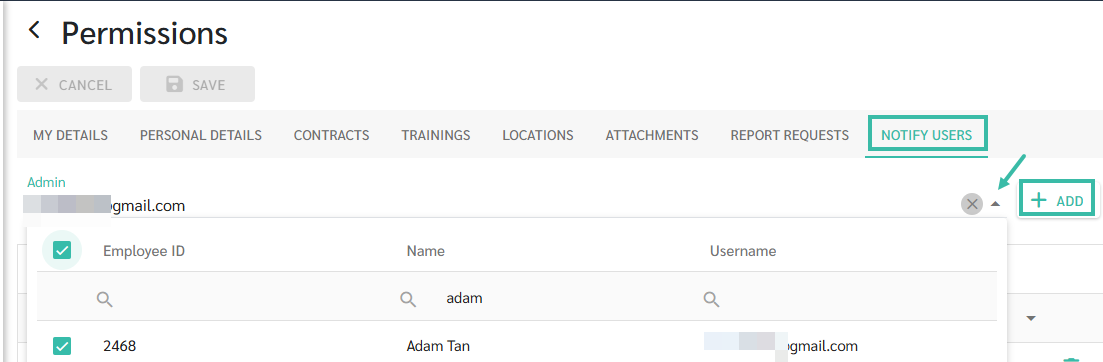
In the Notify Users tab, select the admin who is authorized to approve report requests, then click Add.
-
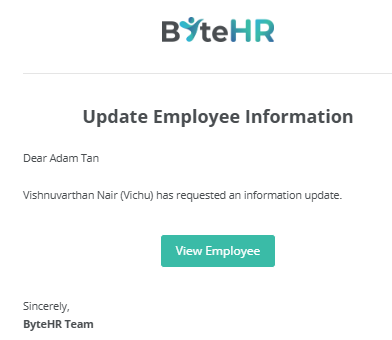
Once an employee submits a Report request, the system will automatically send an email notification to the specified admin.
-
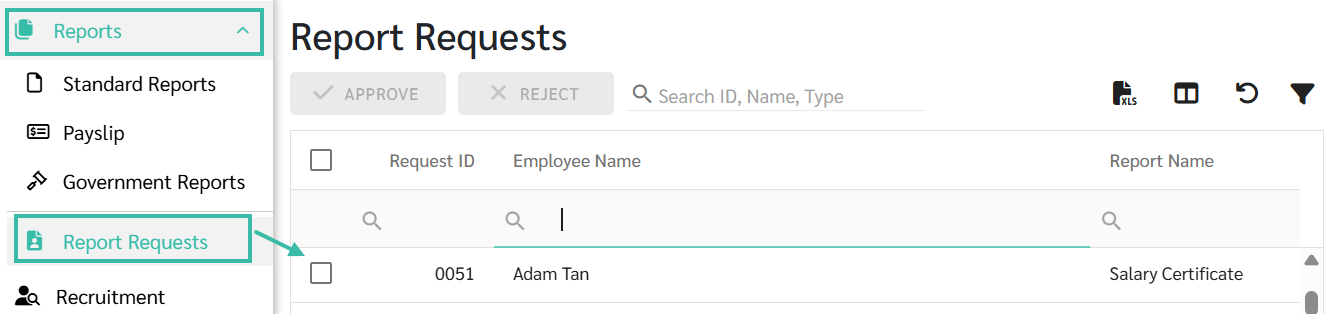
Admin listed in the Notify Users tab can access the Report Requests tab to review and approve requests.
📃Notes
- The User Roles that can Approve Report Requests are Account Owner, Admin, Payroll User Edit, and HR User Edit.