
Create Reimbursement Request for Multiple Payments
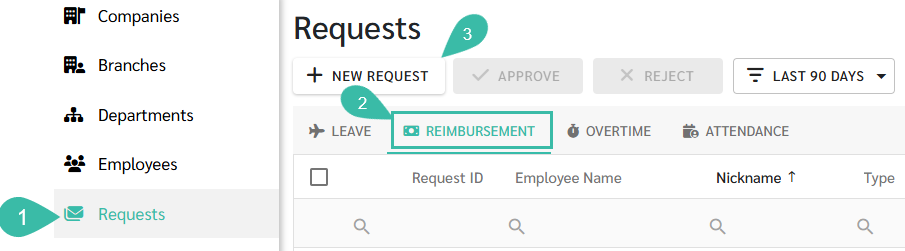
Go to Requests tab -> Select Reimbursement -> Click + New Request -> Select Multiple Payments -> Fill in the information -> Submit Request
💬 Note
Before submitting a Reimbursement Request for an employee:
- The Payment Type must be enabled to the Branch where the employees works.
- The Submit Request checkbox must be ticked,
Only after these steps are configured can a Reimbursement Request be submitted.

How to Submit Reimbursement Request for Multiple Payments
- Go to the Requests tab.
- Select Reimbursement.
-
Click + New Request.
-
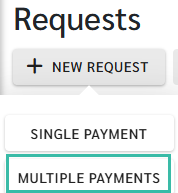
Select Multiple Payments.
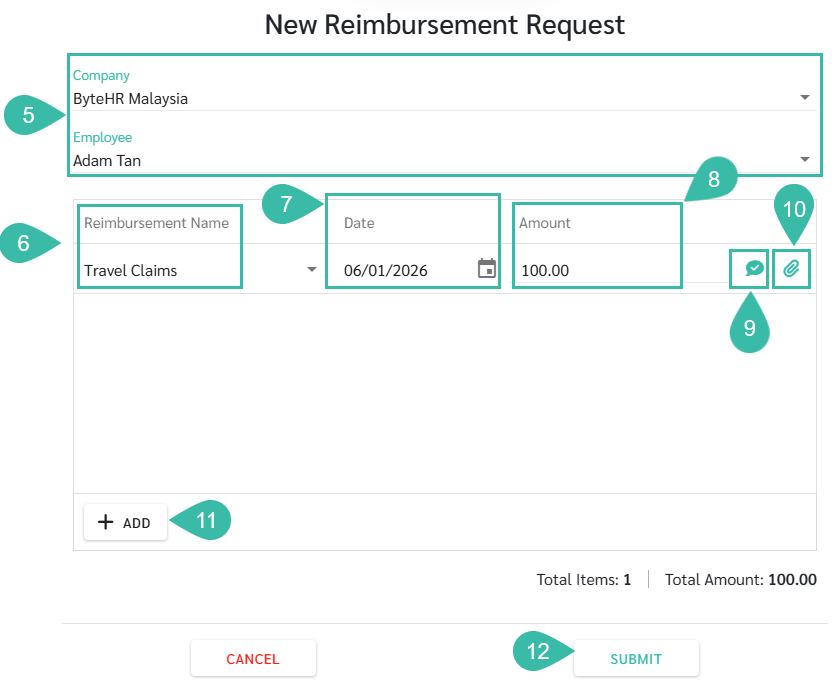
- Select Company, and Employee.
- Select the Reimbursement Name.
- Enter the date (the date the payment was made in advance). You may submit more than one Reimbursement Request per day (based on the Request date).
- Enter the amount.
- Select the Reason Type and enter the Reason (if any) by clicking the Reason icon.
-
Once a reason is entered, the icon will change to a green checkmark.

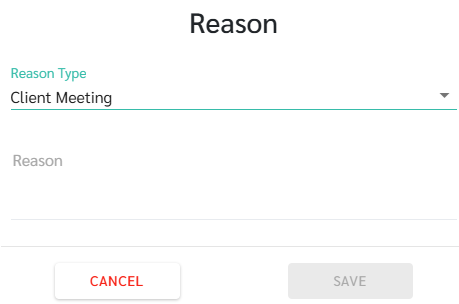
Note: If the Reason Type dropdown is not displayed, it means the setting has not been configured. To configure Reason Types: Preferences -> Payroll -> Payment -> Edit Payment -> Select the Payment type to edit -> Click Settings tab -> Enable Reason Type and enter desired reasons for dropdown options -> Click Save.
-
- Attach supporting documents by clicking the Attachment icon.
-
Once a document is uploaded, the icon changes to a green paperclip.

- Only one file may be attached per request
- Maximum file size: 7MB and image files up to 10 MB..
-
- Click "Add" to add multiple reimbursement type and repeat the steps above.
-
Click Submit to complete the Request.


🏷️ Case
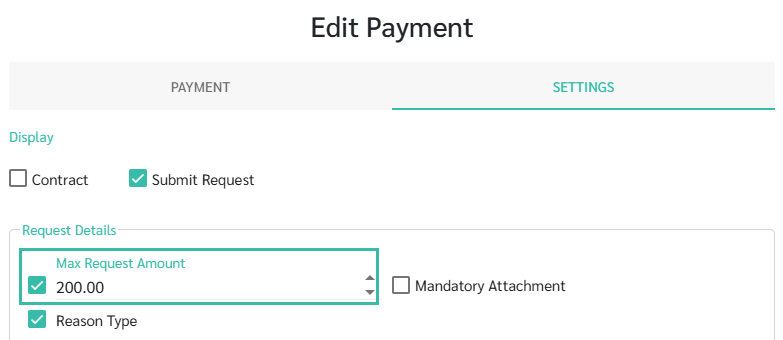
- If a Max Request Amount is configured in the Payments type Settings, per Reimbursement Requests exceeding the amount cannot be submitted.
-
Employees may submit more than one Reimbursement Request per day.
🚩 Note: Reimbursement Request and Payroll Processing
- Only Reimbursement Requests with a Request date within the Payroll processing period and an Approved Reimbursement Request will be included as Payments for that Pay period.
- If a Reimbursement Request is Approved after Payroll has been generated, it will be included in the next payroll cycle.