Approve/Reject Multiple Requests
Requests -> Select the Request Type -> Tick the checkbox of the Request you want to Approve/Reject -> Click Approve/Reject
💬 Note
Admin users and Managers can Approve/Reject Multiple Requests simultaneously on the Web application.
How to Approve/Reject Multiple Requests simultaneously
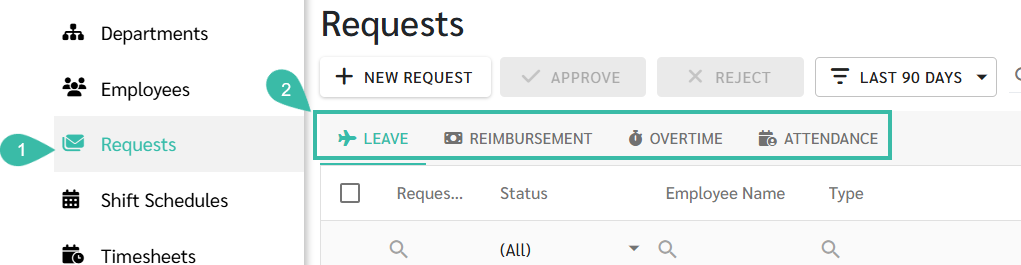
- Go to Requests tab.
- Select the request type
- Leave
- Reimbursement
- Overtime
-
Attendance
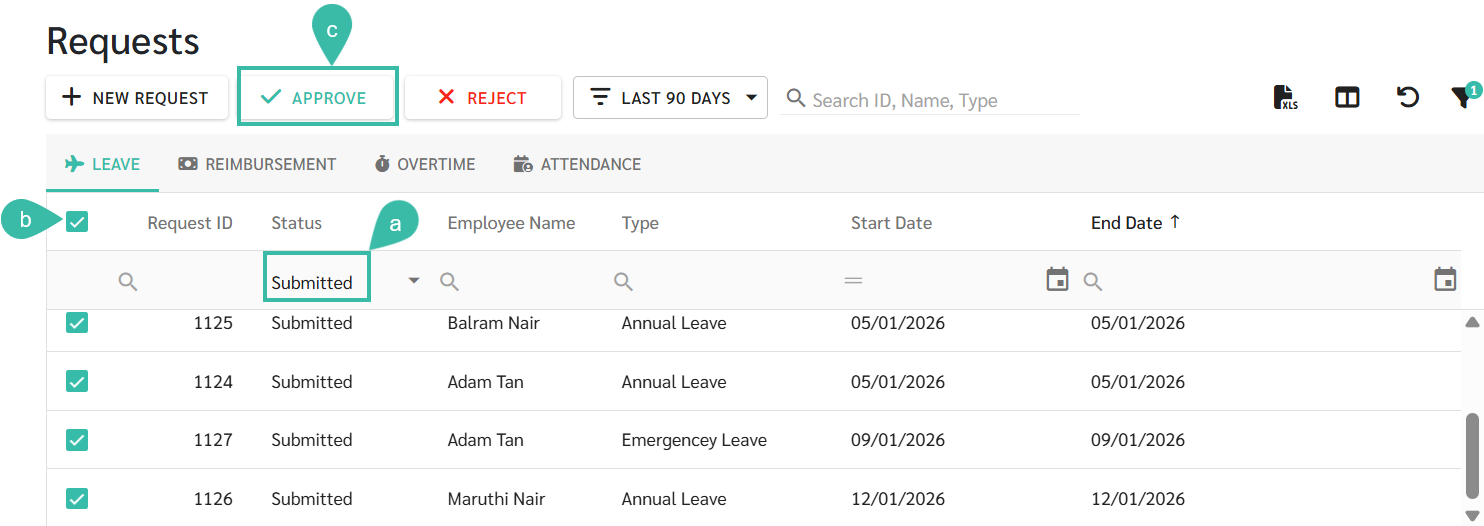
- To approve multiple requests:
- Filter the Status column to Submitted, Resubmitted, Accepted, In-Progress, or Pending Approval.
- Tick the checkbox next to request ID to select all applicable Requests.
- Click Approve.
-
The Request status will be updated to Approved/Rejected.
Note:
Requests that are already in Approved, Rejected, or Cancelled status cannot be Approved again.
- Managers can filter the Status column to "Pending Approval" to view all requests awaiting their approval.
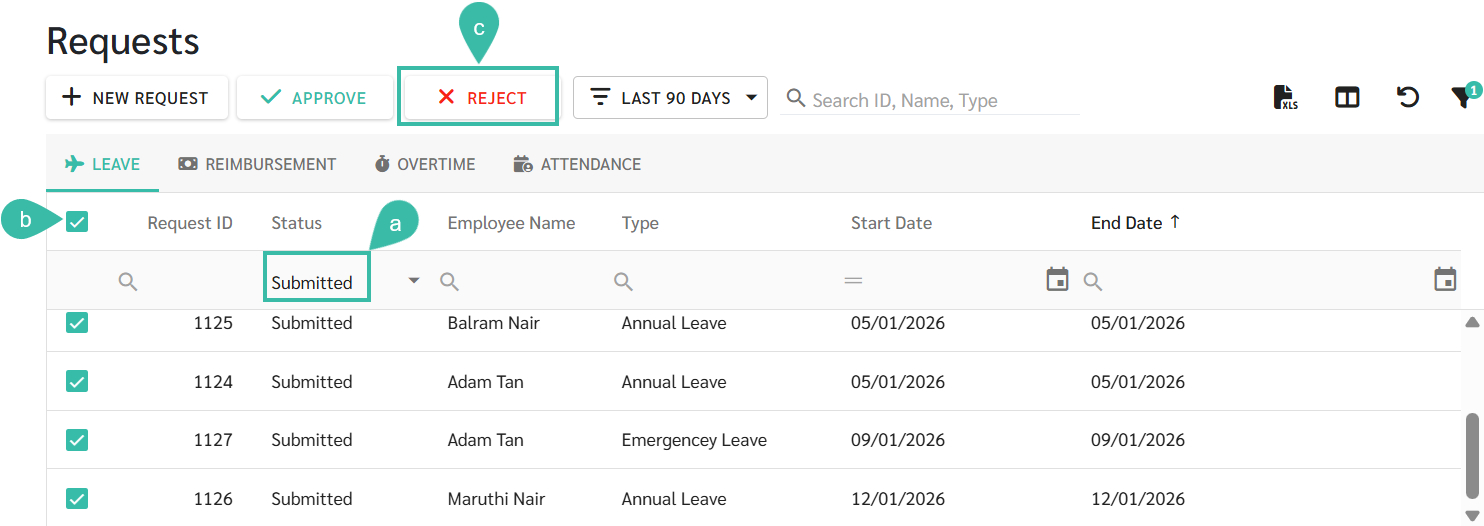
- To Reject multiple Requests:
- Filter the Status to Submitted, Resubmitted, Accepted, In-Progress, or Approved.
- Tick the checkbox next to Request ID to select all applicable Requests.
- Click Reject.
-
The request status will be updated to Rejected.