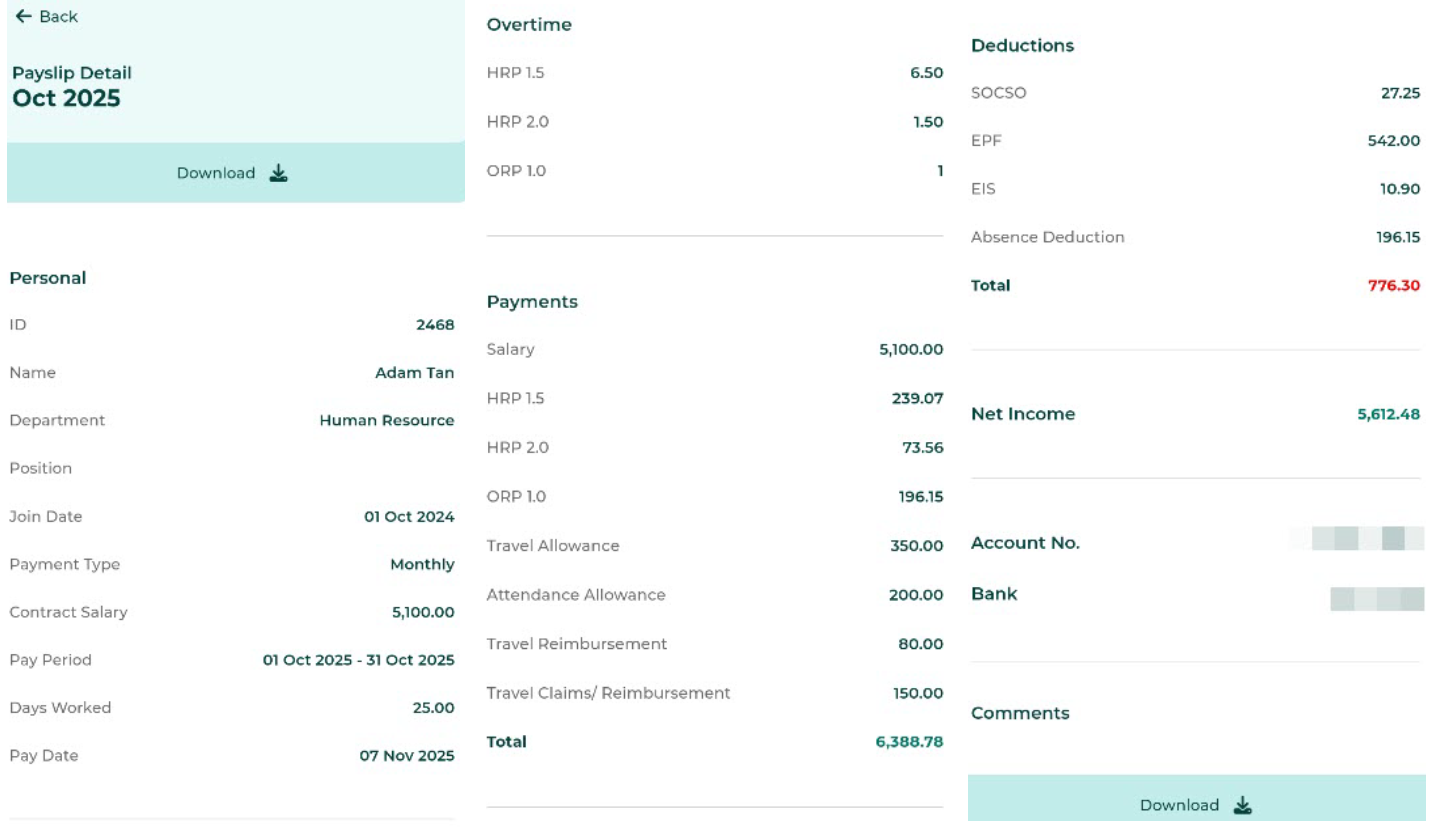
Employee Payslip (Pay Period and Pay Date View)
Log in to the Mobile App -> Click Payslip ->Select the Pay Date or Pay Period tab -> Click the Payslip Block to view the Payslip Details.
In the BytheHR Mobile App, employees can view their Payslips in two ways:
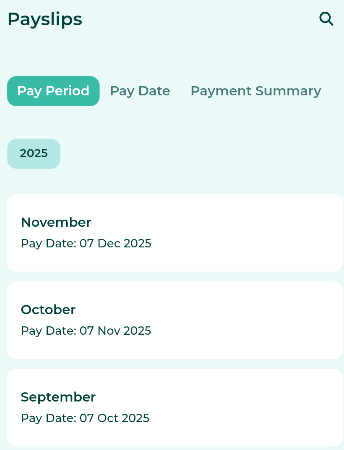
- View by Pay Period: When viewing by Pay Period, the system will display the Pay based on the Pay Period Month as configured in the system.
- If pay is paid more than once within the same month, the Payslip will display the cumulative total of all Payments made for that month.
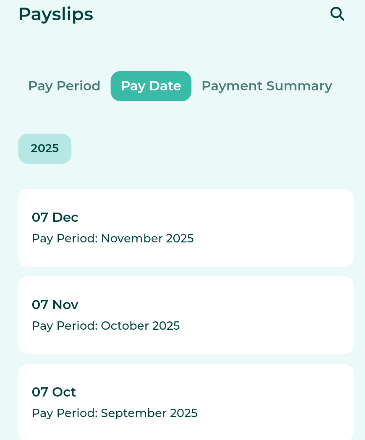
- View by Pay Date: When viewing by Pay Date, the system will display the Pay based on the selected Payment date.
Example
- September 2025 Pay
- Pay Period: 1/September/2025 - 31/September/2025
- Pay Date: 7/October/2025
- October 2025 Pay
- Pay Period: 1/October/2025 - 30/October/2025
- Pay Date: 7/November/2025
|
View payslips by Pay Period. |
Browse payslips by Pay date. |
|
|
|
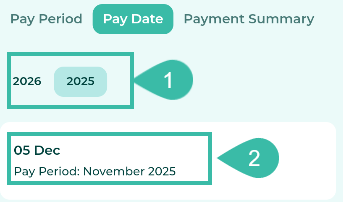
Employees can view their Payslip information as follows:
- Select the year to view Payslips for the chosen calendar year.
-
Select the Pay Date you wish to view.
- Once selected, the system will display the employee's Payslip details in the Mobile App.
Note: If an employee's salary has been adjusted during the Pay Period, the system will display the previous salary under the heading "Previous Contract Salary'.