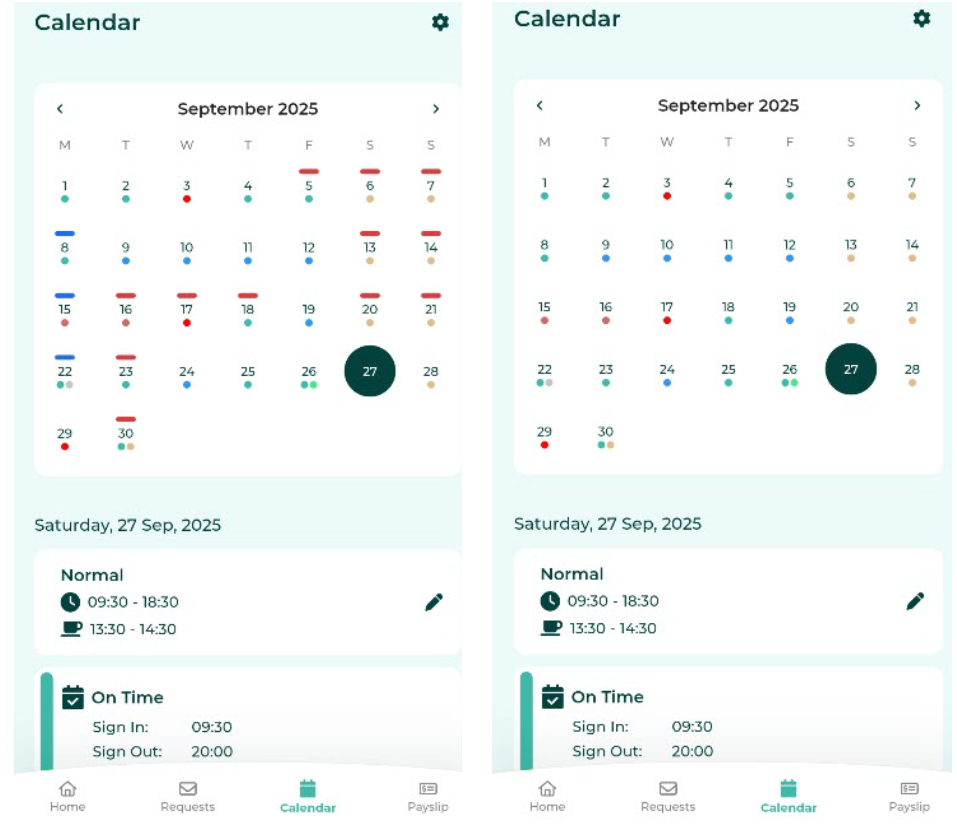
Shift Pattern Colour Settings
Employees can configure whether the Shift Pattern colour is displayed on the Calendar.
To configure the Shift Pattern colour display:
-
In the Calendar menu, click the gear icon.
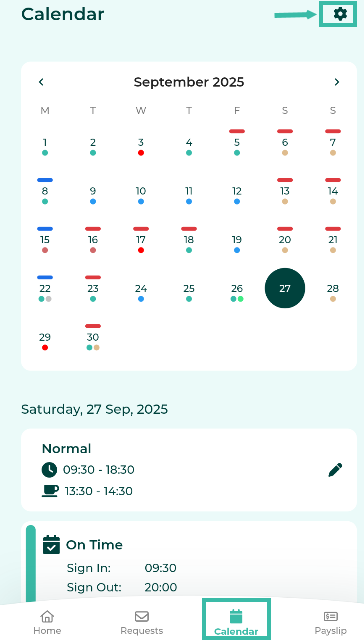
-
Toggle the Shift Pattern Colour option on or off and click Back.
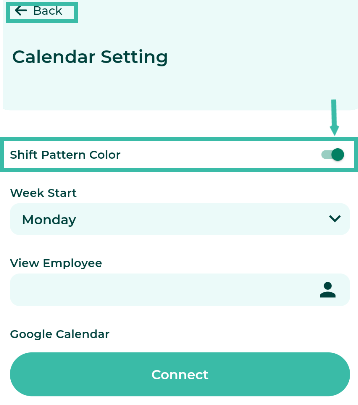
- The changes will take effect once you return to the Calendar page.
- When enabled, Shift Pattern colours will be displayed.
-
When disabled, Shift Pattern colours will be hidden.