The Manager Views the Employee Calendar on the ByteHR Mobile App
Managers can view the calendars of their subordinates as follows:
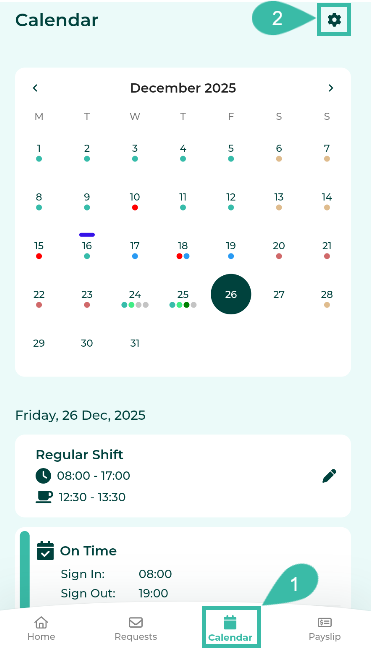
- Tap the Calendar tab
-
Tap the gear Icon (Settings).
-
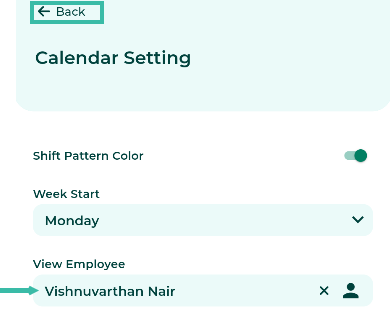
Select the employee's name and click Back.
-
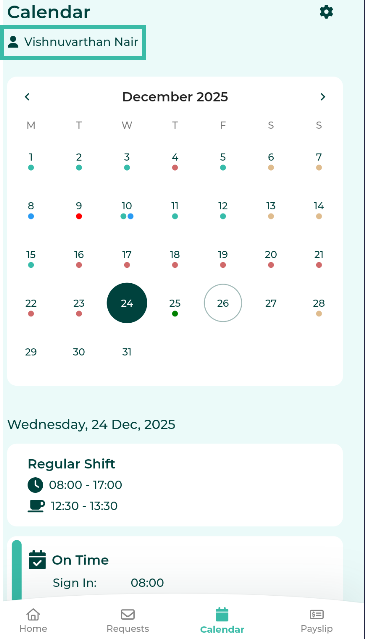
The system will display the calendar of the selected employee.