
Check your Timestamp Details
Employees can view their timestamp details as follows:
- On the Mobile App, tap the Calendar menu.
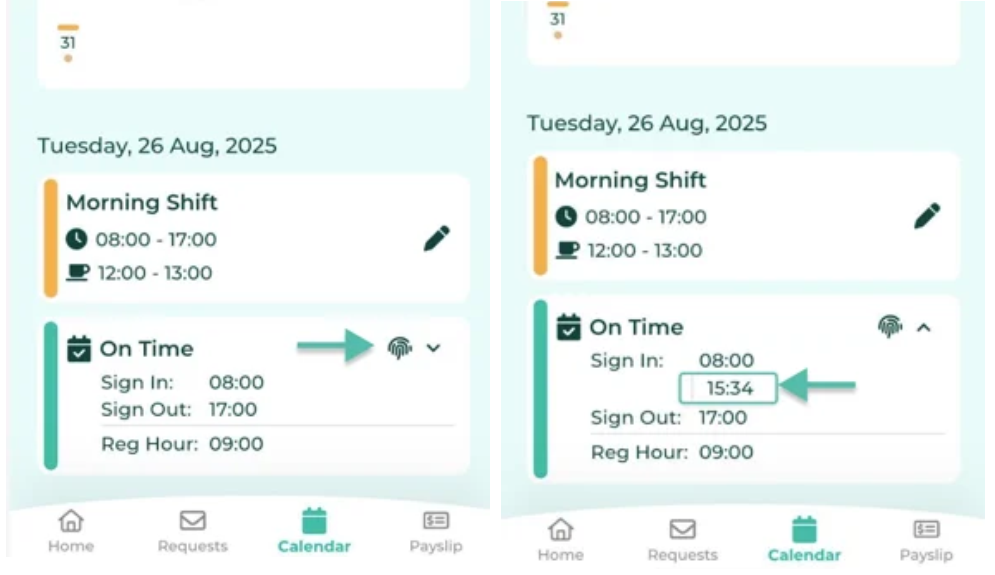
- Select the desired date to view the Timestamp record. The system will display the employee's timestamp details for that day at the bottom of the screen.
-
Tap the Fingerprint Icon to view all time entries recorded for the selected date.
💬 Note
- When an employee views their timestamp for the current date, the system will display all actual time entries, including timestamps recorded via the scanner.
- For past dates, the system will display information based on the approved timesheet records.