
My Details in Mobile App
Here's how to view My Details in the Mobile App:
-
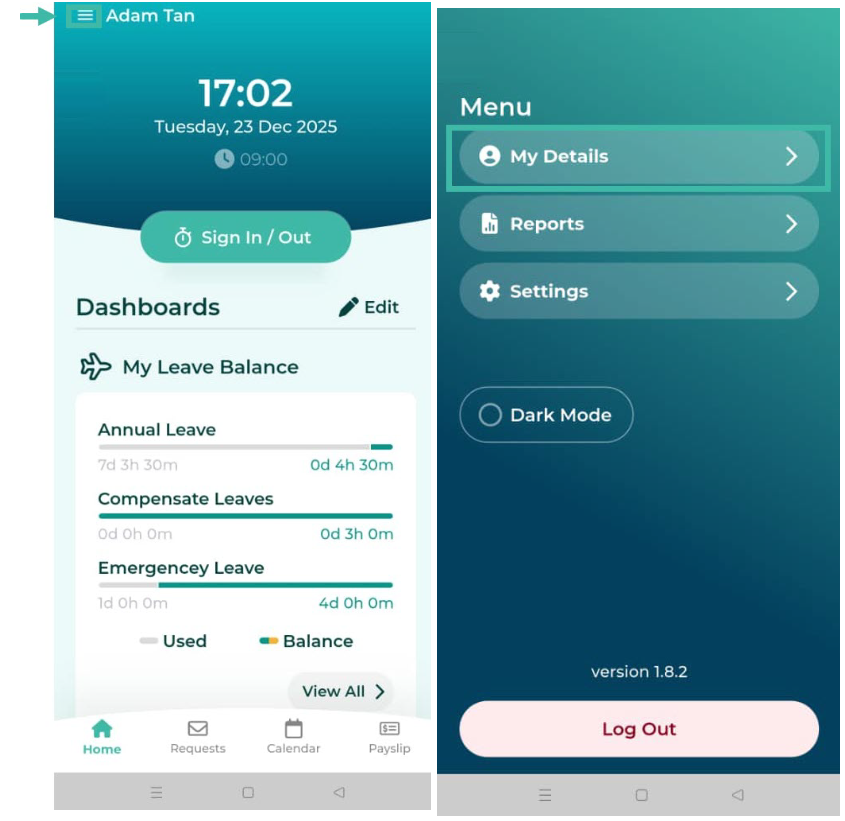
Click the three parallel lines at the top left to open the Menu page, and then click My Details.
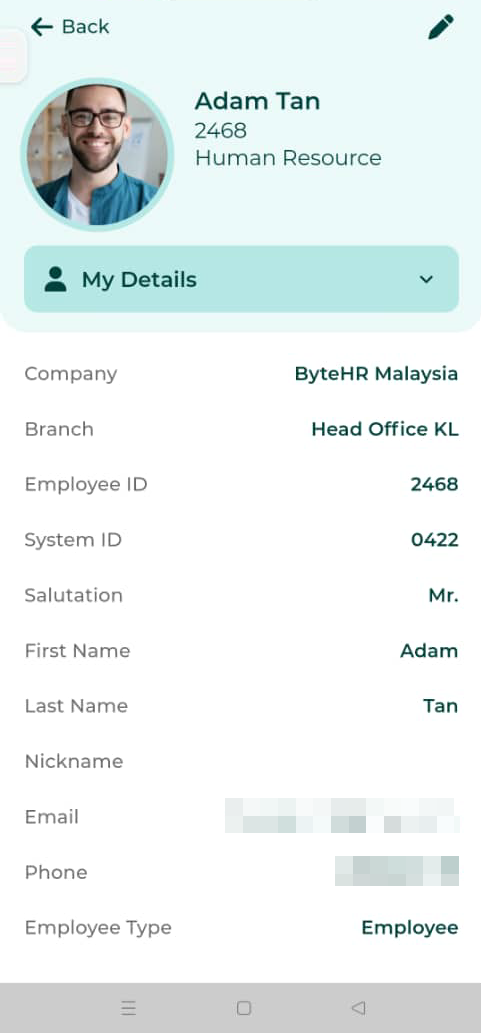
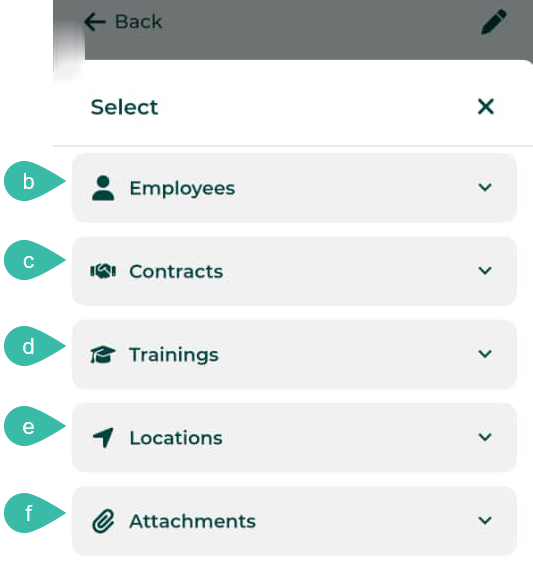
- On the My Details page, there are menu tabs that employees can view their details on various topics.
- The main menu/ My Details includes
- Employee photo
- Name and surname
- Employee ID and System ID
- Position
- Department
-
Phone
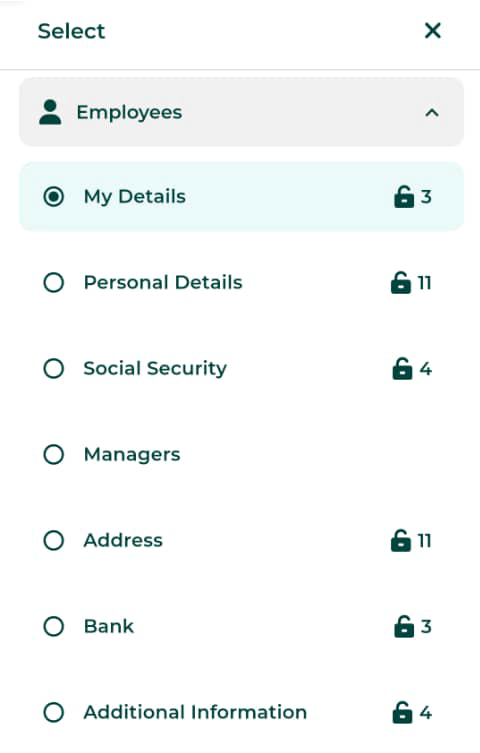
- The Employees section includes:
- My Details
- Personal Details
- Social Security
- Managers
- Address
- Bank
-
Additional Information
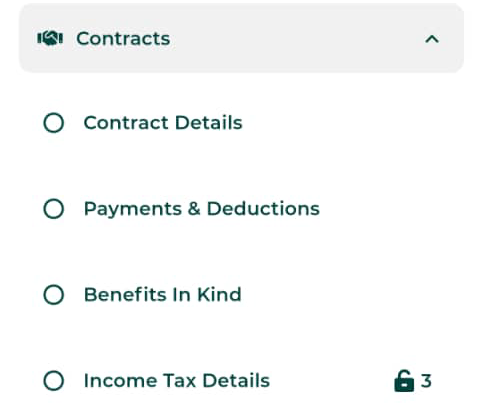
- The section of the Contracts include:
- Contract details
- Payments & Deductions
- Benefits in Kind
-
Income Tax Details
- Training/Seminar Section: Display the training/seminar topics for employees.
- The "Location" section displays the locations that the employees sign in for work.
-
The "Attachments" displays all attached documents of the employee.
- The main menu/ My Details includes
