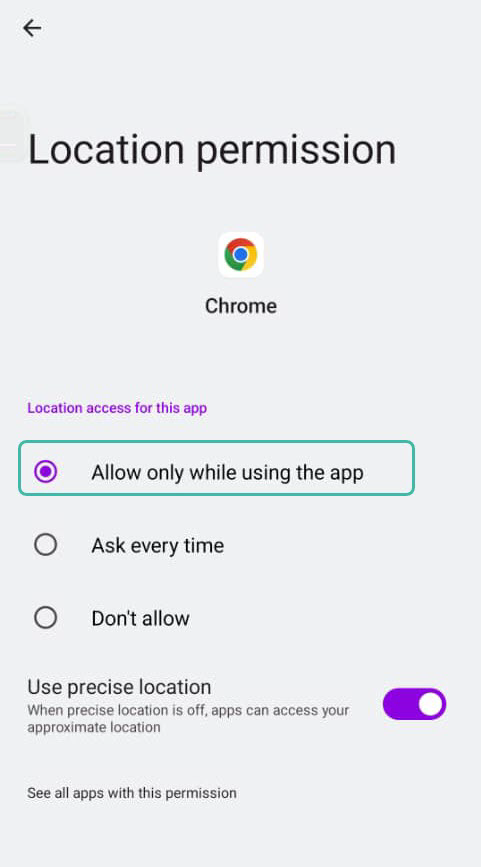
Enabling Location Services in Google Chrome
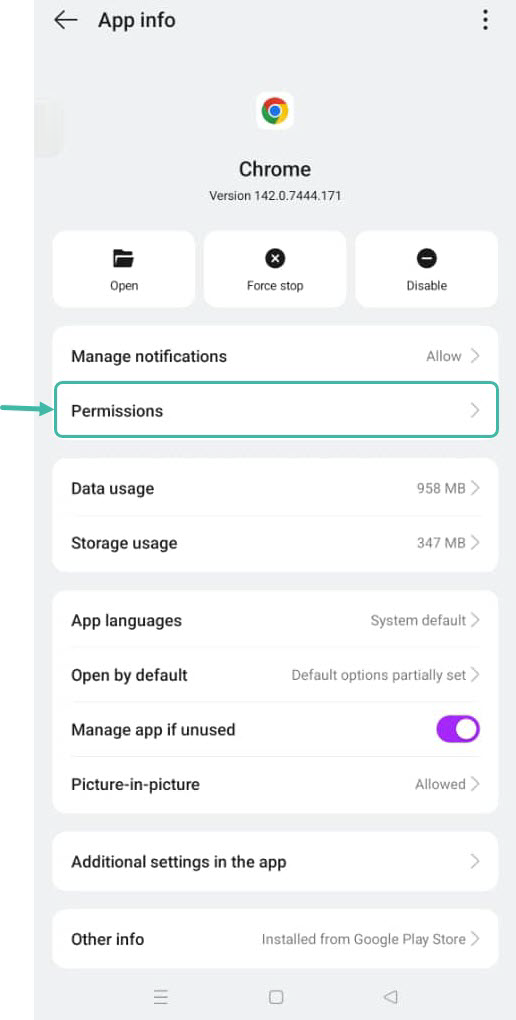
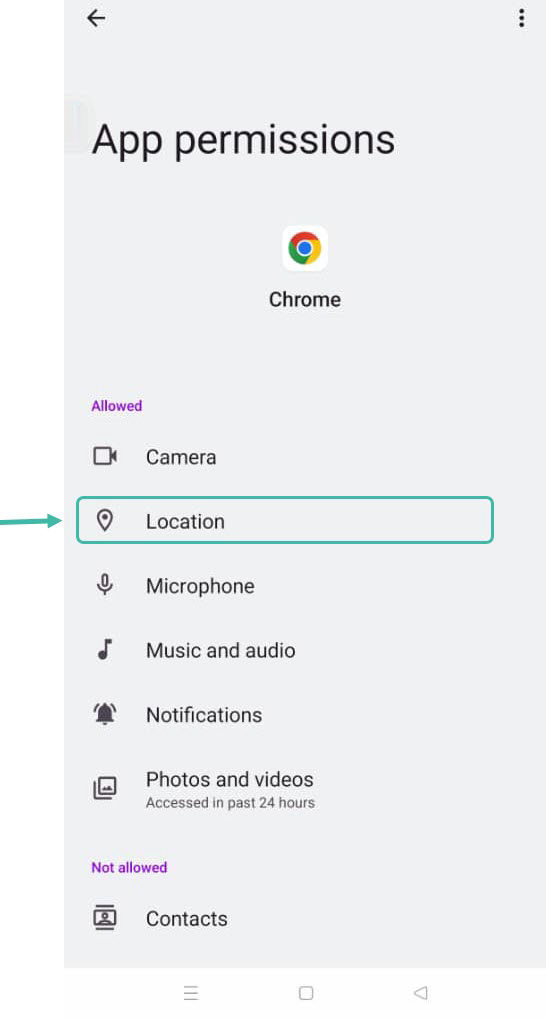
Go to Settings -> Select Apps -> Search for Chrome -> Select Permissions -> Turn on Location Access Permissions
-
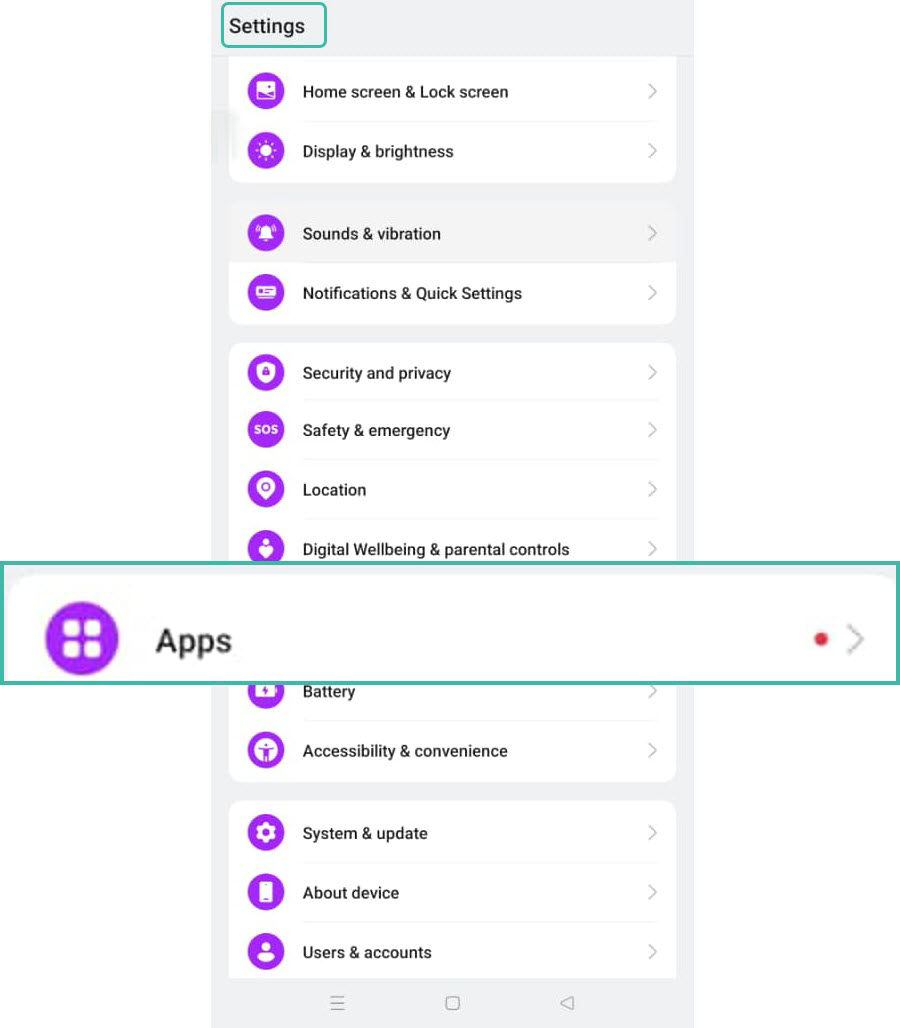
Go to Settings and select Apps.
-
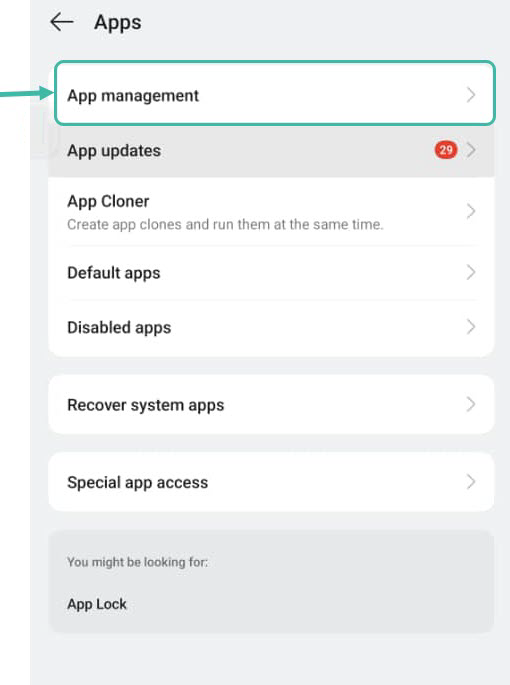
Select App Management.
-
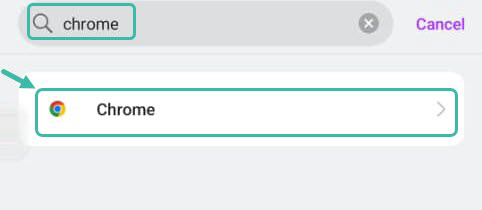
Click Search and type "Chrome".
-
Select Permissions.
-
Click Location.
-
Select "Allow only while using the app".