
Employee Tax Calculation Report
How to check Employee Tax Calculation Report
-
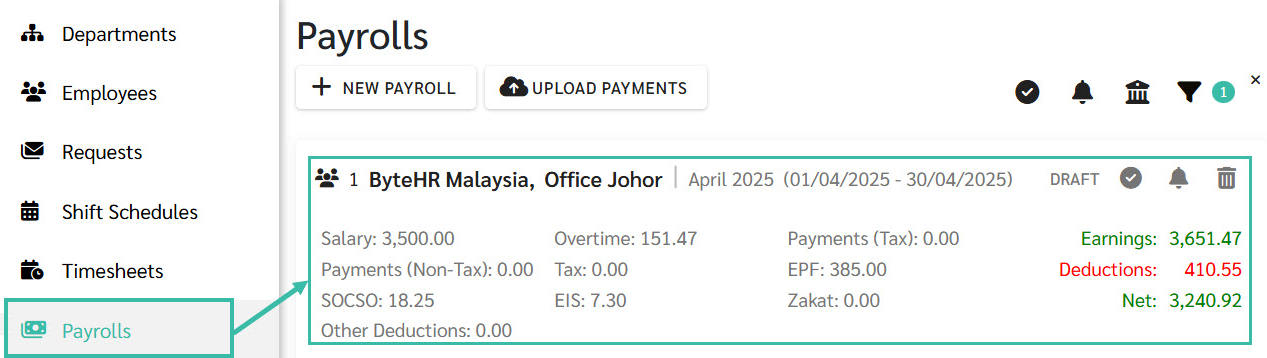
In the Payroll tab, click on the desired Payroll block.
This will display the list of employee payroll records for the selected pay period.
-
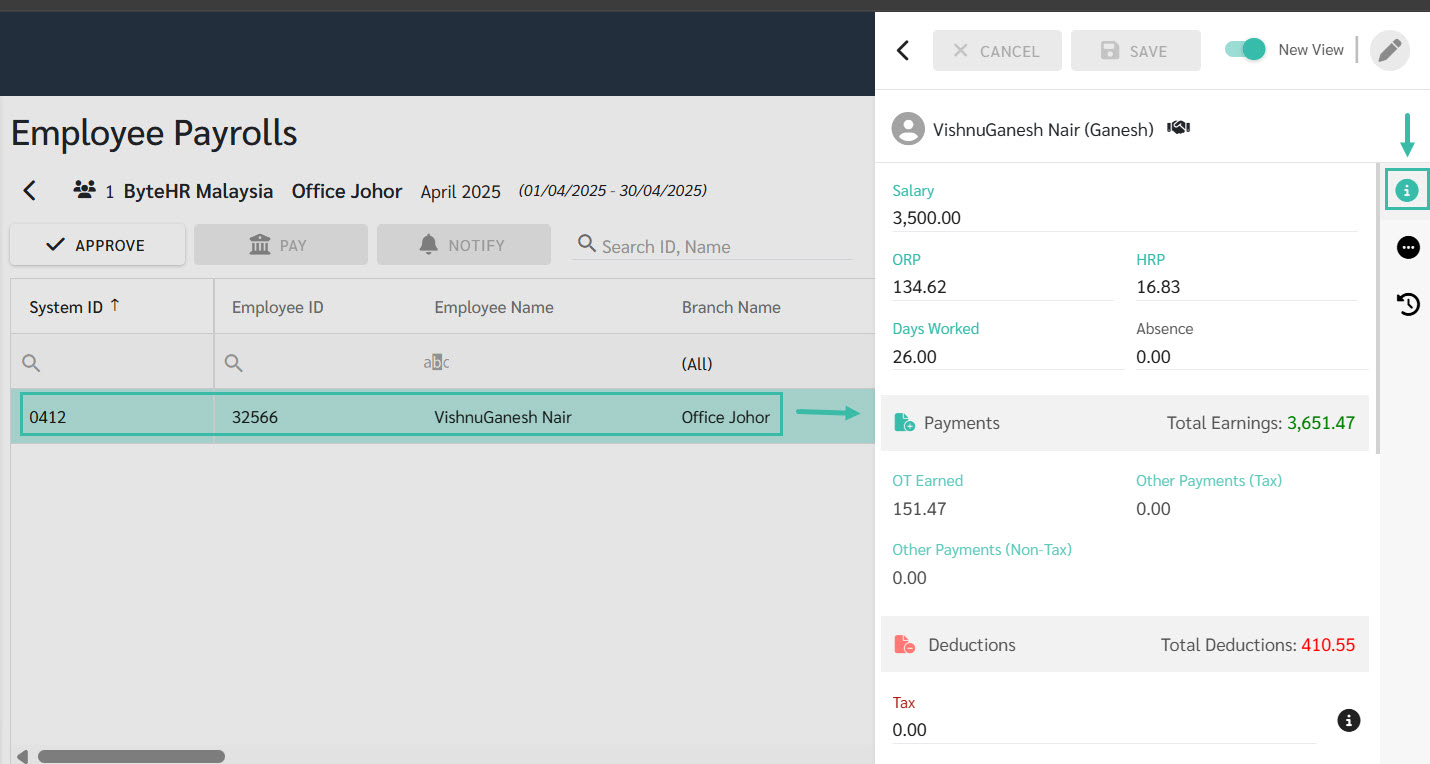
Select the employee whose tax calculation you want to review.
The system opens the Details tab for the selected employee in the right side panel.
-
In the Tax field, click the Information Icon to view the tax calculation report.
This will open a pop-up window displaying a detailed breakdown of the employee's tax computation.
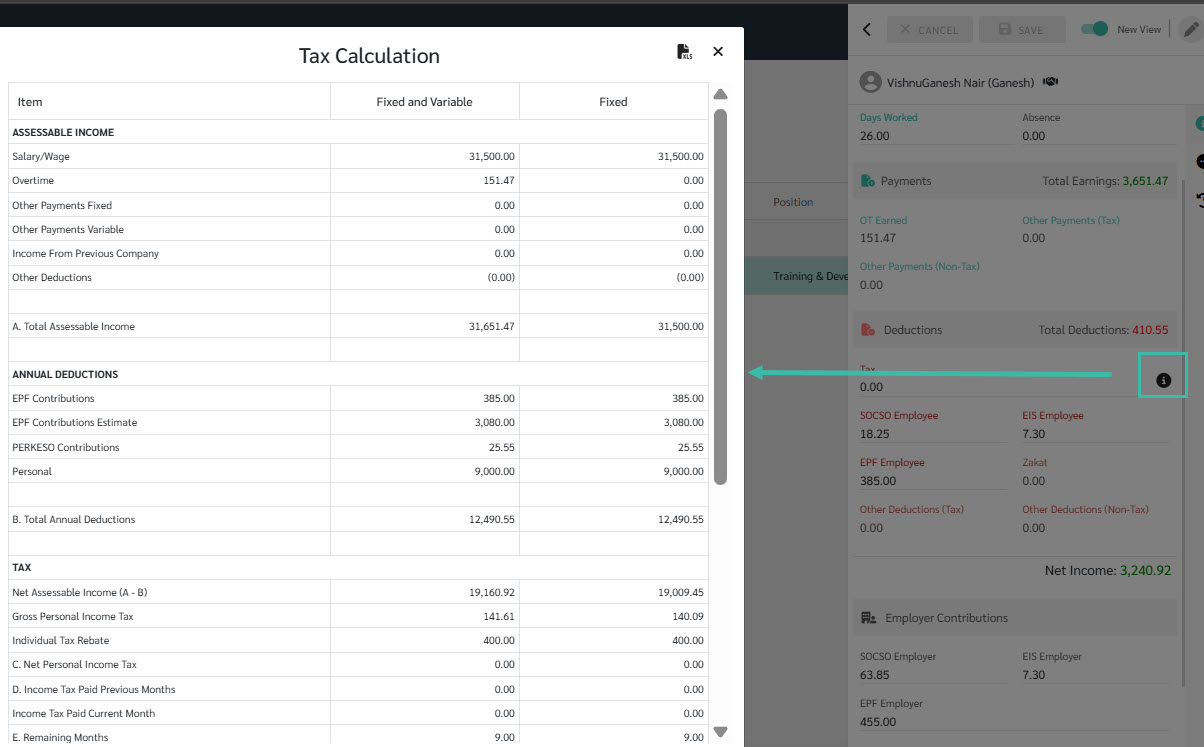
- The system will display the following information in the Tax Calculation Report:
- Assessable Income
- Annual Deductions
- Tax
-
Personal Income Tax Bracket
The system also allows you to export the report to Excel if needed.
