
Generate Bank File
There are two ways to Generate Bank File:
Generate Bank File for a Single Payroll Block
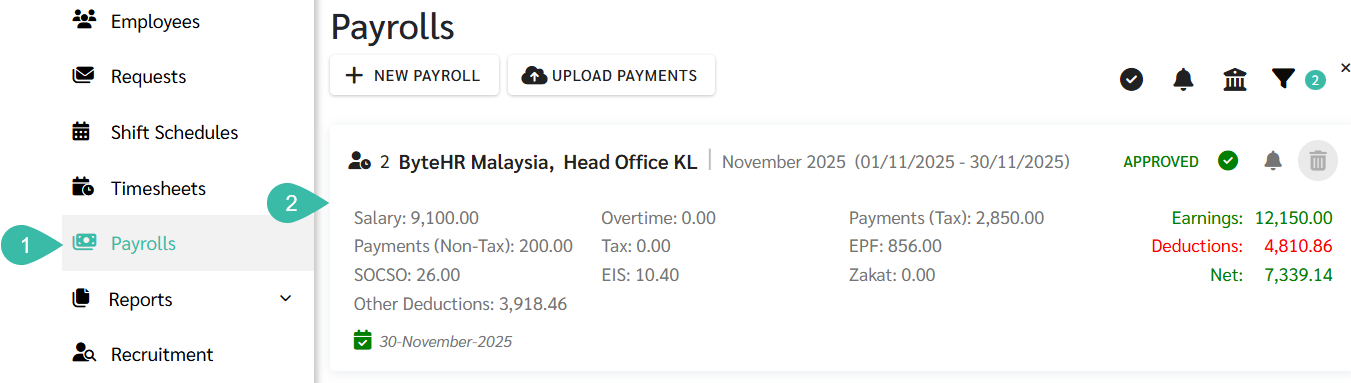
- Go to the Payrolls tab.
-
Click on the desired Payroll block to generate bank file.
- Check the box next to the names of the employees for whom you want to generate the bank file.
-
Click Pay.

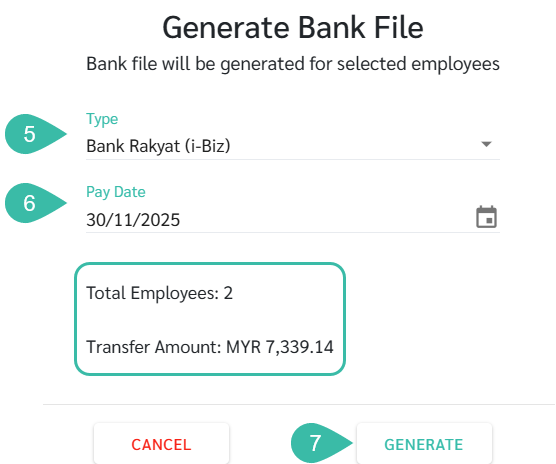
- Select the type of Bank File you want to generate.
- Select the Pay date.
-
The system will display the number of employees and the total amount of payments. If the information is correct, click Generate.

Generate Bank File for Multiple Payroll simultaneously
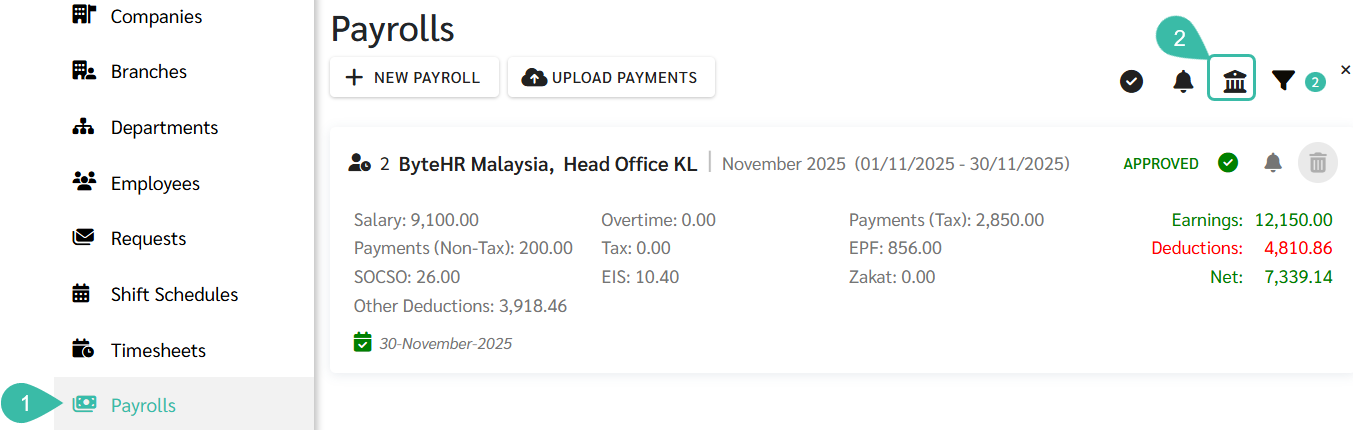
- Go to the Payrolls tab.
-
Click Pay.
- Select a Company.
- Select the Payroll block you want to generate the bank file for.
- Select the type of Bank File you want to generate.
- Select the Pay date.
-
The system will display the number of employees and the total amount of payments. If the information is correct, click Generate.

💬 Note
Generating a Bank File will create a text file to be uploaded to the bank for the purpose of disbursing employees' salary.
If the Payroll block is in Draft status, the Bank File cannot be generated.