
Mark Payroll as Draft
If you want to edit Employee's Payroll Details of an Approved Payroll Block, you must first mark the Payroll Block as Draft.
Here's how to Mark Payroll Block as Draft:
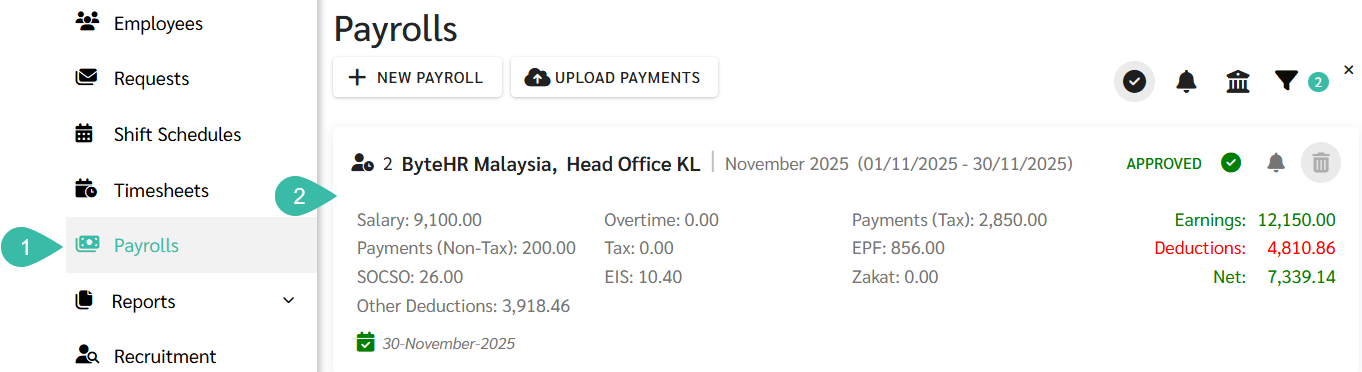
- Go to the Payroll tab.
-
Click on the Payroll block you want to draft.
*Note: Only the latest Payroll Block for each branch can be marked as draft.
-
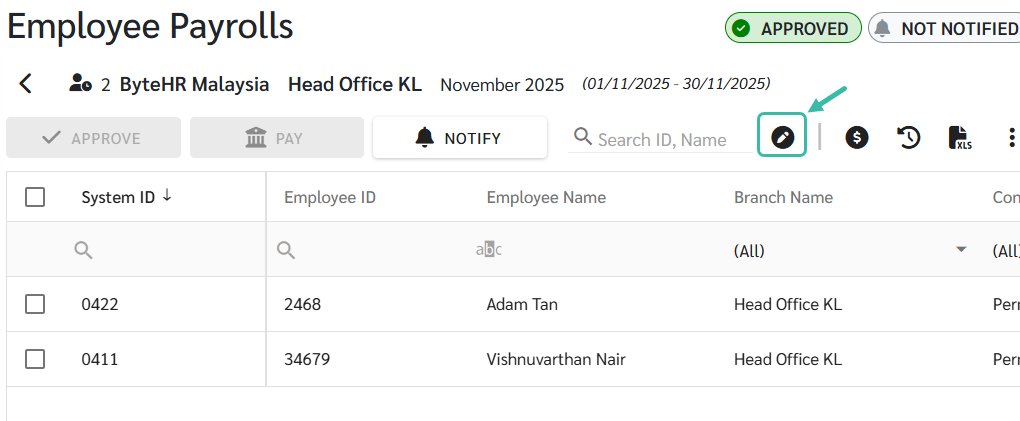
Click the "Mark As Draft" button.
-
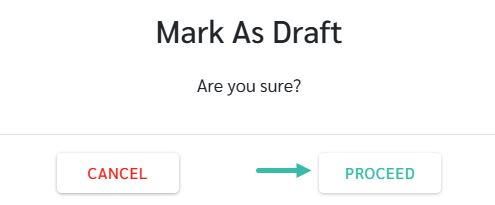
A pop-up window appears for confirmation if you want to mark the Payroll block as Draft.
Click Proceed, to continue.
-
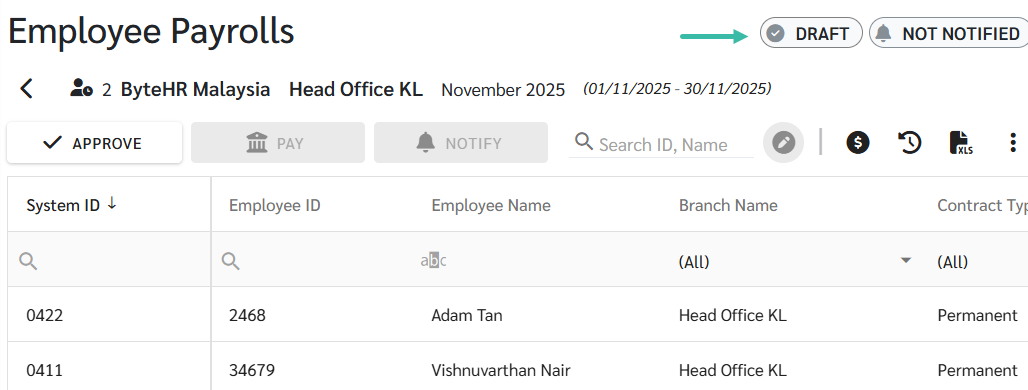
The status of the Payroll Block will be updated to Draft, and Employee Payroll information can be edited.
📃 Note
- If a Payroll Approver has been designated for that branch, only that Payroll Approver can mark the Payroll Block as Draft.