Salary and Number of Days Worked when Uploading Salary Payment
❓ Q&A
Question: When generating payroll by Upload Salary Payment template, do I need to enter both the number of Days Worked and the Salary? How will the system calculate the Salary, and is there a difference between Monthly and Daily Payment Type?
Answer: When generating Payroll by uploading the Salary Payment template, this applies to both monthly and daily Payment Type.
-
Add Both the Number of Days Worked and Salary
The system will display the number of Days Worked and Salary exactly as in the template uploaded into the system.
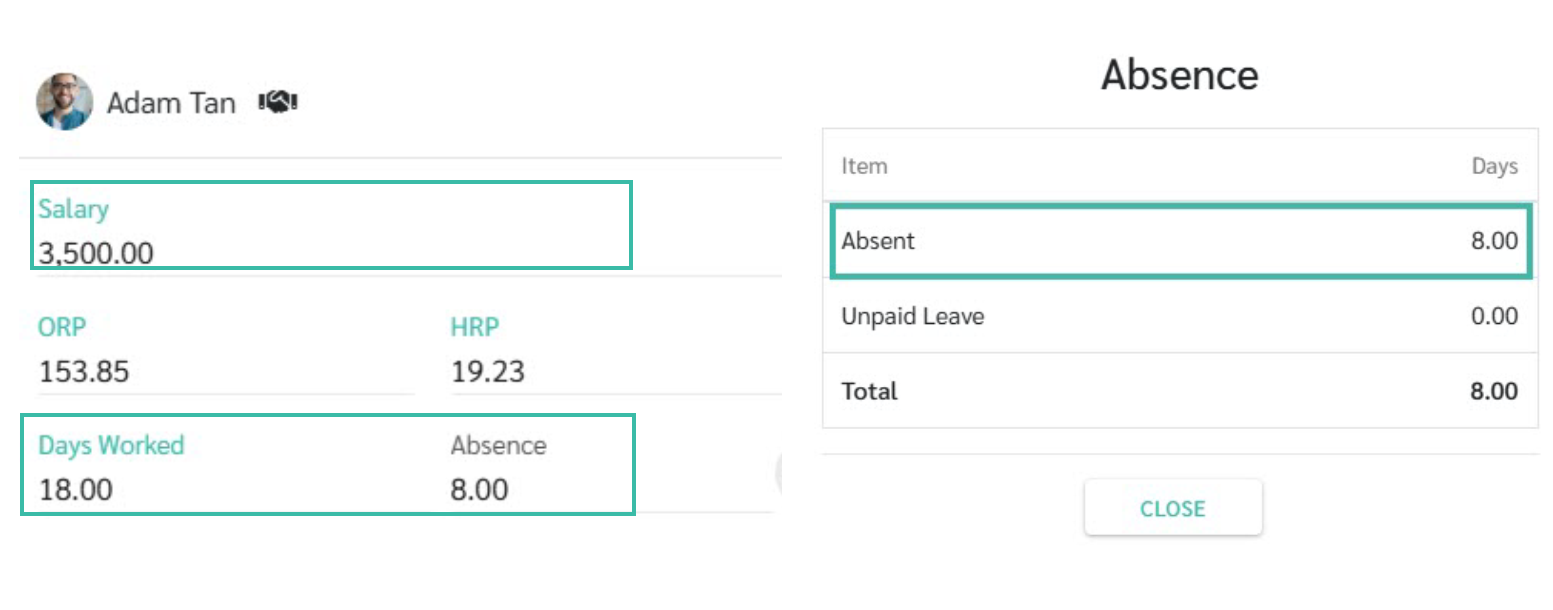
- Employee's paid on Monthly basis (Monthly Payment Type)
- Basic Salary: RM 4,000
- Work Days/Month: 26 Days
- Uploaded Days Worked: 18 Days
- Uploaded Salary: RM 3,500
- The Payroll Details displays:
- Salary: RM 3,500
- Days Worked: 18 Days
-
Absence: 8 Days (Absent)
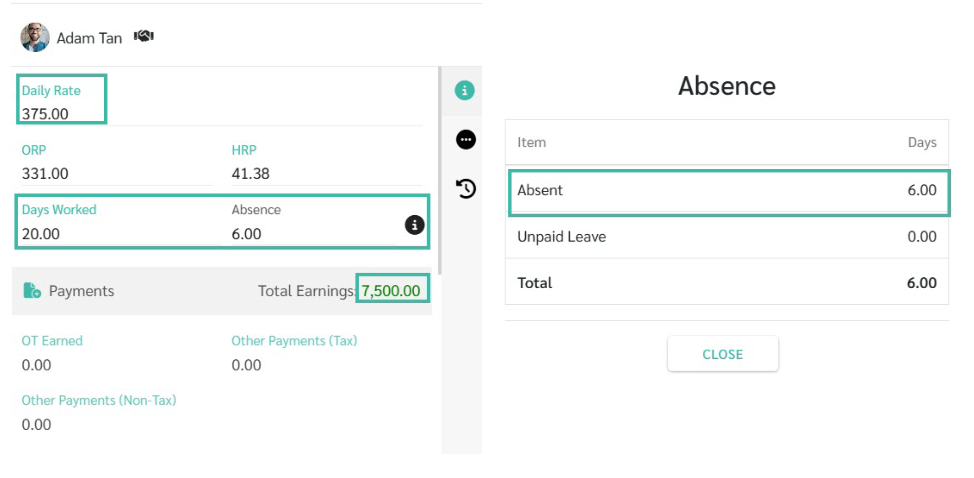
- Employee's paid on Daily basis (Daily Payment Type)
- Basic Salary: RM 331
- Work Days/Month: 26 Days
- Uploaded Days Worked: 20 Days
- Uploaded Salary: RM 375
- The Payroll Details displays:
- Daily Rate: RM 375
- Days Worked: 20 Days
- Absence: 6 Days (Absent)
- Total Earnings: RM 7,500
-
- Employee's paid on Monthly basis (Monthly Payment Type)
-
Add Only the Number of Days Worked
The system will display the number of Days Worked based on the information in the Uploaded template to the system, and will show the salary rate according to the employment contract.
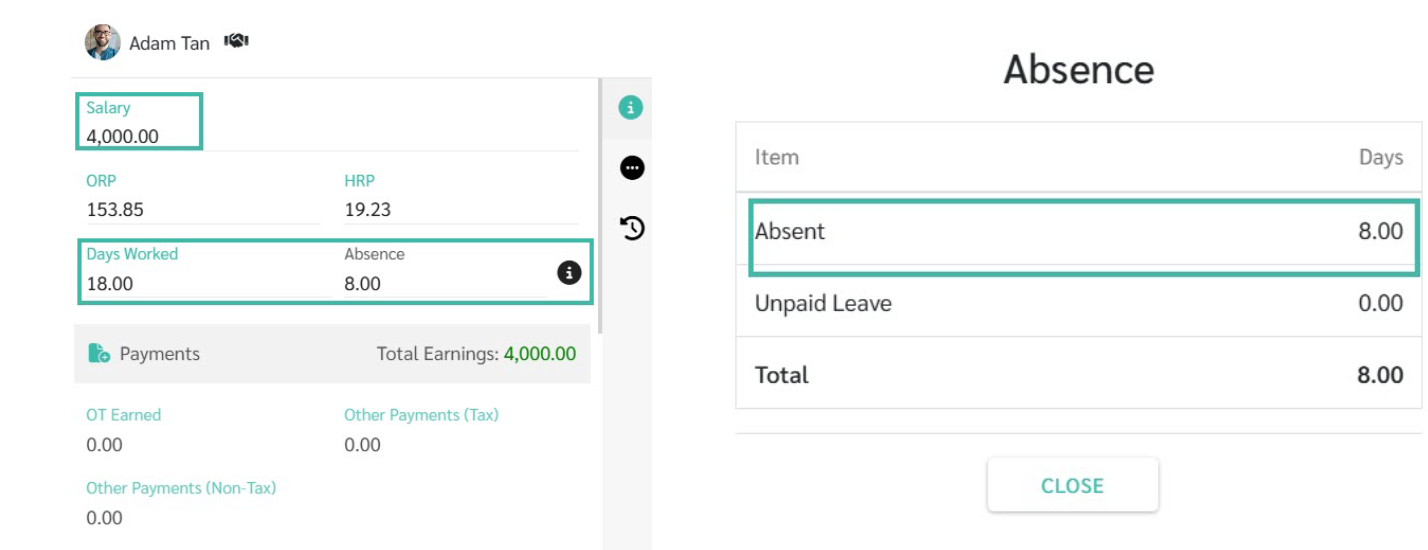
- Employee's paid on Monthly basis (Monthly Payment Type)
- Basic Salary: RM 4,000
- Work Days/Month: 26 Days
- Uploaded Days Worked: 18 Days
- The Payroll Details displays:
- Salary: RM 4,000
- Days Worked: 18 Days
-
Absence: 8 Days (Absent)
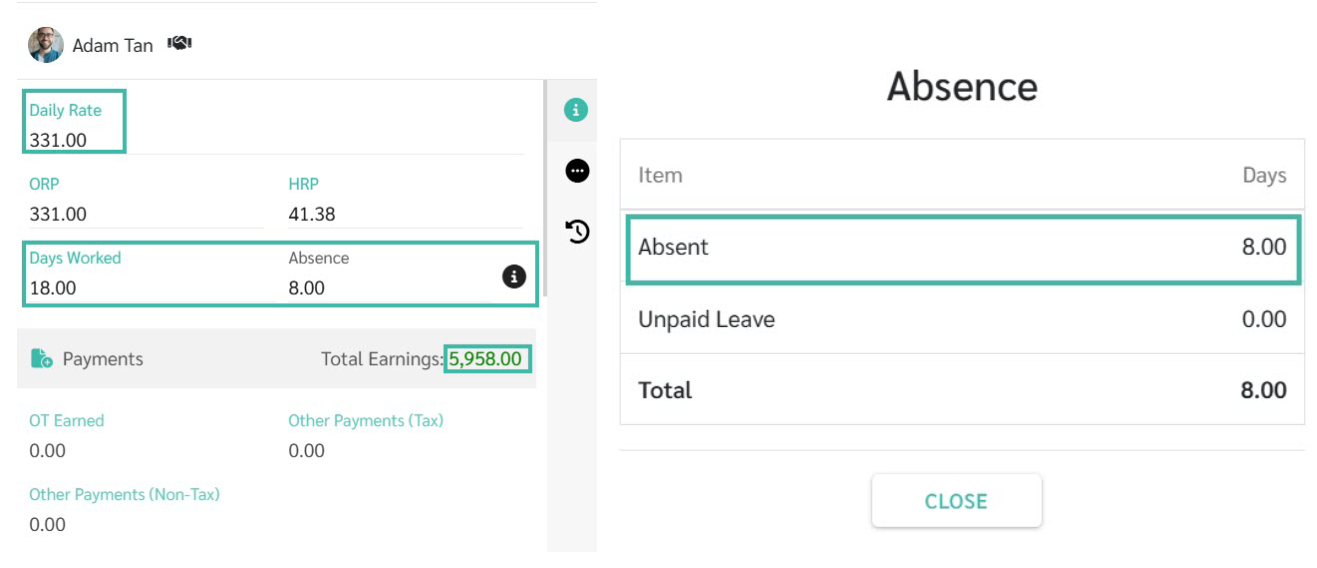
- Employee's paid on Daily basis (Daily Payment Type)
- Basic Salary: RM 331
- Work Days/Month: 26 Days
- Uploaded Days Worked: 18 Days
- The Payroll Details displays:
- Daily Rate:
- Days Worked:18 Days
- Absence: 8 Days (Absent)
- Total Earnings: RM 5,958
-
- Employee's paid on Monthly basis (Monthly Payment Type)
-
Add Only the Salary
The system will display the number of Days Worked according to the employment contract and the salary based on the information uploaded in the template.
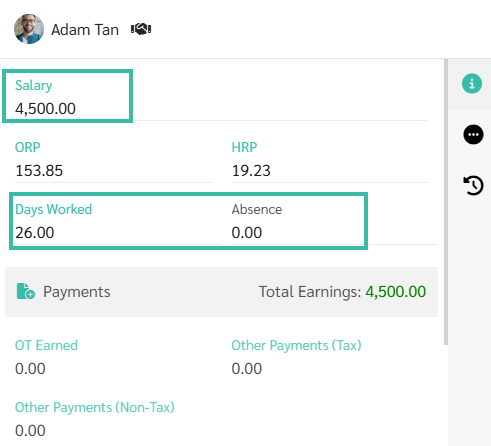
- Employee's paid on Monthly basis (Monthly Payment Type)
- Basic Salary: RM 4,000
- Work Days/Month: 26 Days
- Uploaded Salary: RM 4,500
- The Payroll Details displays:
- Salary: RM 4,500
- Days Worked: 26 Days
-
Absence: 0 Days
- Employee's paid on Daily basis (Daily Payment Type)
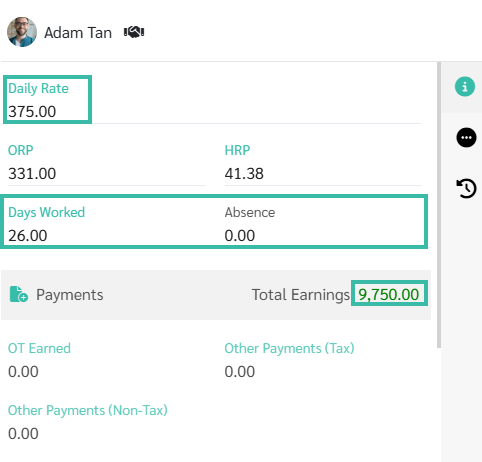
- Basic Salary: RM 331
- Work Days/Month: 26 Days
- Uploaded Salary: RM 375
- The Payroll Details displays:
- Daily Rate: RM 375
- Days Worked: 26 Days
- Absence: 0 Days
-
Total Earnings: RM 9,750
- Employee's paid on Monthly basis (Monthly Payment Type)