Configure Users to Receive Document Request Notifications
How to configure Document Request Notifications
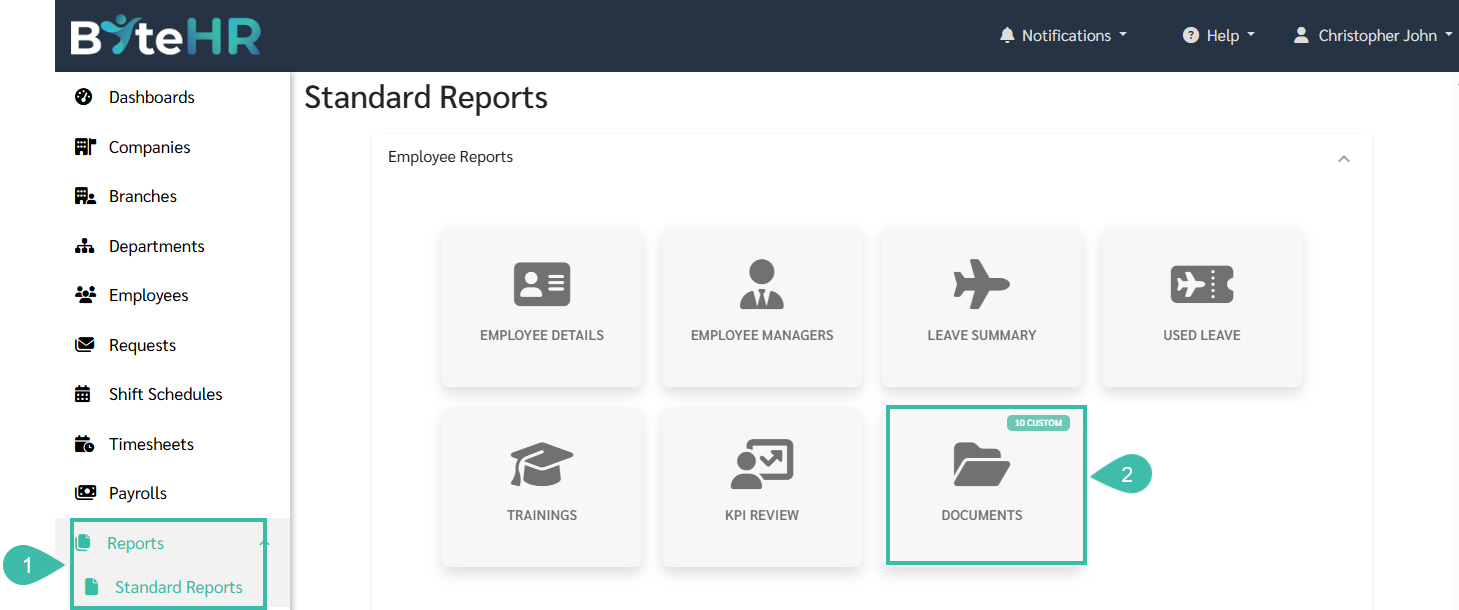
- Navigate to Reports -> Standard Reports.
-
Click Documents under Employee Reports.
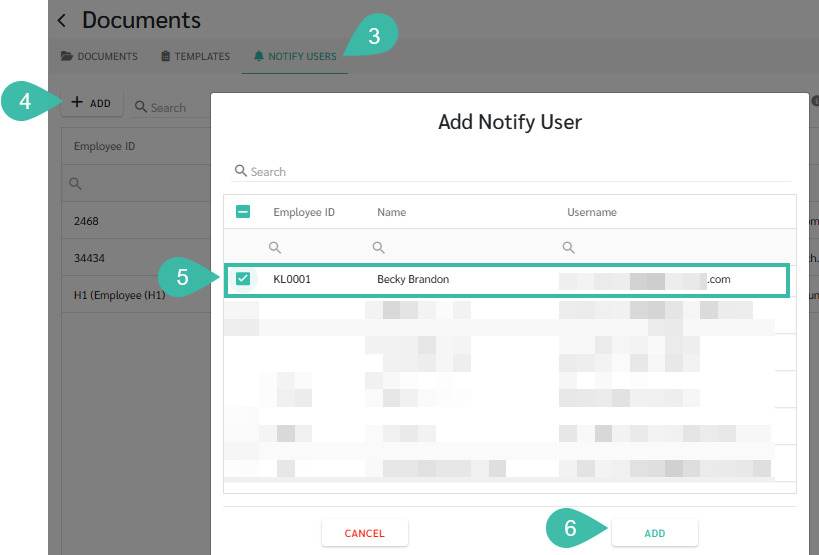
- Select the Notify Users tab.
- Click +Add.
- Select the user(s) who should receive notifications when employees submit document requests.
-
Click Add to save the selected user(s).