
Tax Calculation for Non-Resident Employees
ByteHR supports two tax calculation methods for payroll: the standard progressive rate for Resident employees, and a flat 30% rate for Non-Resident employees.
Once you mark an employee as Non-Resident, the system switches to the correct calculation method automatically. You do not need to adjust any tax settings manually.
Setup: Mark an Employee as Non-Resident
- Go to the employee's profile
- Find the Residency Status field
- Select Non-Resident
- Save
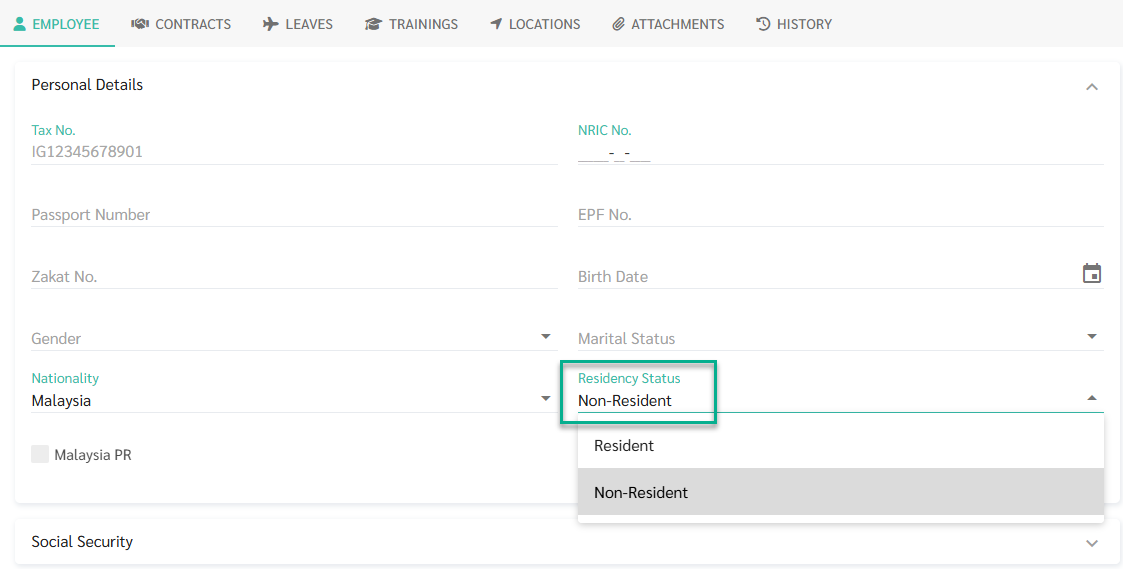
ByteHR will apply the 30% flat rate for that employee starting from the next payroll run (or the current one if payroll has not been processed yet)
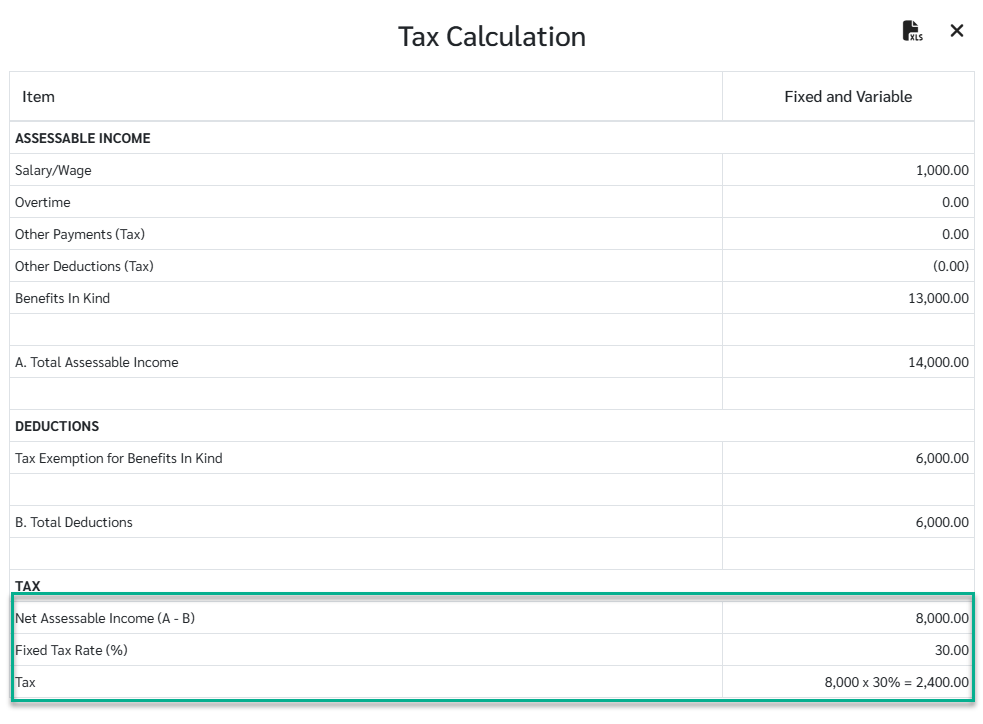
Key point:
- EPF, SOCSO, and EIS are still deducted from the employee's take-home pay as normal. They are just not used to reduce the tax calculation.
- The tax is calculated on the current month's income only. There is no projection to an annual figure.
- If the employee later becomes a Resident, any taxable items for resident you have already entered will automatically apply. You do not need to re-enter them.
Note 🗒️
- ByteHR does not track Residency Status automatically. You must update it manually when an employee's status changes.
- Non-Resident employees do not appear in Tax Report, since the Tax Report is based on the resident progressive tax structure.