
Prorate Leave New Joiner
This article explains how the system automatically calculates leave entitlements for employees who join mid-month or mid-year. The calculation method is determined by how you have configured the leave type's settings.
How to Enable Prorated Leave for New Employees
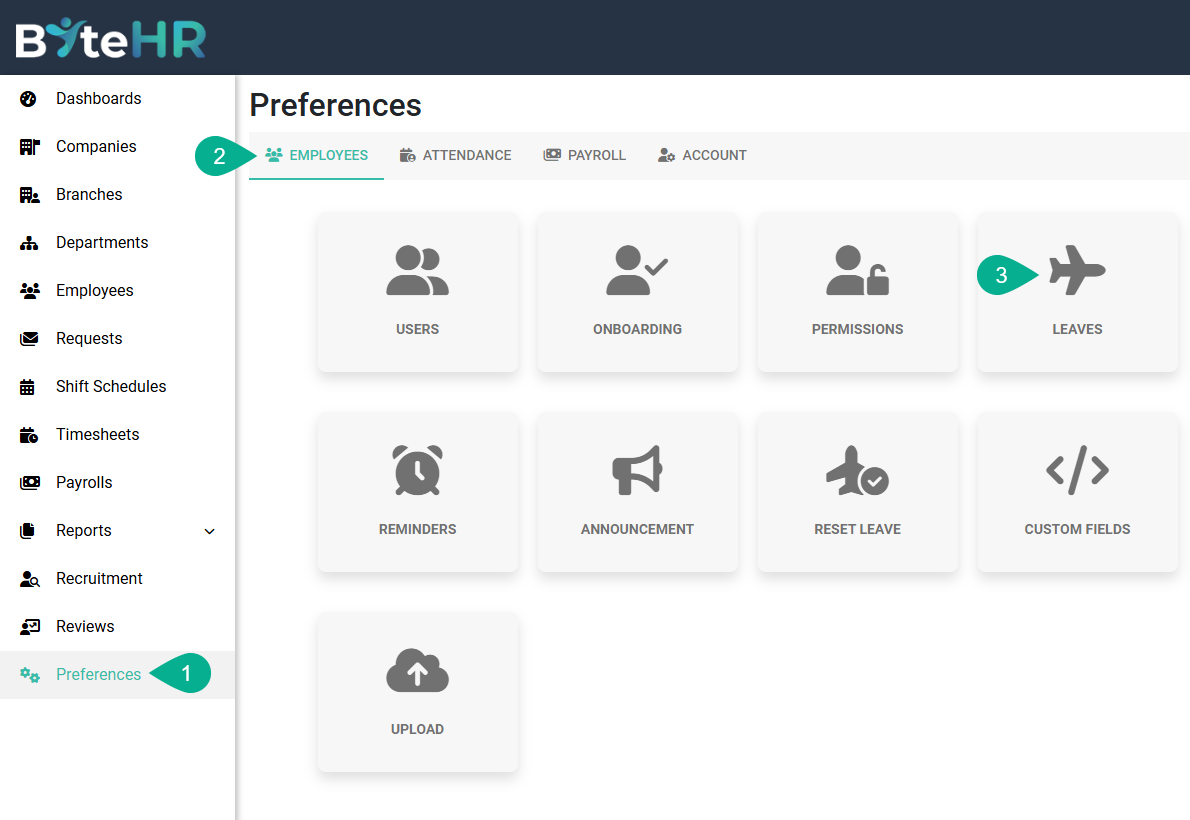
- Go to Preferences.
- Under the Employees tab, click Leaves.
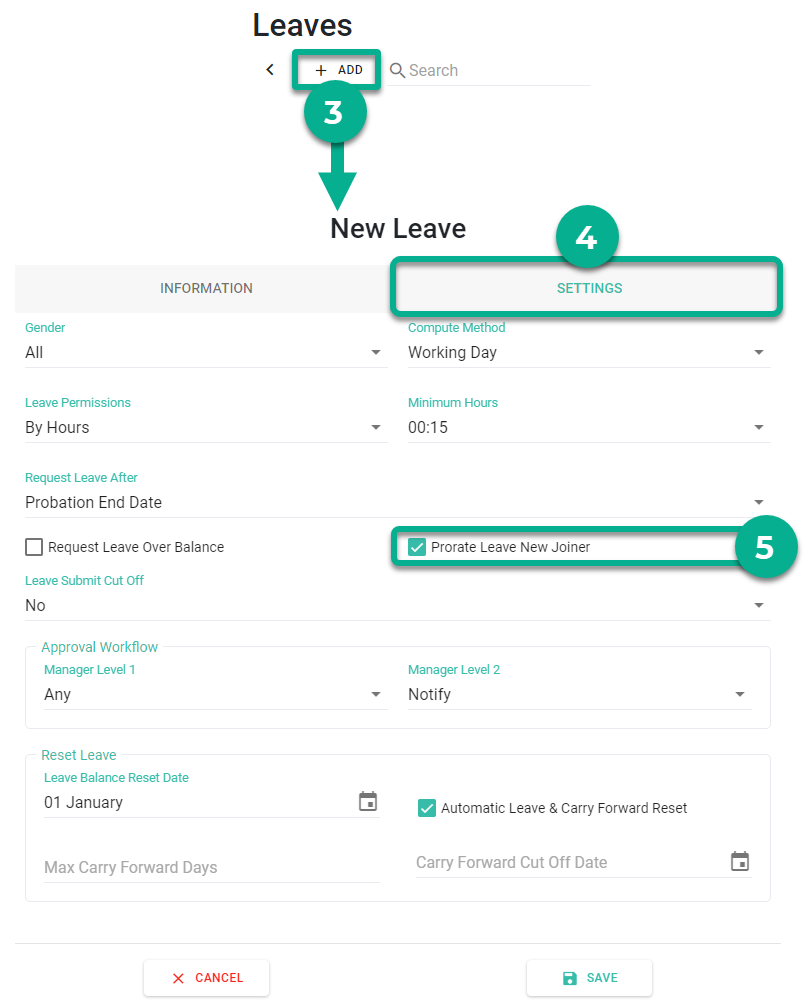
- To add a new leave type, click +Add (or select an existing one to edit).
- Click the Settings tab.
- Check the box for Prorate Leave New Joiner.
- Click Save.
How the System Calculates Entitlement
The system will automatically apply one of the following two methods based on your leave configuration:
1. For Monthly Fixed Settings (Accrued monthly)
If the leave is set to be granted every month, the system calculates the first month's portion using this formula:
- Formula: (Monthly Leave Rate / 30) x Number of days from start date to end of month
Case Example:
- Leave Setting: 1 day per month
- Start Date: January 15, 2024
- Calculation: 1 x (17 days / 30) = 0.57 days.
- Final Result: After converting to hours and rounding, the employee receives 4 hours 30 minutes.
2. For Yearly Fixed Settings (Granted per year)
If the leave is set as a yearly quota, the system prorates the amount based on the remaining months in the year.
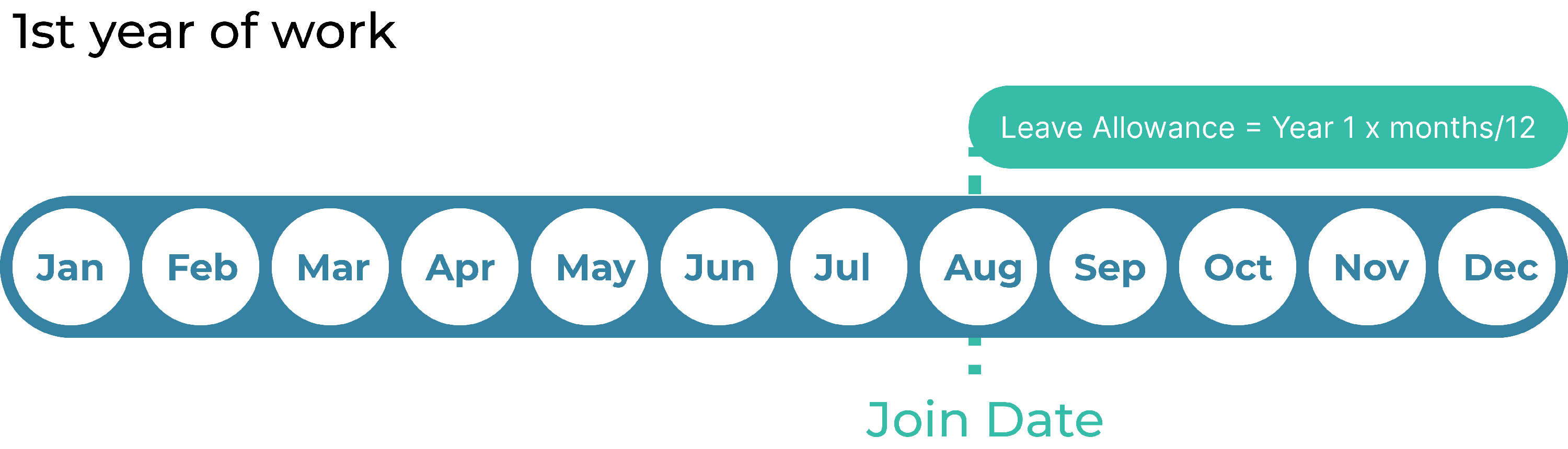
(As shown in the image, an employee joining in August will only receive leave for the remaining duration of the year.)
- Formula: Annual Leave Rate x (Number of months until Reset Date / 12)
Case Example:
- Leave Setting: 10 days per year (Resets January 1st)
-
Start Date: August 10, 2021
Calculation:
- The system calculates months: 143 active days / 30 = 4.77 months (Rounds to 5 months).
- Entitlement: 10 x (5 / 12) = 4.17 days.
- Final Result: After converting to hours and rounding, the employee receives 4 days, 1 hour 15 minutes.
Rounding Rules for Month Calculation
When determining the number of months for yearly prorating, the system divides total active days by 30:
- If the decimal is less than 0.50, it rounds down (e.g., 10.37 → 10 months).
- If the decimal is 0.50 or higher, it rounds up (e.g., 9.68 → 10 months).