
Forgot Password
Question: What should I do if I forget my application login password?
Answer: If you have forgotten your password, you can reset it via the following two channels:
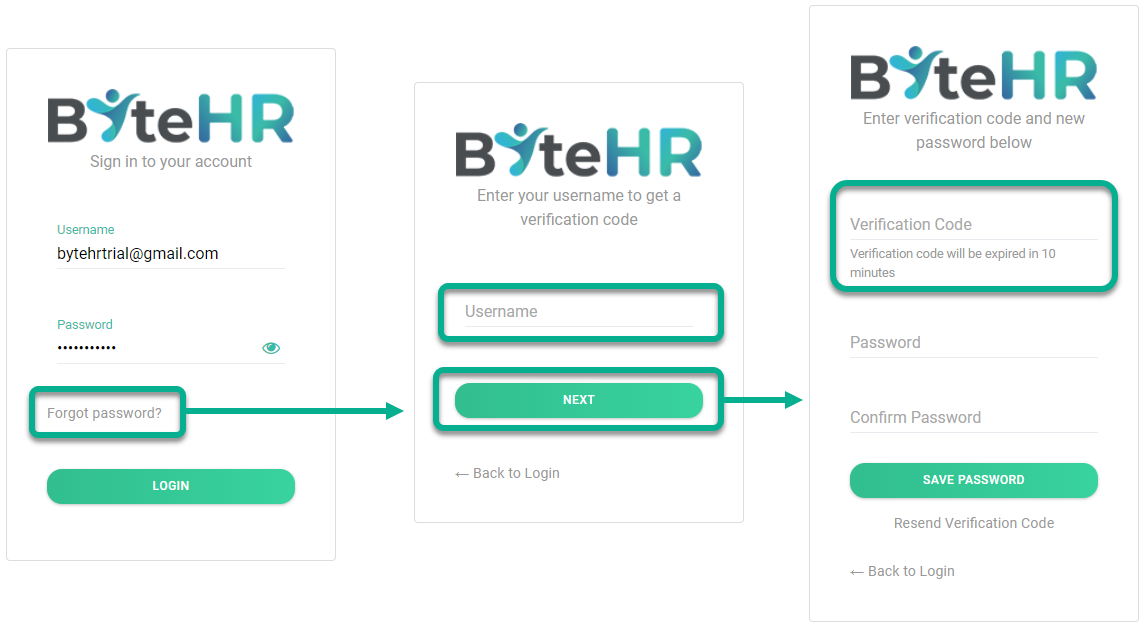
1. Via Web Application
- Go to the website: https://app.byte-hr.com/login
- Click Forgot Password
- Enter your system username (Phone Number or Email) and click Next.
-
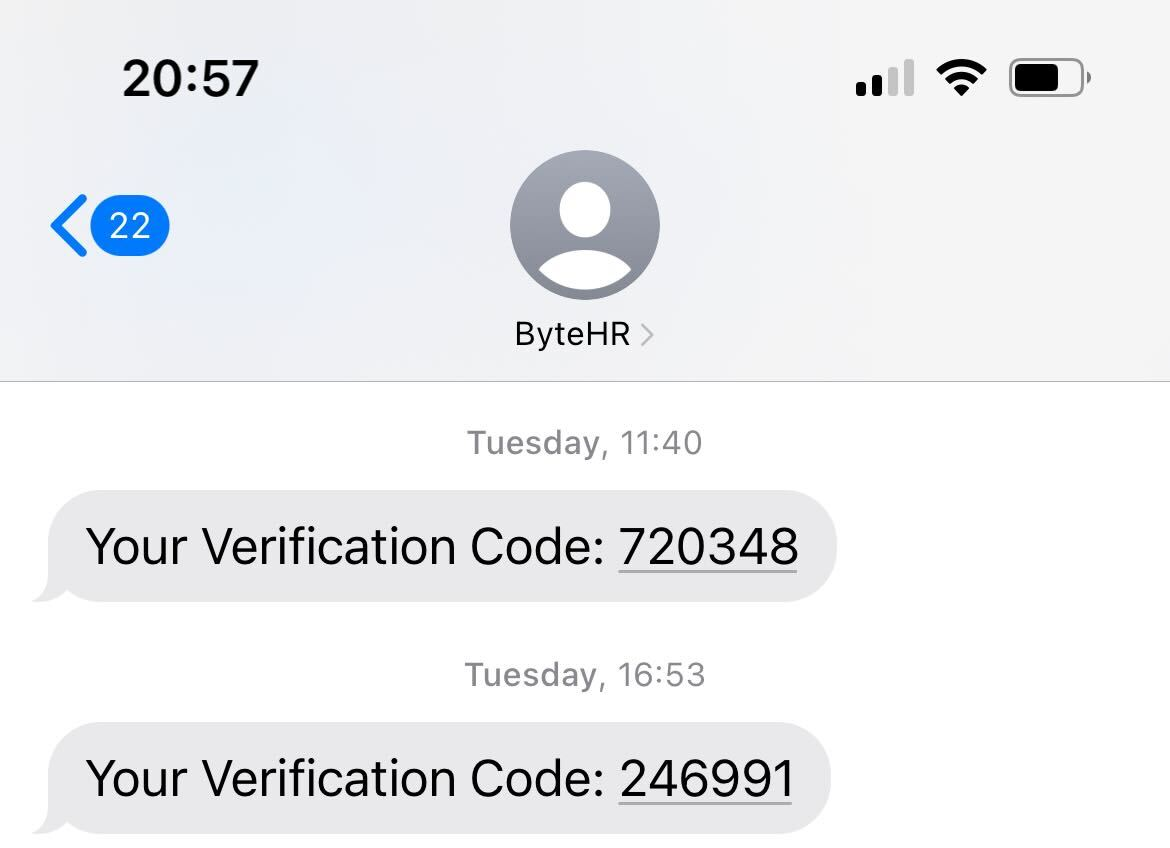
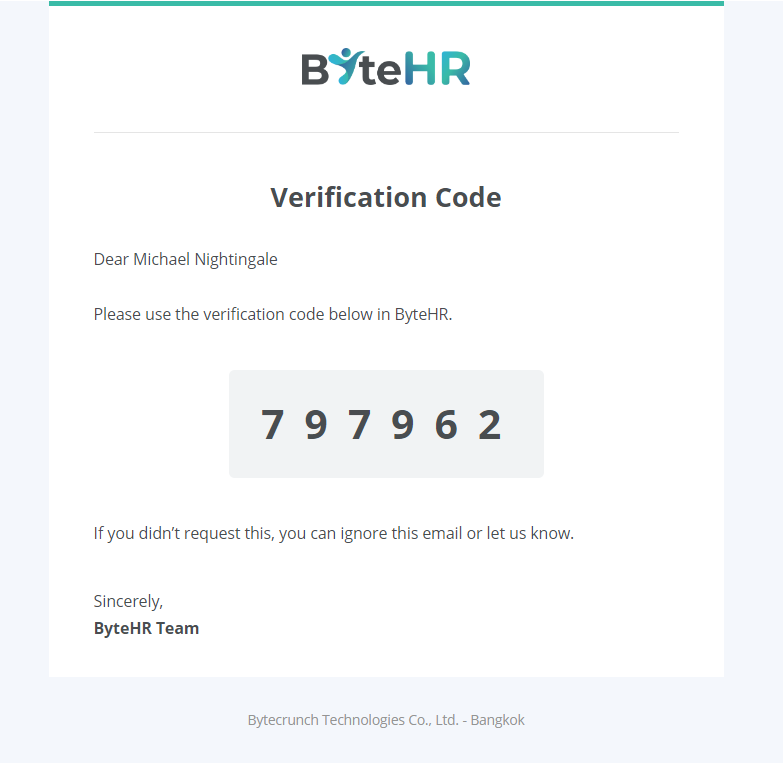
Once you receive the verification code via email or SMS, enter the Verification Code, your New Password, and Confirm Password. Then, click Save Password.
Note: This must be completed within 10 minutes, as the verification code will expire 10 minutes after clicking "Next."
- If the code expires, click Resend Verification Code to receive a new one, then enter the details and click Save Password.
| Example: SMS Verification | Example: Email Verification |
|
|
|
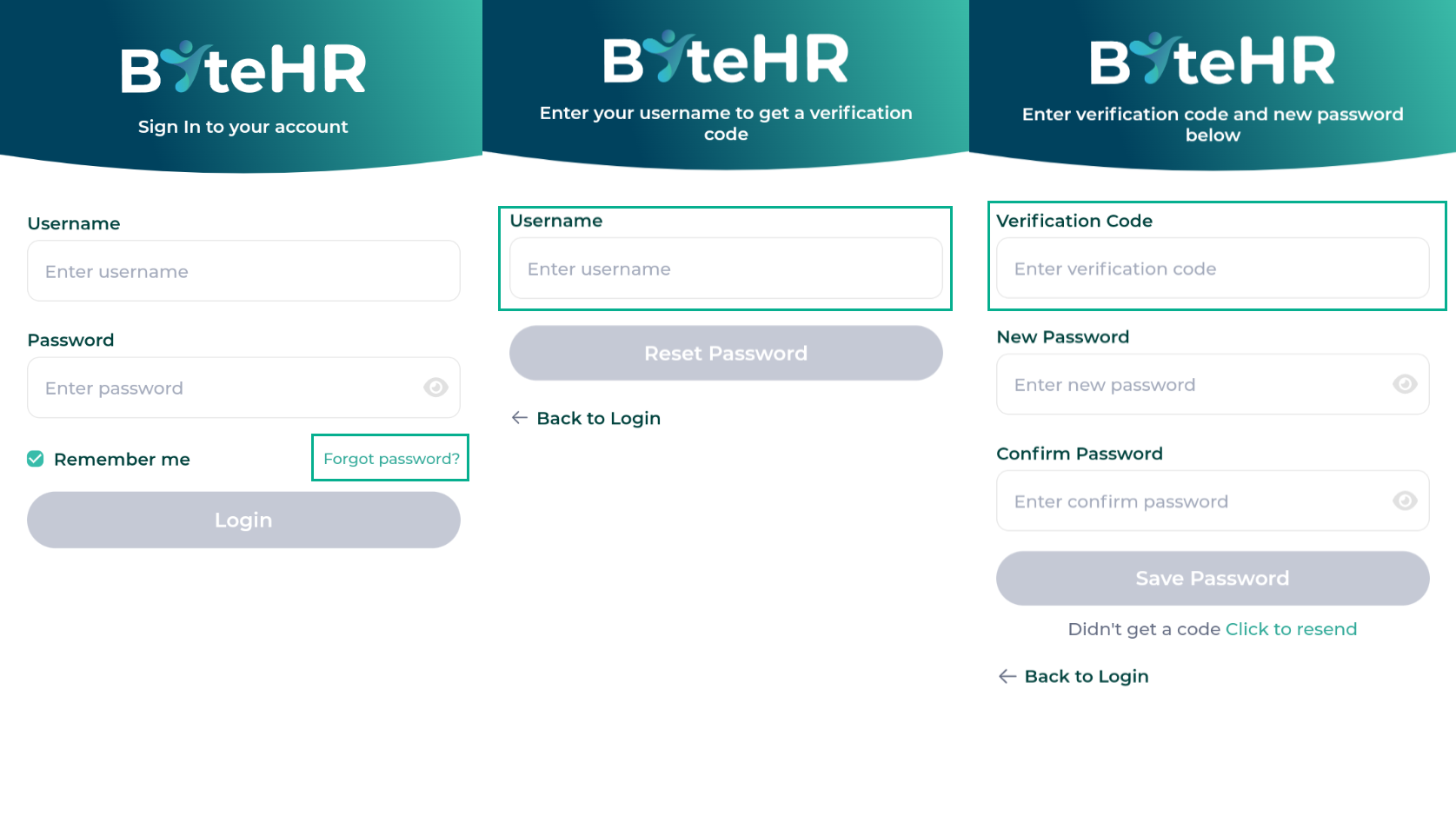
2. Via Mobile App
- Tap Forgot Password
- Enter your system username (Phone Number or Email) and tap Next.
- Enter the Verification Code received via email or SMS, your New Password, and Confirm Password. Tap Save Password within 10 minutes.
- If the code expires, tap Resend Verification Code to receive a new one, enter the details, and tap Save Password.
Password Requirements
To ensure security, your password must meet the following criteria:
- Minimum of 8 characters.
- Include at least one uppercase letter (A-Z).
- Include at least one lowercase letter (a-z).
- Include at least one number (0-9).
- Include at least one special character (e.g., @ # ? ! $ % ^ & * - _)