
Salary Adjustment Report
- Go to the Reports menu.
- Select Standard Reports tab.
- Click Payroll Reports.
-
Click Salary Adjustment.
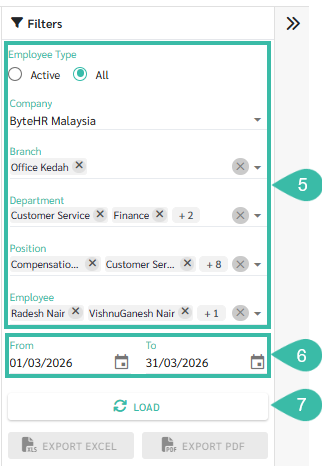
- Select Company, Branch, Department, Position, or Employee. To display a list of employees including those who has left, select All.
- Select the desired time period for viewing the report by clicking on From and To.
-
Click Load.
-
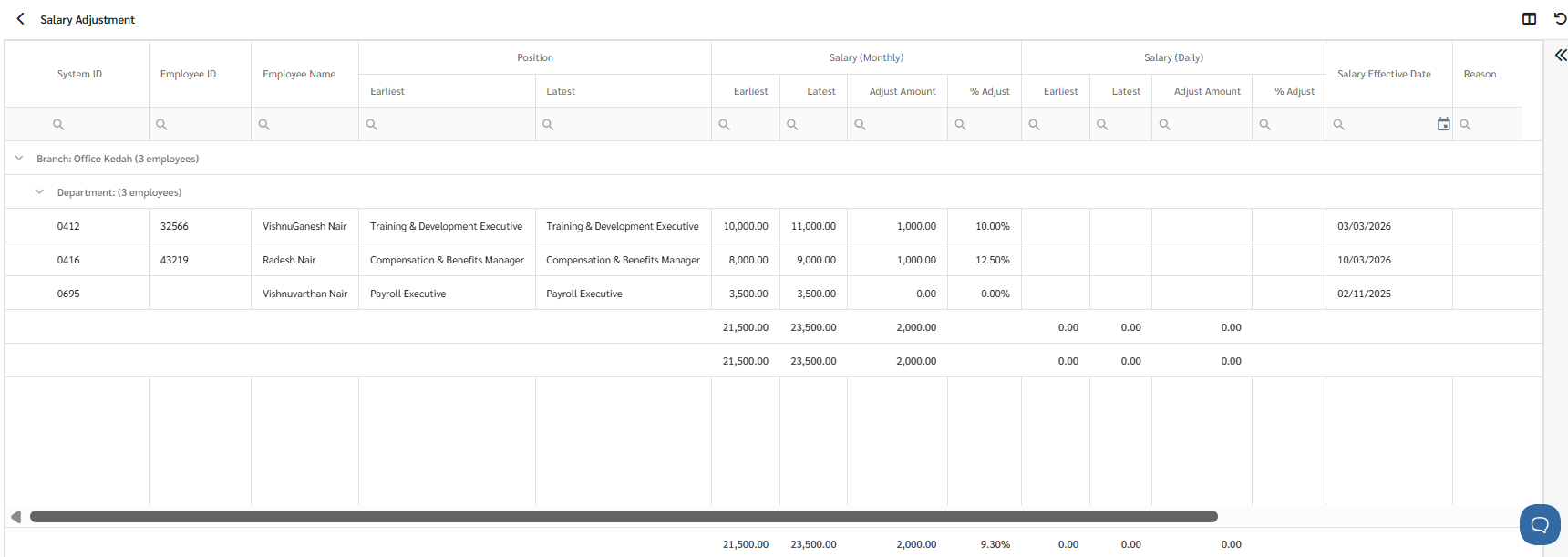
The system will display your earliest and latest positions, your earliest and latest monthly salaries, the adjustment amount, the percentage adjustment, and the salary effective date.
🏷️ Case
-
If the salary in the employee's employment contract is in a foreign currency, the system will not convert the salary shown in the report to RM. The system will display the amount from the Basic Salary field without changing the currency.
Therefore, if the two employment contracts have different currencies, the report may be inaccurate.
In the Salary Adjustment report, the system will only display salaries on a monthly basis.
In cases where the base salary is based on Hourly, Daily, or Weekly wages.
The system will calculate it on a Monthly basis as follows:
- ➕For Payment Schedule: Once a Month /Twice a Month.
-
Payment Type: Hourly
Monthly salary = Number of hours worked per day x Number of days worked per month x Base salary
(If calendar days are enabled, the system will calculate the number of working days per month = 30 days.)
-
Payment Type: Daily
Monthly salary = Number of days worked per month x Base salary
(If calendar days are enabled, the system will calculate the number of working days per month = 30 days.)
-
- ➕ For Weekly Payment Schedule.
-
Payment Type: Weekly.
Monthly salary = (Base salary / Number of days worked per week) x 30
-
Payment Type: Hourly
Monthly salary = (Base salary x Number of hours worked per day) x 30
-
Payment Type: Daily
Monthly salary = (Base salary) x 30
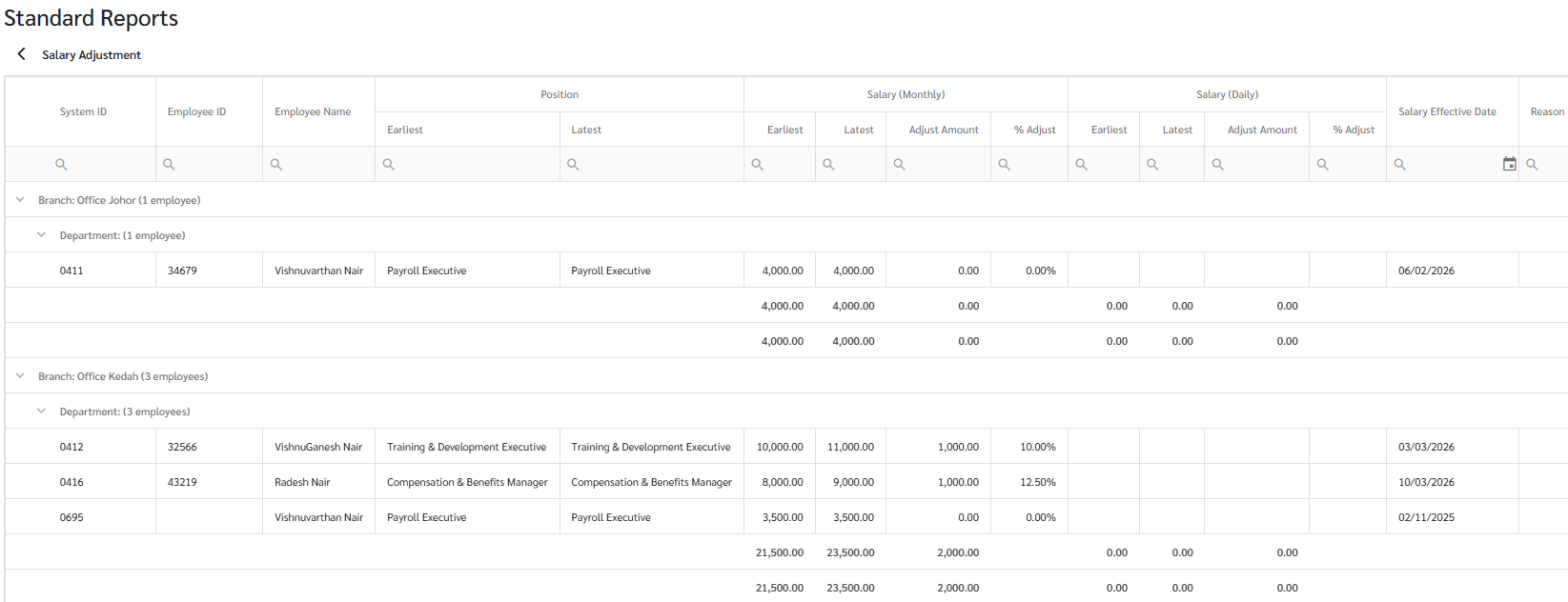
Example of a salary adjustment report.
-
- ➕For Payment Schedule: Once a Month /Twice a Month.
