KPI Review Report
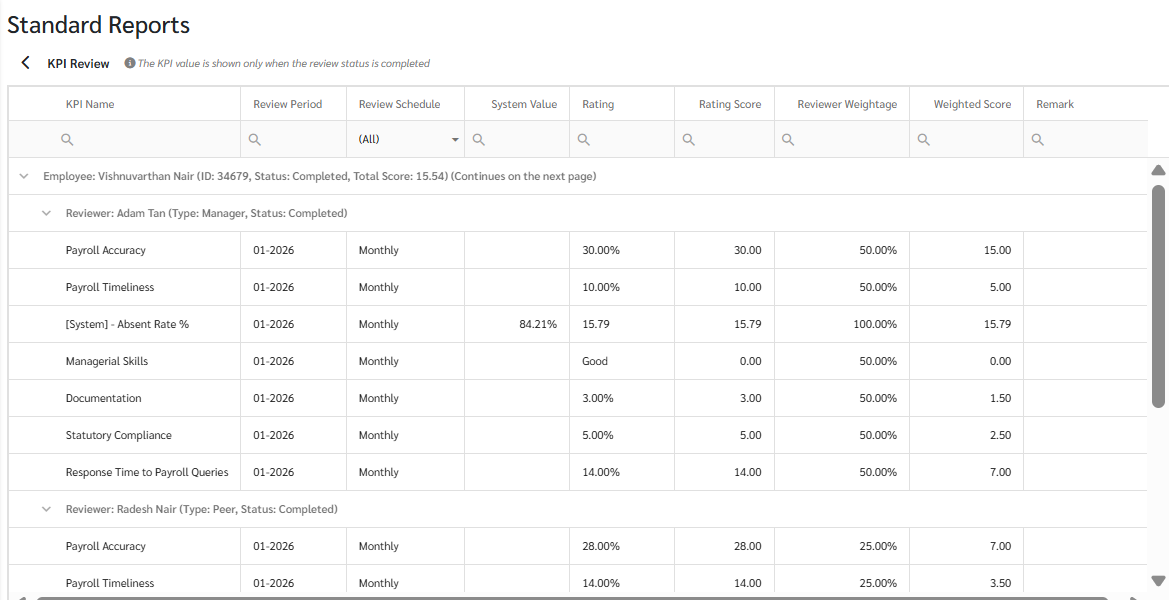
The KPI Review report provides a clear overview of the Review results for each period, including the overall score, status, and Review period, along with details from each Reviewer, including scores, comments, and ratings for individual KPIs. You can filter by Review schedule or Review Period to access the information you need instantly.
How to load KPI evaluation reports.
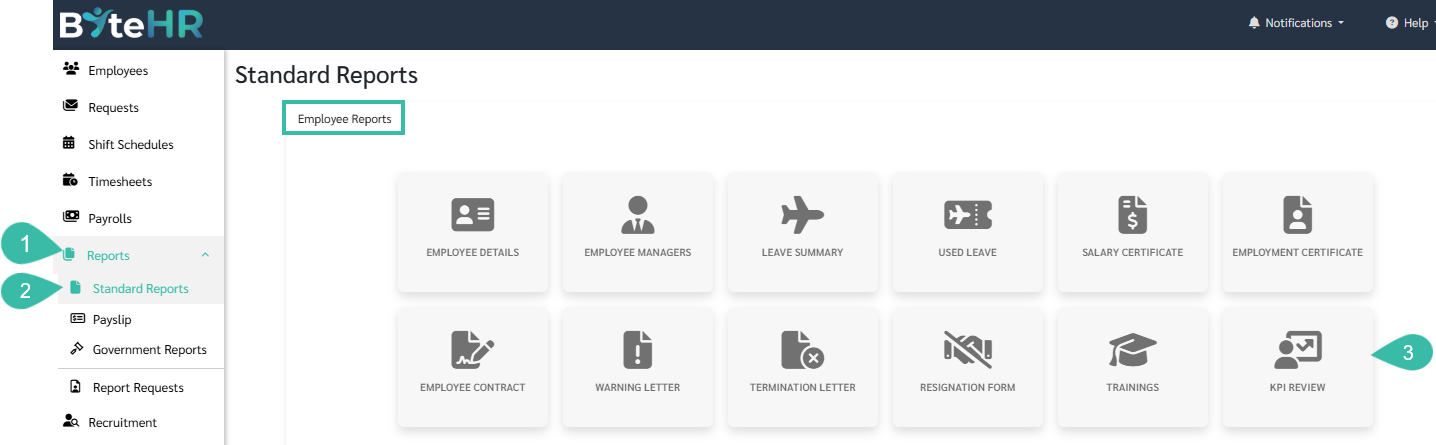
- Go to the Reports menu.
- Select Standard Report.
-
Under Employee Reports, click KPI Review.
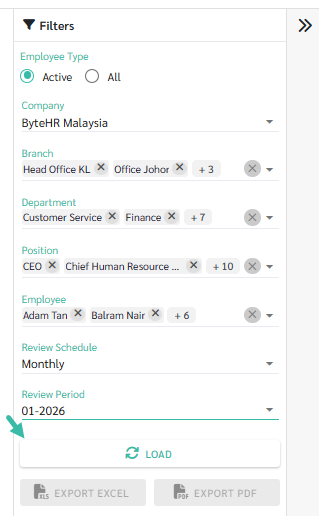
- Select the desired Company, Branch, Department, Position, Employee, Review schedule, and Review Period for review.
-
Click Load to view the report.
-
You can export the Excel file by clicking the Export Excel option.
You can export the PDF file by clicking the Export PDF option.

Note:
- If the reviewer's status remains "In progress," the report will not display scores. The review status must be "Completed" for the data to be displayed.
-
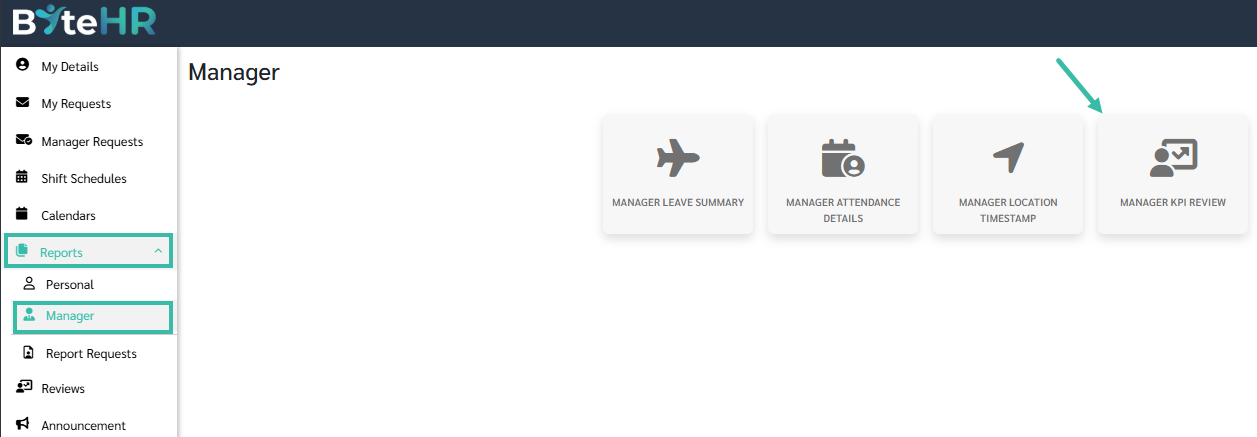
Managers can view their team's reports in the Report > Manager > Manager KPI Review menu, which will show the complete evaluation results and details of each employee.
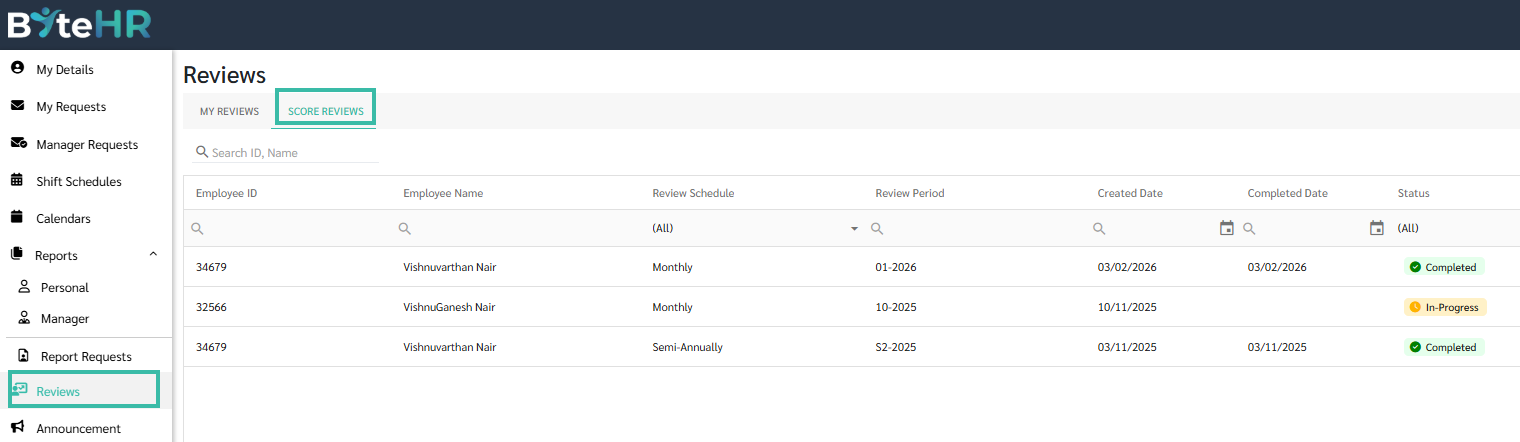
To view the scores you've given individual employees, you can also go to the "Score Reviews" page and click on the employee's name for more details.