
Leave Dashboard
-
The Leave Dashboard is a dashboard that displays the number of leave days, categorized by department, leave type, month, etc.
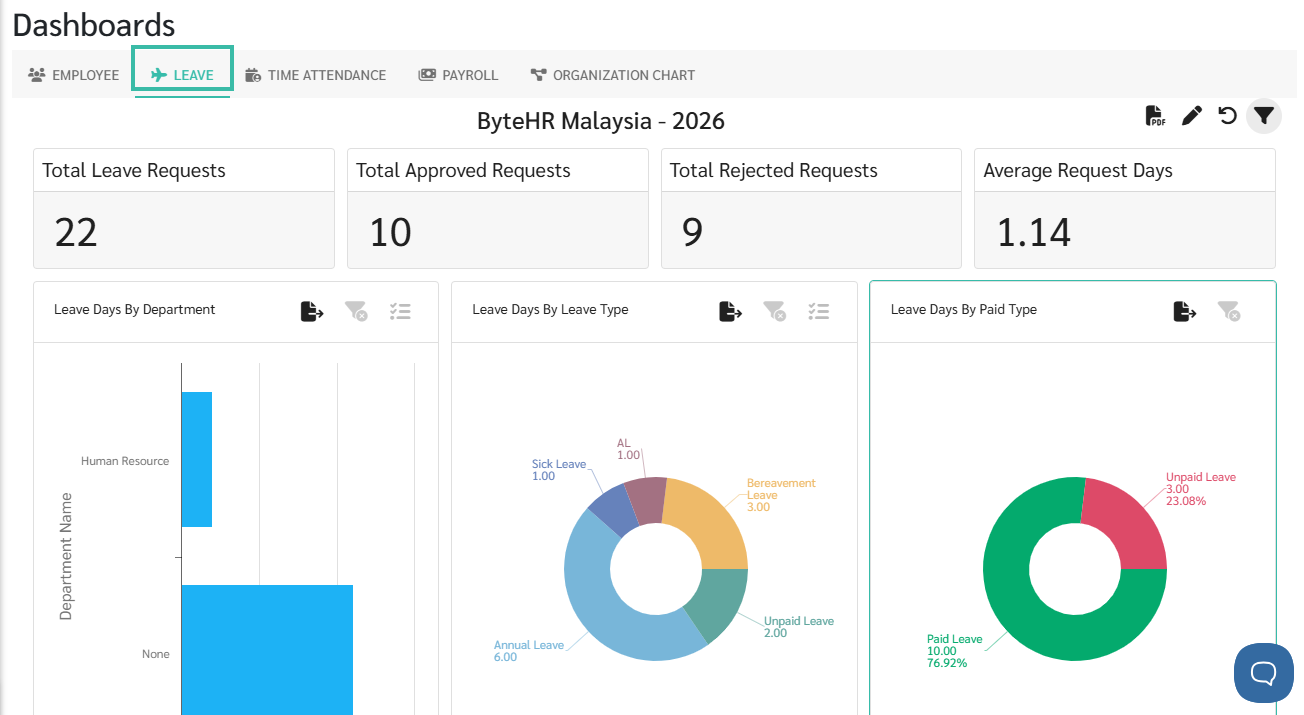
-
To view the Dashboard, click the filter icon located on the right side of the Dashboard page to select Company, Branch, and Period.
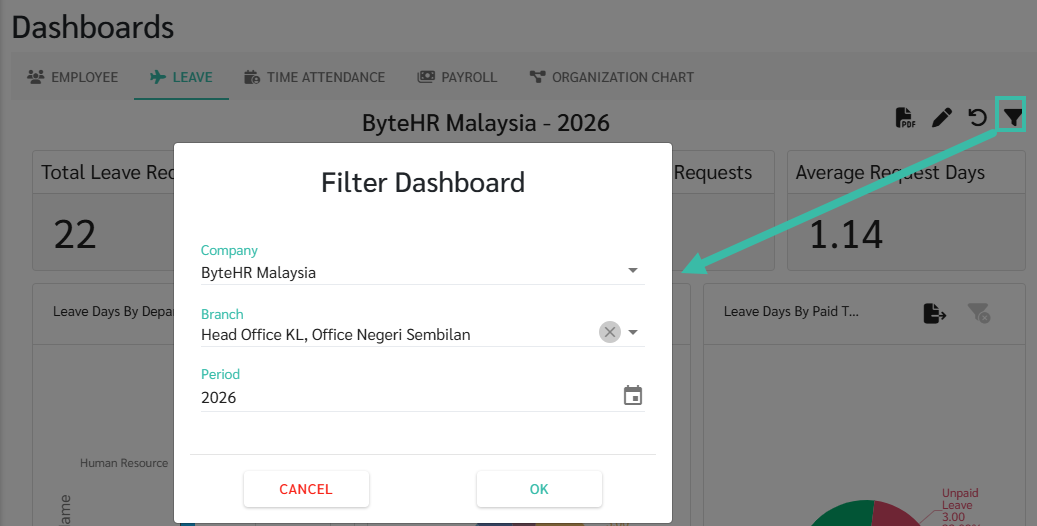
-
Click Pencil icon, to select the widgets you would prefer to be displayed in the Leave Dashboard.
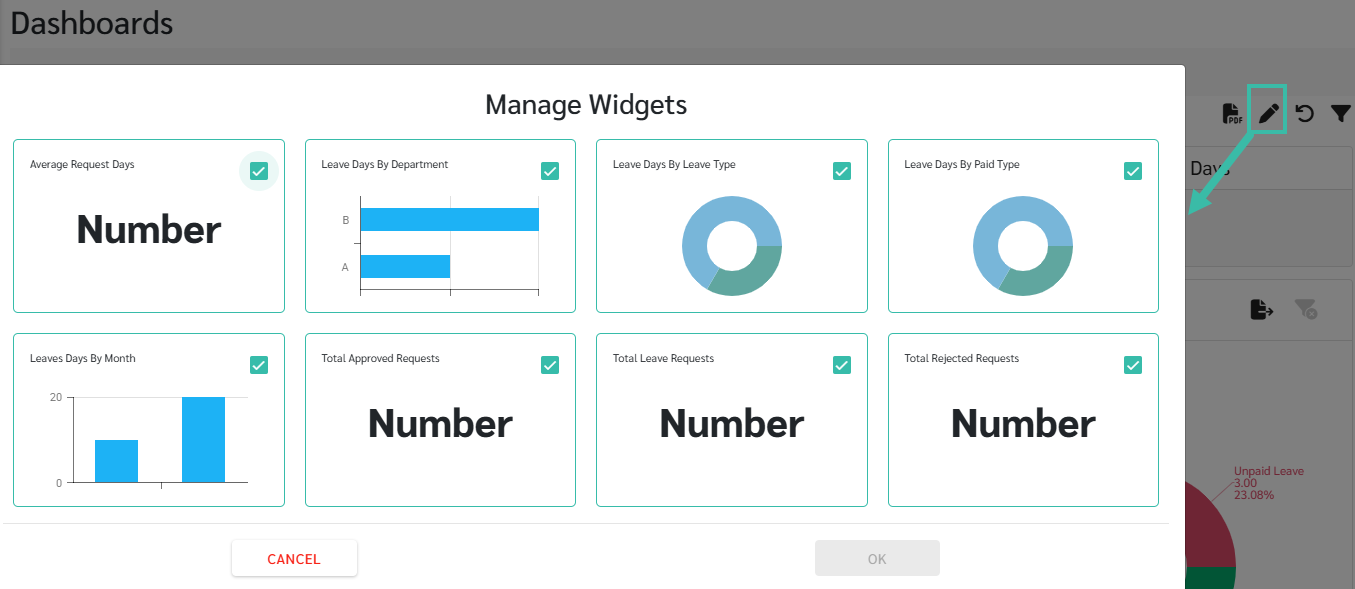
-
Total Leave Requests
This displays the total number of leave requests within the year, including only requests with the statuses Submitted, Approved, and Rejected. It excludes requests with the status Cancelled.
-
Total Approved Requests
Show the total number of approved leave requests within the year.
-
Total Rejected Requests
Show the total number of unapproved leave requests within the year.
-
Average Request Days
Calculated by dividing the total number of leave days in all requests by the total number of requests.
Excluding the number of leave days in requests that are cancelled.
-
Leave Days by Department
Show the number of leave days allocated by department.
-
Leave Days by Leave Type
Show the number of leave days categorized by leave type.
-
Leave Days by Paid Type
Shows the number of leave days, broken down into paid leave and unpaid leave days.
-
Leave Days by Month
Show the number of leave days broken down by month.
-
💬 Note
The total number of leave days displayed in each Dashboard comes from Approved leave requests and also includes leave days added to the timesheet itself.