
Employee Dashboard
-
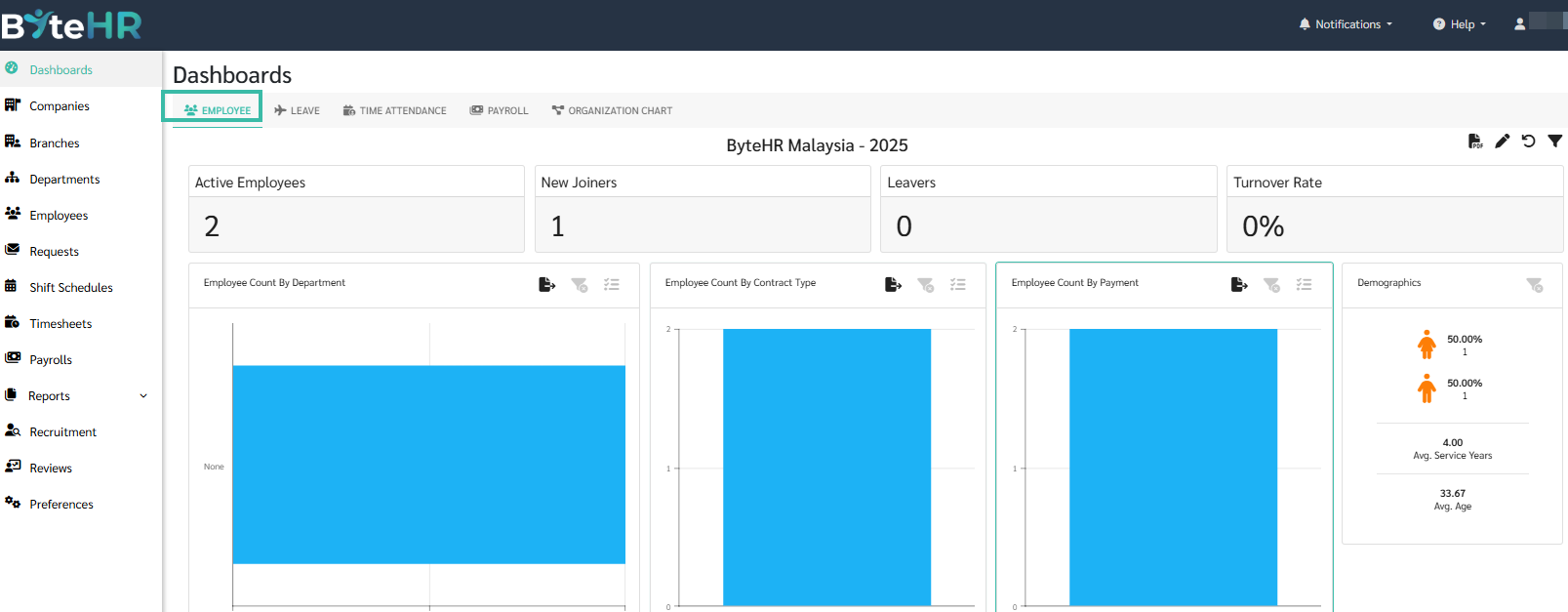
The employee dashboard displays the number of employees, including the employee turnover rate, etc.
-
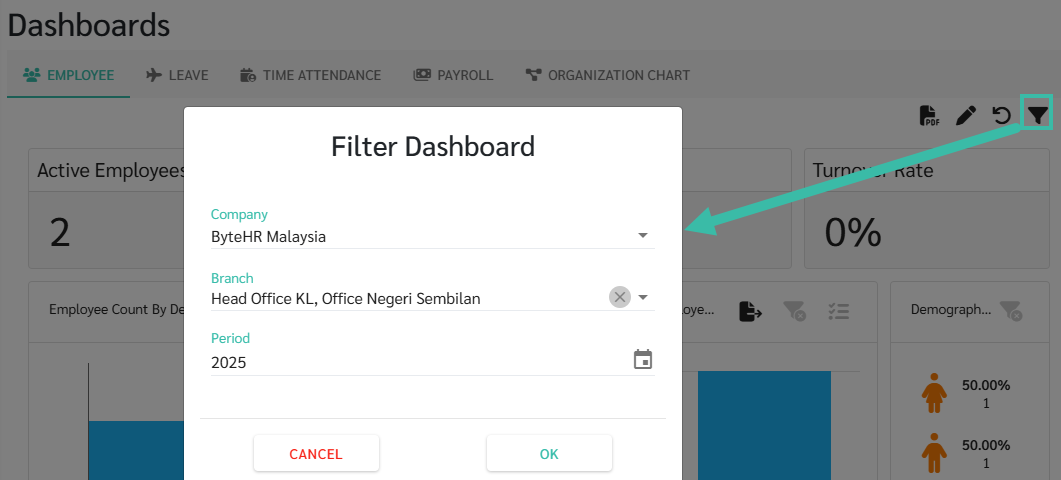
To view the employee dashboard, click the filter icon on the right side of the Dashboard, select Company, Branch, and Period.
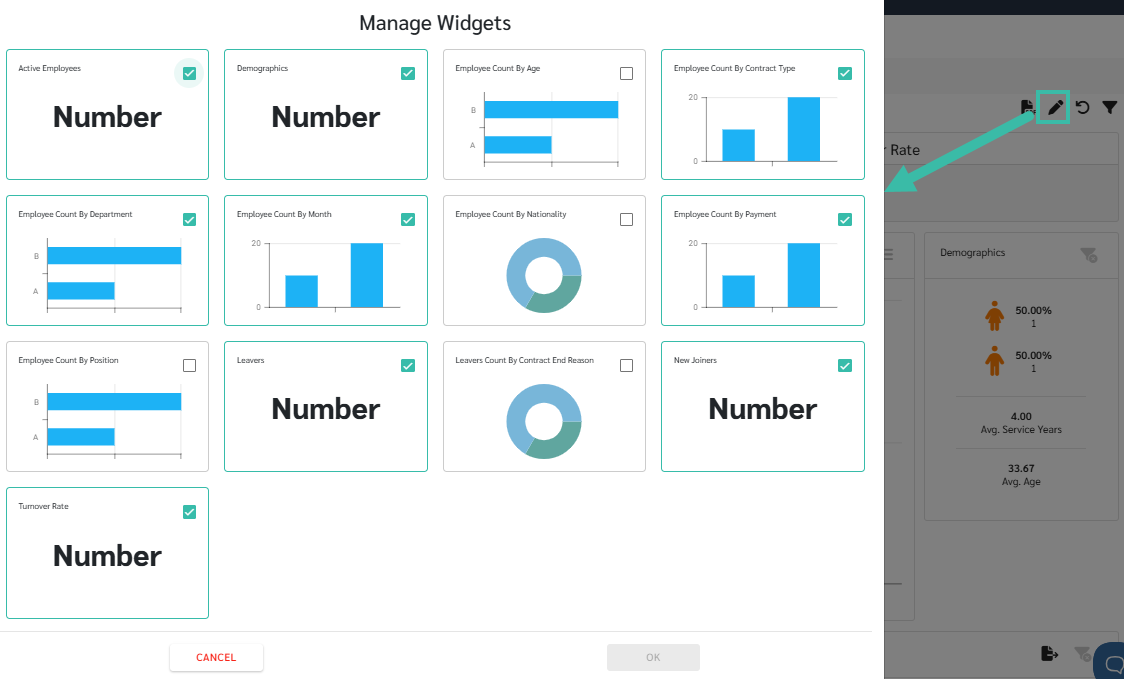
To manage the widgets you would prefer to be displayed on the Employee Dashboard, click the pencil icon.
-
Active Employees
Shows the current number of employees with the Employee Type of Employee.
-
New Joiners
Shows the number of new employees who joined during the year.
-
Leavers
Shows the number of employees who left during the year.
-
Turnover Rate
Show the employee turnover rate relative to the average number of employees in a year.
-
Employee Count by Department
Displays the current number of employees with the Employee Type of Employee, categorized by department.
-
Employee Count by Contract Type
Displays the current number of employees with the Employee Type of Employee, categorized by contract type, such as full-time employees, part-time employees, etc.
-
Employee Count by Payment
Displays the current number of employees with the Employee Type of Employee, categorized by Payment type, such as monthly, daily, etc.
-
Employee Count by Month
Shows the current number of employees with the Employee Type of Employee, broken down by month.
-
Demographics
Employee statistics broken down by gender, average service years, and average age.
This displays the gender ratio of female to male employees, the average length of service of employees, and the average age of employees.
-
Employee Count By Nationality
Show the number of employees by nationality.
-
Employee Count By Age
Show the number of employees by age.
-
Employee Count By Position
Show the number of employees by position.
-
Leavers Count By Contract End Reason
Shows the number of employees who left their jobs, categorized by the reason for contract termination.
-
