
Payroll Dashboard
-
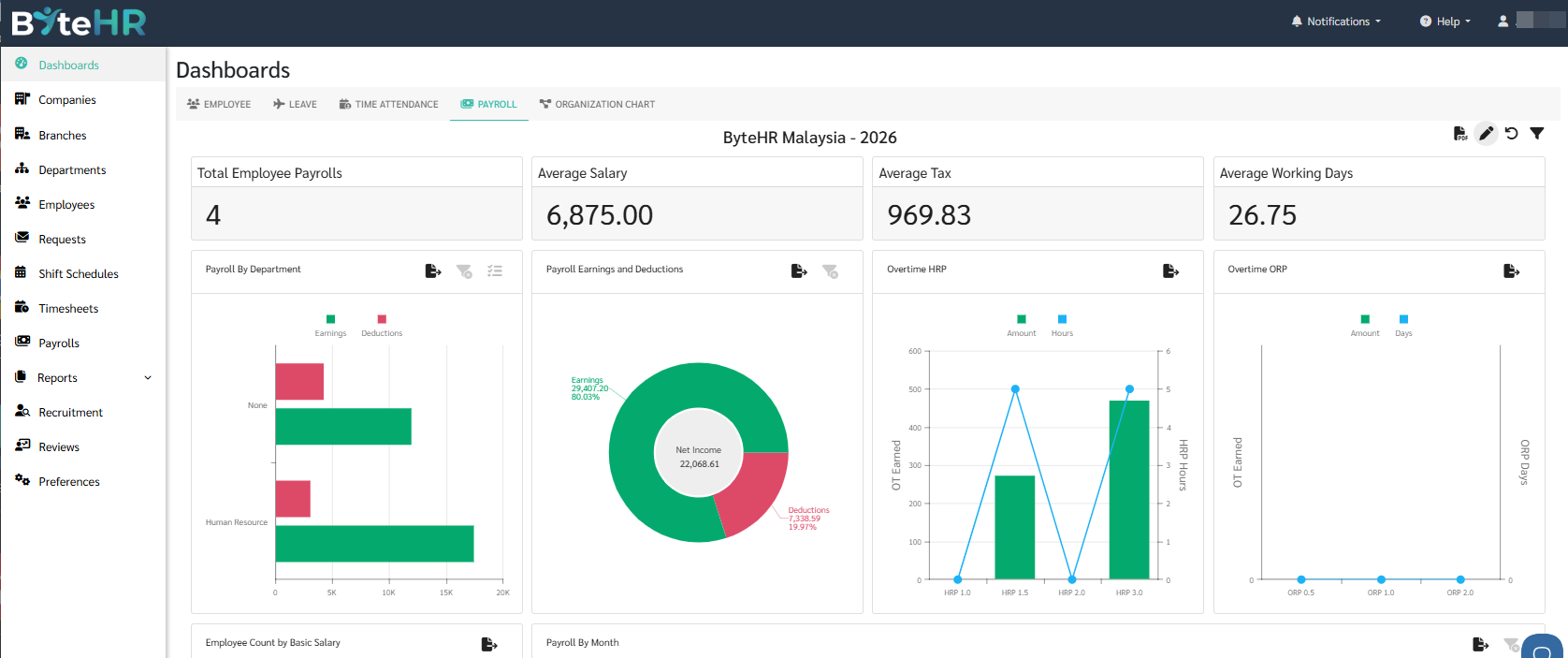
The payroll dashboard summarizes various details on Payroll for that year, such as the number of employees, average salary, average tax, average working days, and Payroll breakdowns by department, positions and month.
-
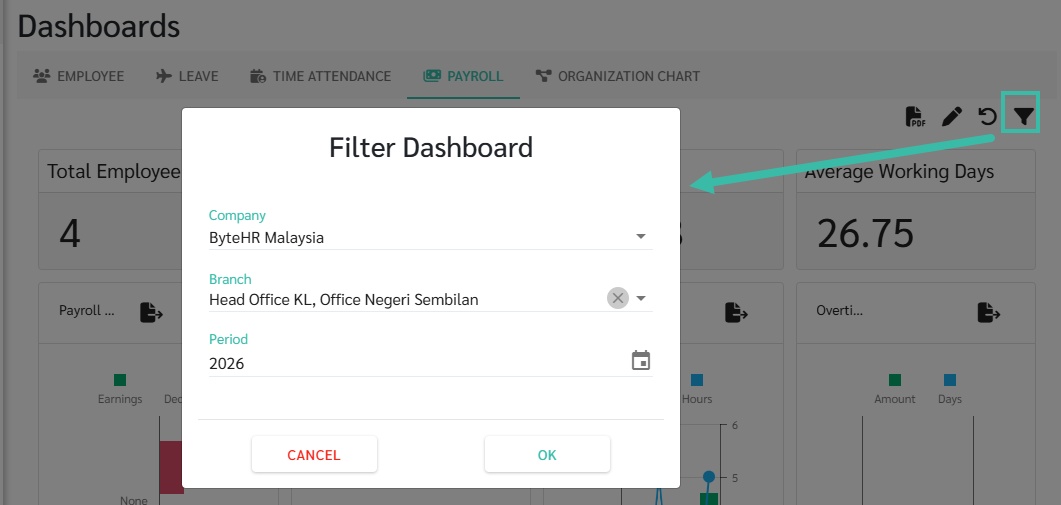
To view the Dashboard by company/branch, click the filter icon on the right side of the Dashboard page to select Company, Branch, and Period.
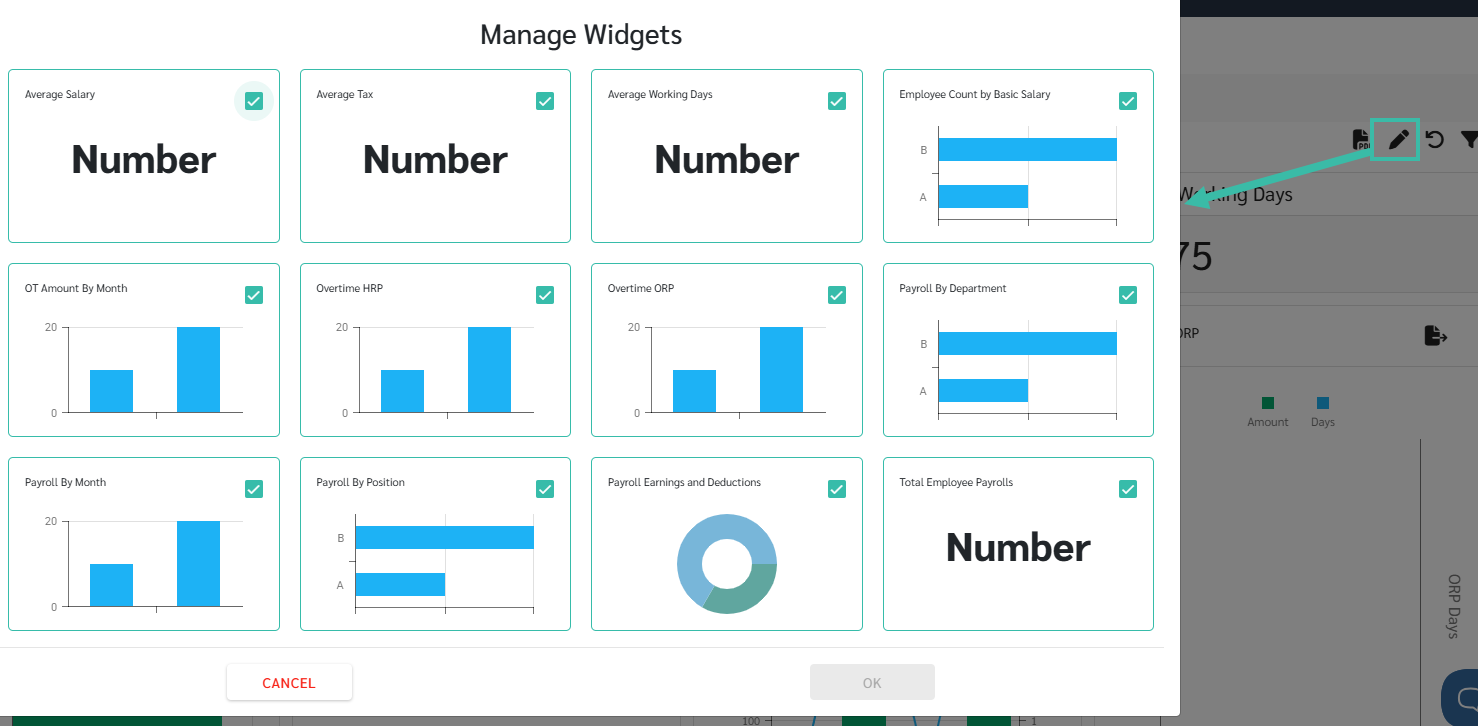
Click the pencil icon, to select the Payroll widgets you would prefer it to appear in the Dashboard page
.
-
Total Employee Payrolls
Show the total number of employees in the monthly payroll details.
-
Average Salary
Show the average salary received by employees.
-
Average Tax
Show the average tax paid by each employee.
-
Average Working Days
Shows the average number of working days in a year.
-
Payroll by Department
Show Earnings and Deductions by department.
-
Payroll Earnings and Deduction.
Shows a summary of Earnings, Deductions, and Net Income.
-
Overtime HRP
Show a summary of Overtime HRP Hours and Amount.
-
Overtime ORP
Show a summary of Overtime ORP Hours and Amount
-
Employee Count by Basic Salary
Show the number of employees categorized by salary range.
-
Payroll by Month
Show your Earnings, Deductions, and Net Income for each month.
-
Overtime Amount by month
Show overtime amount paid for each month.
-
Payroll By Position
Shows Earnings and Deductions by position.
-
