
PERKESO (SOCSO, SKBBK & EIS)
How to Add/Remove SOCSO, SKBBK and EIS from Employee contribution
- Go to the Employees tab.
-
Select the employee.
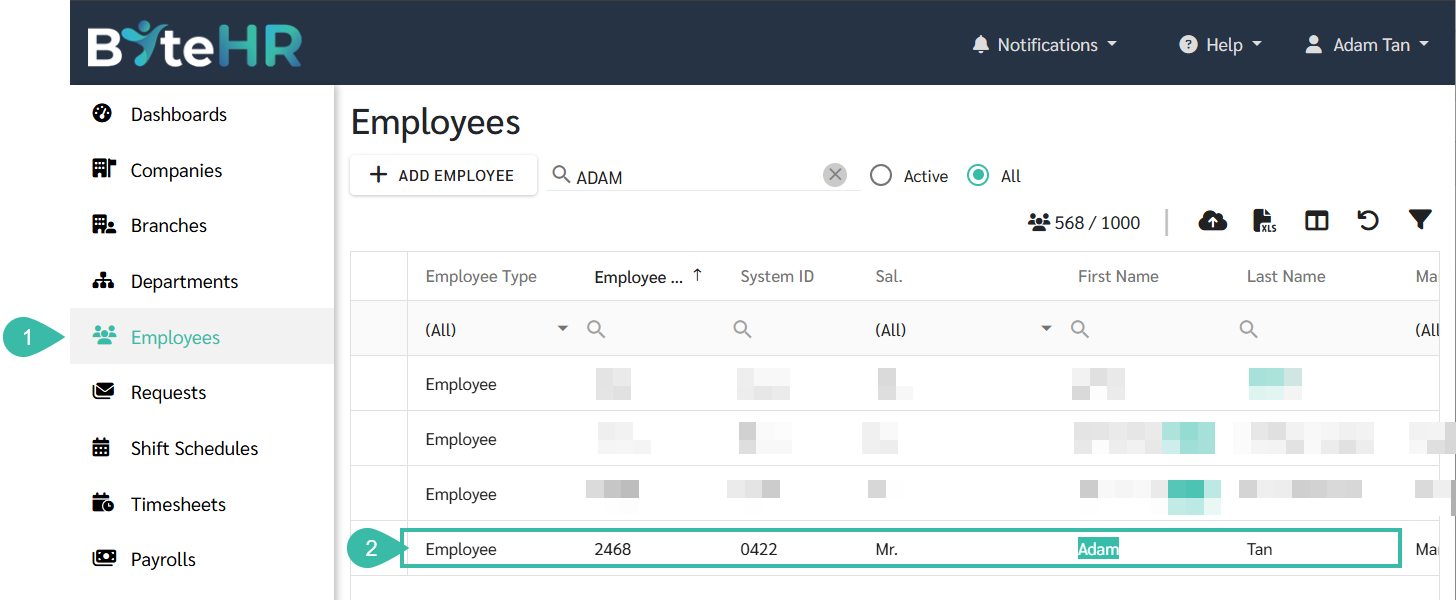
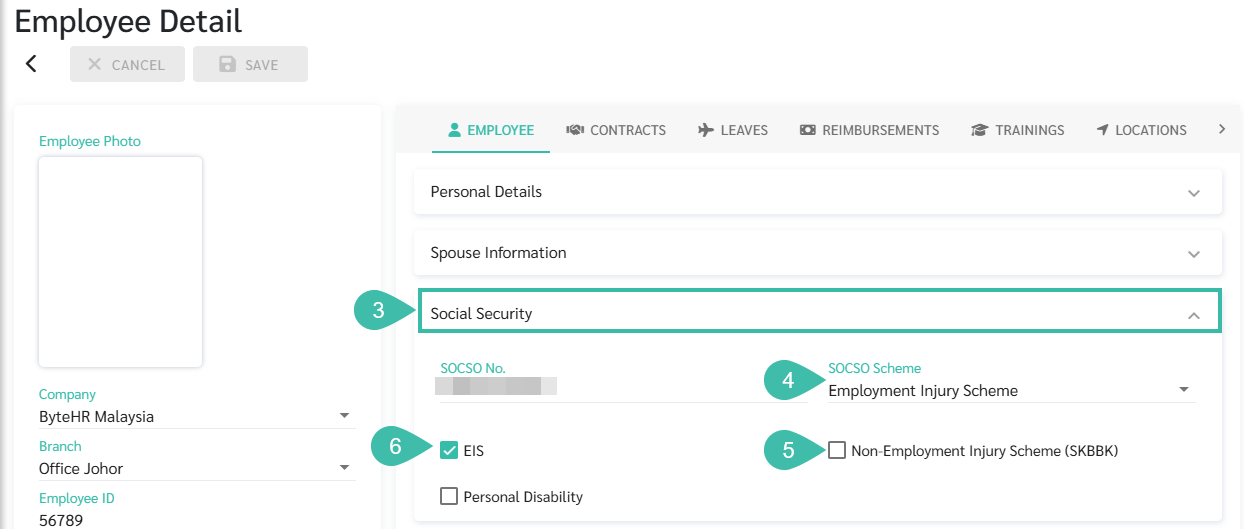
- In the Employee Profile, under the Employee tab, scroll down to Social Security.
- Select the applicable SOCSO Scheme:
- Employment Injury & Invalidity Scheme
- Employment Injury Scheme
- Not Applicable
- Non-Employment Injury Scheme (SKBBK)
- This option is only available when the SOCSO Scheme is set to either Employment Injury & Invalidity Scheme or Employment Injury Scheme.
- If the employee contributes to SKBBK, check the SKBBK checkbox to enable the scheme.
- If the employee opts out of SKBBK, uncheck the SKBBK checkbox to disable the scheme.
- Enable or Disable EIS
- Tick the EIS checkbox if the employee contributes to EIS.
-
Untick the EIS checkbox if the employee does not contribute to EIS.
- PERKESO Tax Relief:
- SOCSO and EIS Contribution
- If the employee contributes to SCOSO and/or EIS, they are eligible for tax relief up to RM 350 per year under PERKESO.
- If the employee does not contribute, no tax relief will be applied.
- The system will consider the actual monthly contribution amount for tax calculation.
- The total contribution will be accumulated throughout the year until it reaches the maximum limit of RM 350.
- SOCSO and EIS Contribution
